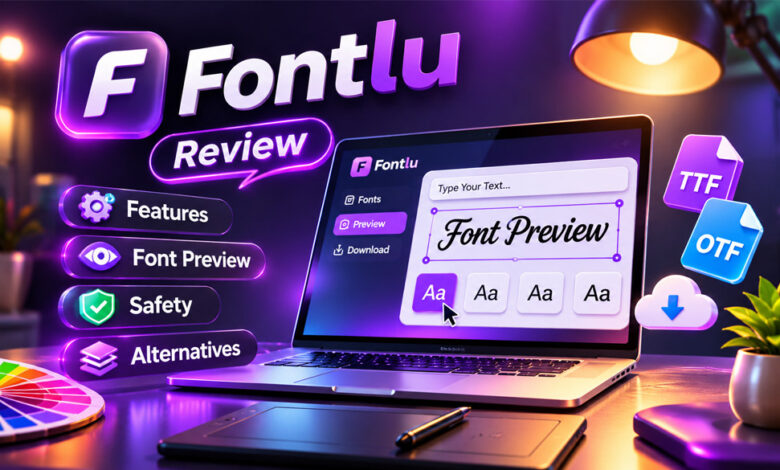

Fontlu is a website for finding and testing fonts. Its main tool lets you type your own text, choose a font, change the size, and see how it looks.
People may use Fontlu to test fonts for logos, websites, headings, social media posts, and other designs. This guide explains what Fontlu is, how it works, its main features, font licensing, safety, and some useful alternatives.
What Is Fontlu?
Fontlu is an online website focused on fonts and text styles. It helps users explore fonts and see how their own text looks in different styles.
One of its main features is called the Font Creator Tool. You can enter a business name, logo text, heading, product name, or short phrase and preview it in different fonts.
The basic tool works in a web browser. You do not need to install professional design software just to test your text.
Fontlu also says it has free and premium font options. However, the rules for using each font may be different.
Fontlu.net is not only about fonts. The website has also published articles about Business, Health, Lifestyle, Fashion, and other topics.
How Does Fontlu Work?
Fontlu is simple to use. First, enter the text you want to test. Then choose a font and change its size.
The public tool has shown common fonts such as Arial, Verdana, Courier New, Comic Sans, and Times New Roman. There is also an option to copy the text.
Using your own words can help you choose a better font. For example, if you are creating a logo, you can enter the real business name and compare how it looks in different styles.
Fontlu is mainly useful for quick testing. You should still test the chosen font in your real website, logo, print design, or other project before making a final choice.
Fontlu Font Creator Tool
The name Font Creator Tool can be a little confusing.
A full font creator allows people to make a new typeface from scratch. It may provide tools for drawing letters, changing their shapes, adjusting spacing, and creating a new font file.
Fontlu’s visible tool does not appear to offer these advanced features.
Instead, it lets you enter text and see it in existing fonts. You can also change the font size and preview the result.
This means Fontlu’s Font Creator Tool works more like a font preview tool.
It can be useful for comparing font ideas. However, people who want to create a completely new typeface will need proper font-making software.
Fontlu Features
Fontlu has several simple features for testing and exploring fonts.
Text Preview
You can enter your own text and see how it looks in a selected font.
This is useful for testing business names, headings, titles, logo text, and short phrases.
Font Selection
The tool lets you choose between different fonts.
Common options such as Arial, Verdana, Courier New, Comic Sans, and Times New Roman have appeared in the public tool.
Font Size Control
You can change the size of your text.
This helps you see if a font still looks clear when it is made larger or smaller.
Copy Text
Fontlu also has a Copy Text option.
Remember that copying text is not the same as downloading or installing a font. You should check how the copied text works on the platform where you want to use it.
Font Discovery and Downloads
Fontlu presents itself as a place to find and download fonts. It says both free and premium options may be available.
Before downloading a font, check its source, price, file type, and license.
Browser-Based Use
The basic Fontlu tool works in a web browser.
This means you can quickly test a font without opening programs such as Photoshop, Illustrator, Figma, or Canva.
Some other websites say Fontlu has AI font pairing, APIs, cloud tools, and design software integrations. These features are not clearly confirmed by Fontlu’s public tool.
Free and Premium Fonts
Fontlu says it may offer both free and premium fonts.
Some free fonts can be used for personal projects. However, they may require a paid license if you want to use them for business purposes.
Premium fonts may also have different prices and rules. These depend on the font and its creator.
There is no clearly confirmed standard Fontlu subscription or fixed pricing plan available in the information we found.
Always check the details of a font before downloading or buying it.
Font Licensing and Commercial Use
Font licensing tells you how you are allowed to use a font.
A font may be free to download but still have limits on its use. For example, it may be free for personal projects but not for business work.
Before using a Fontlu font commercially, check whether its license allows it.
This is especially important when using fonts for logos, websites, advertisements, apps, client projects, products, packaging, or merchandise.
Try to find the original designer, font foundry, or official source. Read the license information before using the font in an important project.
If you cannot find clear license details, do not assume the font is free for commercial use.
Businesses and designers can also save a copy of the license. This can be useful if questions about usage rights come up later.
Font Formats: TTF, OTF, WOFF, and WOFF2
Fontlu mentions TTF and OTF as common font formats.
TTF means TrueType Font. It is a common format that works with many computers and design programs.
OTF means OpenType Font. It is also widely supported and may include extra font features, depending on the typeface.
You may also see WOFF and WOFF2 when working with website fonts. These formats are made mainly for web browsers. WOFF2 usually has a smaller file size, which can help websites load faster.
Fontlu specifically mentions TTF and OTF. This does not mean every Fontlu font is available in all of these formats.
The file type also does not decide how you are allowed to use a font. You still need to check its license.
What Can You Use Fontlu For?
Fontlu can help when you want to test font ideas before starting detailed design work.
For example, a business owner can enter a company name and compare different fonts. A blogger can test a website title. A designer can compare fonts for a logo, poster, advertisement, or social media post.
You can also use it for product names, presentation titles, packaging ideas, and other short text.
Fontlu works best during the early design stage. Once you choose a font, test it again in the real project.
For websites, check how the font looks on desktop and mobile screens. For print designs, check how it looks at the real print size. For business use, make sure the license allows commercial use.
Who Is Fontlu For?
Fontlu can be useful for beginners and people who already work with design.
Graphic designers can use it to test logo text, headings, posters, and other ideas before moving to professional design software.
Website owners and developers can compare different font styles. Before using a font on a real website, they should also check its loading speed, file size, browser support, language support, and license.
Small business owners can test company names, menus, flyers, and product titles.
Content creators can use it to test titles for social media graphics and other visual content. Students and casual users can also use it to explore different font styles.
Fontlu is mainly useful for quick font testing. Professional projects may still need better design software and a trusted font source.
How to Choose and Test a Font
Do not test only one word. A font may look good in a short title but become difficult to read in a longer sentence.
Use the real text you plan to include in your project. Test capital and small letters, numbers, prices, dates, punctuation, and other symbols.
Also try different font sizes. A font may look clear when it is large but become difficult to read when it is smaller.
Check the available font weights, such as regular, medium, and bold. Having different weights can be useful for headings, paragraphs, buttons, and menus.
If your project uses more than one language, make sure the font includes all the letters and characters you need.
For websites, test the font on both computers and phones. Also check loading speed and file size.
For print work, test the font at the size you plan to print it. A logo should also stay clear when it is made smaller.
Is Fontlu Safe to Use?
Fontlu has a public font preview tool that works through a web browser. You can test text without installing design software.
Downloading a font is different because it adds a file to your device.
Before downloading anything, check where the file comes from. It is also a good idea to keep your browser and security software updated and scan downloaded files when needed.
Try to check the original source of the font as well. Look for information about its designer, foundry, or distributor.
There is not enough reliable information to say that every Fontlu download is completely safe. Check each download carefully, just as you would on any lesser-known download website.
Fontlu Privacy and Security
There is limited public information about Fontlu’s privacy and security systems.
Some third-party websites claim Fontlu has encrypted cloud storage, team permissions, controlled access, and other security features. These claims are not clearly confirmed.
The public Fontlu tool does not provide enough information to confirm that it works as a full cloud font-management service for businesses.
If privacy is important to you, read Fontlu’s current policies before sharing personal or sensitive information.
Fontlu Limitations
Fontlu is useful for simple font testing, but it has some limits.
Its visible Font Creator Tool does not appear to create complete new typefaces from scratch.
The exact size of its full font collection is also unclear. Claims that Fontlu has thousands of professional fonts have not been clearly confirmed.
There is no confirmed standard subscription pricing structure. An official Android or iPhone app has not been confirmed either.
Features such as APIs, AI font pairing, cloud collaboration, team tools, and professional software integrations also need stronger proof.
Fontlu.net also publishes content outside typography, including articles about Business, Health, Lifestyle, and Fashion.
For serious design projects, you may still need professional design software and a trusted font source.
Advanced Fontlu Features: What Is and Isn’t Confirmed
Some websites describe Fontlu as a large typography platform with many advanced features.
These reported features include AI font pairing, advanced search filters, cloud storage, team collections, APIs, and user permissions.
Some sources also claim Fontlu works with Figma, Photoshop, Illustrator, and Adobe XD. Other reported features include CSS and JavaScript font embedding.
These features are not all clearly shown on Fontlu’s public website. They should therefore be treated as unconfirmed claims.
Some articles also mention possible future tools such as augmented reality font previews and adaptive typography. There is not enough evidence to say these features have been officially announced.
The features we can describe with more confidence are much simpler: entering text, choosing a font, changing its size, previewing the result, and copying text.
Fontlu Alternatives
There are other font platforms and tools you can use instead of Fontlu. The best choice depends on what you need.
Google Fonts
Google Fonts is a large collection of open-source fonts. It is commonly used for websites and design projects.
Its fonts come with clear open-source licenses. Many can be used for both personal and commercial projects under their license terms.
Google Fonts also makes it easy to add fonts to websites.
It is a better choice when you need fonts for a live website. Fontlu is more useful for simple font testing and early design ideas.
Adobe Fonts
Adobe Fonts is a professional font service connected with Adobe Creative Cloud.
It provides a large font collection and works with Adobe programs such as Photoshop, Illustrator, and InDesign.
It is useful for professional designers who already use Adobe software.
Fontlu is much simpler. Its visible tools are mainly useful for quick font previews rather than a full professional design workflow.
FontForge
FontForge is an open-source program for creating and editing fonts.
It lets users work with individual letters and symbols. Users can also change shapes, spacing, kerning, and other parts of a font.
This makes FontForge useful for people who actually want to create a new typeface.
Fontlu mainly previews existing fonts, while FontForge provides real font creation and editing tools.
Fontlu vs. Google Fonts vs. Adobe Fonts
Fontlu, Google Fonts, and Adobe Fonts all deal with typography, but they serve different needs.
| Feature | Fontlu | Google Fonts | Adobe Fonts |
|---|---|---|---|
| Main Purpose | Quick font testing | Open-source font library | Professional font library |
| Font Exploration | Yes | Yes | Yes |
| Free Fonts | Some | Yes | Depends on Adobe access |
| Premium Fonts | Mentioned | No traditional premium catalog | Professional font collection |
| Licensing | Check each font | Clear open-source licenses | Adobe licensing terms |
| Website Support | Limited confirmed details | Strong | Available |
| Design Software Integration | Not clearly confirmed | Limited | Strong Adobe integration |
| Font Creation | No full creator confirmed | No | No |
| Best For | Quick previews | Websites and free fonts | Professional designers |
Google Fonts is usually a better option for people who need fonts for a website.
Adobe Fonts is useful for designers who already work with Adobe software.
Fontlu is simpler and mainly helps users quickly compare how text looks in different fonts.
People who want to create their own typeface can use a font editor such as FontForge.
Is Fontlu Worth Using?
Fontlu can be useful if you want a simple way to test text in different fonts.
You can use it for a business name, blog title, logo idea, product name, heading, or short phrase.
Its simple browser tool makes it easy to compare basic font styles without starting a full design project.
However, Fontlu may not be enough for professional font editing, advanced webfont management, or team design work.
You should also check the original source and license before using a font in a commercial project.
Fontlu works best as a simple starting point for exploring font ideas.
Bottom Line
Fontlu is a font-focused website with a simple tool for previewing text in different fonts. Users can enter text, select a font, change its size, and see the result in their browser.
Its Font Creator Tool is better described as a font preview tool because it does not appear to provide the full features needed to create a new typeface.
Fontlu can be useful for testing logos, headings, business names, and other design ideas. It also says that free and premium font options are available.
Some websites claim Fontlu has advanced AI, cloud, API, and design integration features. These features are not clearly confirmed and should not be treated as facts.
For simple font testing, Fontlu can be useful. For professional design, webfonts, or creating a new typeface, other tools may be a better choice.
Frequently Asked Questions
What is Fontlu?
Fontlu is a website for exploring fonts and previewing your own text in different font styles.
Is Fontlu free to use?
Its public preview tool is available online. Fontlu also says it may offer both free and premium fonts.
What does the Fontlu Font Creator Tool do?
It lets you type text, choose a font, change its size, and preview how the text looks.
Can Fontlu create a new font from scratch?
Its visible tool mainly previews existing fonts. It does not appear to provide full tools for creating a new typeface.
Can I use Fontlu fonts commercially?
It depends on the font’s license. Always check whether commercial use is allowed before using a font for business work.
What font formats does Fontlu support?
Fontlu mentions TTF and OTF as common formats. Check each font to see which file format is available.
Is Fontlu safe?
The public preview works in a browser. When downloading fonts, check the source and license and scan files when needed.
What are the best Fontlu alternatives?
Google Fonts is useful for free and web fonts, Adobe Fonts is good for professional Adobe users, and FontForge is made for creating and editing fonts.
Charfen.co.uk Review 2026: What It Is, Content, Safety, and Key Facts
Thealitekeepsafe.com Review: Content, Trust, Privacy, and Safety