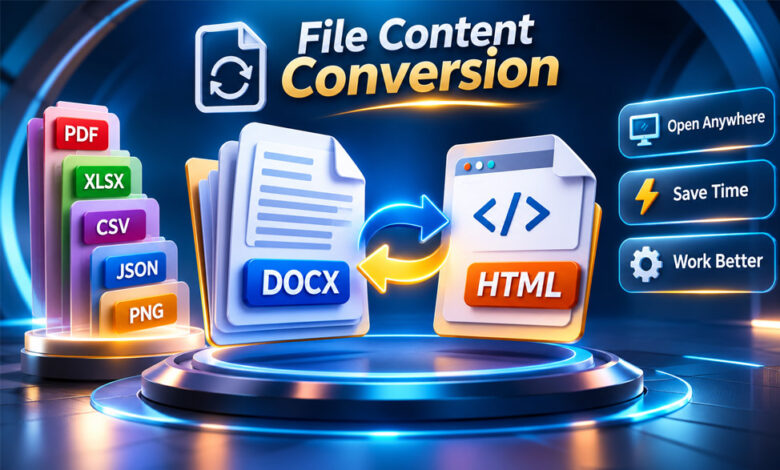

File Content Conversion means changing a file from one format into another. It helps a file work with different programs, websites, devices, and business systems.
You may need file conversion when software cannot open a file, a website asks for another image format, or data needs to move between two systems.
Common examples include DOCX to HTML, XLSX to CSV, CSV to JSON, and PNG to JPEG.
This guide explains what File Content Conversion is, how it works, its common types, benefits, risks, privacy concerns, and its use in SAP PI/PO.
What Is File Content Conversion?
File Content Conversion is the process of changing the content of a file into another format.
It is more than changing the file name. A real conversion changes how the information inside the file is stored.
Different file formats store information in different ways. CSV stores simple rows and fields. JSON uses objects, arrays, names, and values. DOCX can contain text, images, formatting, and other information.
Image formats also work differently. PNG, JPEG, and WebP have different ways of handling image quality, compression, transparency, and other details.
A file converter reads the original file and understands its content. It then creates a new file using the rules of the selected format.
For example, you can convert DOCX to HTML for a website, XLSX to CSV for data sharing, or PNG to JPEG for easier image use.
File Content Conversion also has a special meaning in SAP PI/PO. In this case, FCC can convert structured text files into XML or XML into structured text.
How Does File Content Conversion Work?
The exact process depends on the file types being used. However, most conversions follow a few basic steps.
First, the converter reads the original file. It identifies information such as text, images, spreadsheet cells, formatting, metadata, or data records.
Next, it checks how this information can be stored in the new format.
Finally, it creates a new file in the selected format.
For example, a DOCX-to-HTML converter may find headings, paragraphs, links, tables, and bold text. It then changes these elements into suitable HTML.
CSV-to-JSON conversion works differently. The converter reads the rows and fields in the CSV file and changes them into a JSON structure.
For images, the converter reads the original image and creates a new version using the rules of the new image format.
In simple words, the converter reads the original file, understands its content, and creates a new version in another format.
File Content Conversion vs File Renaming
Changing a file extension is not the same as converting a file.
For example, imagine you have a file called photo.png.
If you rename it to photo.jpg, you have only changed its name. The information inside may still be PNG data.
Some programs may recognize the real file type. Other programs may show an error or refuse to open it.
The same is true for text files. Changing notes.txt to notes.html does not automatically turn the text into proper HTML.
Real File Content Conversion changes the information inside the file so it follows the rules of the new format.
Conversion vs Compression vs Encoding
Conversion, compression, and encoding are different things.
File conversion changes information from one format into another.
Compression tries to reduce the amount of storage space a file needs.
Encoding means storing or representing information using a set of rules.
JPEG is a useful example. JPEG uses its own way of encoding image information and commonly uses lossy compression.
ZIP is different. You can put DOCX, PNG, CSV, and other files inside a ZIP archive. The files may become smaller, but they keep their original formats when extracted.
A smaller file does not always mean it has been converted. It may simply have been compressed.
Common Types of File Content Conversion
File Content Conversion is used with many types of digital files.
Document conversion includes DOCX, PDF, TXT, and HTML. People convert documents for editing, publishing, sharing, and storing information.
Spreadsheet conversion often includes XLSX and CSV. It can help move spreadsheet data into another program.
Data conversion includes CSV, JSON, and XML. These formats are often used to move information between applications and business systems.
Image conversion includes PNG, JPEG, and WebP. Images may be converted for better compatibility, smaller file size, transparency, or website use.
Audio and video conversion can include MP3, WAV, MP4, and WebM. These conversions may also change bitrate, resolution, codecs, or other media settings.
Markup conversion includes processes such as Markdown to HTML. This allows Markdown content to be displayed properly on a web page.
The best conversion method depends on the type of information you need to keep.
Popular File Conversion Examples
There are many common reasons to convert files.
DOCX to HTML is useful when preparing a document for a website.
DOCX to TXT removes most formatting and keeps mainly the written text.
XLSX to CSV creates a simpler data file that many programs can read. However, some Excel features may be lost.
CSV to JSON changes rows and fields into structured JSON data.
CSV to XML can be useful when another application needs information in XML format.
PNG to JPEG may be useful for photographs when transparency is not needed.
PNG or JPEG can also be changed to WebP for suitable web uses.
Markdown to HTML changes simple Markdown formatting into HTML that a web browser can display.
The best format depends on how you plan to use the final file.
Lossless vs Lossy File Conversion
Lossless and lossy processing describe what happens to information during conversion.
Lossless processing tries to keep the important information without deliberately removing parts of it.
Lossy processing removes some information. This is often done to make files smaller.
JPEG compression is a common example of lossy processing. Some image details can be removed to reduce file size.
Changing that JPEG into PNG later will not bring the lost details back.
Documents and spreadsheets can also lose information during conversion.
For example, XLSX files can contain formulas, styles, charts, macros, and several worksheets. CSV cannot keep all of these features.
DOCX to TXT may keep the written words but remove images, fonts, styles, and page layout.
Even CSV to JSON can cause changes if dates, numbers, empty fields, or values with leading zeros are handled differently.
Before converting, it is useful to ask: What information will stay, what could change, and what might be lost?
What Can Be Lost During File Conversion?
Different types of information can be lost during conversion.
Documents may lose fonts, comments, page layouts, tracked changes, images, or special formatting.
Spreadsheets may lose formulas, charts, macros, styles, or extra worksheets.
Images may lose transparency, metadata, color information, or visual quality.
Data files can have other problems. Dates may change format. Leading zeros may disappear. Empty fields may be handled differently. Special characters can also display incorrectly.
This does not always mean the converter is bad. Sometimes the new file format simply cannot store the same features as the original.
Before converting an important file, decide which information must stay unchanged.
Browser-Based File Content Conversion
Some file converters work directly through a web browser.
Modern browsers can read selected files and process them using JavaScript and other web technologies.
For example, a browser tool may read an image and create another image format without needing separate desktop software.
Browser tools can also work with some documents, spreadsheets, archives, and data formats.
However, browser-based does not always mean the file stays on your computer.
Some websites process files directly on your device. Others upload them to a remote server. Some may use both methods.
If your file contains private information, check how the converter handles it before using the service.
Browser-Based vs Server-Based Conversion
Browser-based and server-based conversion both have advantages and limits.
Local browser conversion can offer better privacy when the file stays on your device. It can also save time because you may not need to upload a large file.
However, your device must do the work. Very large or complex files may require more memory and processing power.
Server-based conversion sends the file to a remote system for processing.
Servers may have more power and access to special software. This can make them useful for large videos, complex documents, or unusual file formats.
However, server processing can involve upload time, internet speed, privacy, and data storage concerns.
The best choice depends on your file size, privacy needs, device power, file type, and required quality.
Privacy and Security When Converting Files
Privacy is important when converting files online.
Files can contain information that is not immediately visible. Business documents may contain private information. Spreadsheets may include customer, employee, or financial data.
Images and documents can also contain metadata.
Before uploading an important file, check how the conversion service handles your data.
Find out whether files are uploaded, how long they are stored, and when they are deleted.
Local conversion can reduce some privacy risks because the main file may stay on your device. However, you should still check how the tool actually works.
For highly private files, trusted offline software or a verified local converter may be a safer choice.
Benefits of File Content Conversion
One of the main benefits of File Content Conversion is better compatibility.
It allows a file created for one program or system to work in another.
It can also save time. Instead of manually rebuilding information, a converter can create a new version automatically.
File conversion can help with data migration, web publishing, collaboration, archiving, automation, accessibility, and data sharing.
Businesses can convert records into formats accepted by other systems. Developers can change data structures for software. Writers can prepare documents for websites. Website owners can convert images into suitable web formats.
File Content Conversion is also useful when old and new business systems need to exchange information.
Limitations of File Content Conversion
File conversion is not always perfect.
Different formats support different features. This means some information can change or disappear.
A TXT file cannot keep all the formatting found in DOCX. CSV cannot store every feature of an Excel workbook. JPEG also cannot keep transparency like PNG.
Some image, audio, and video conversions can also reduce quality.
A converted file may open normally but still have missing or changed information.
Always check important files after conversion.
How to Choose the Right Output Format
Choose a format based on what you need to do with the file.
If you still need to edit a document, use a format that keeps the required formatting.
CSV can work well for simple spreadsheet data. However, XLSX may be better if you need formulas, charts, formatting, or multiple worksheets.
For images, think about quality, file size, transparency, and compatibility. JPEG is commonly used for photographs. PNG is useful when transparency is important. WebP can also be useful for supported web uses.
For data, CSV is useful for simple rows and columns. JSON can store more complex structures. XML can also store structured and hierarchical information.
There is no single best format for everything. Choose the format that fits your needs.
File Content Conversion in SAP PI/PO
File Content Conversion has a special meaning in SAP integration.
In SAP Process Integration (PI) and Process Orchestration (PO), FCC is commonly used with the File/FTP Adapter.
It can change structured text files into XML. It can also change XML messages back into structured text files.
A simple incoming process can look like this:
Text File → Sender File Adapter → File Content Conversion → XML Message
An outgoing process works in the other direction:
XML Message → Receiver File Adapter → File Content Conversion → Text File
This is useful when two business systems use different data formats.
For example, an older system may create customer information as a text file. SAP may need the information in XML. FCC can read the fields and create the required XML structure.
It can also create a flat file from XML when another system does not accept XML.
Common File Formats in SAP FCC
SAP FCC can work with different types of structured text.
CSV is one common example, but values do not always need to be separated by commas.
Files can use semicolons, tabs, pipes, or other characters.
Some systems use fixed-width files. In these files, every field has a set amount of space.
A business file can also contain several record types. It may have a header at the beginning, detail records in the middle, and a trailer at the end.
XML uses named elements and a clear structure instead of depending mainly on the position of each value.
The SAP FCC settings must match the real structure of the file.
Important SAP FCC Parameters
SAP FCC parameters tell the system how to read a file.
The Recordset Structure helps define the order and number of different record types.
A field separator tells SAP which character separates values. This could be a comma, pipe, tab, or another character.
Field fixed lengths are used when fields have set sizes instead of separators.
Field names give names to the columns.
A key field value can help SAP identify different record types in a file.
Other settings may control missing fields, extra fields, and text separators.
The correct settings depend on the actual file structure and the required conversion.
Inbound and Outbound SAP File Conversion
Inbound Flat File to XML
Inbound conversion happens when SAP receives a structured text file and needs to turn it into XML.
For example:
101,John,New York
102,Sarah,Chicago
The first field may be Customer ID, the second Name, and the third City.
FCC reads these fields using the configured rules and creates an XML structure.
The SAP configuration decides the XML element names, structure, and how repeated records are handled.
Testing should include different records, empty fields, special characters, and other valid data.
Outbound XML to Flat File
Outbound conversion works in the opposite direction.
SAP may have an XML message, but another system may require a text file.
FCC can create the required text file from XML.
The values may be separated by commas, tabs, pipes, or other characters. Fixed-width output can also be used.
Field order is very important because the receiving system expects each value in the correct place.
The final file should always be tested with the receiving system.
File Content Conversion vs Message Mapping
FCC and Message Mapping are different parts of SAP integration.
FCC mainly changes how structured information is represented. It can turn a flat file into XML or XML into a flat file.
Message Mapping is used when the business data itself needs to be changed or reorganized.
For example, FCC may read First Name and Last Name as separate fields.
If another system needs them combined into one Full Name field, additional mapping may be required.
Message Mapping can also help when data needs calculations, new structures, conditions, or other business rules.
Simple structural conversion may only need FCC. More complex changes may require Message Mapping.
Security and PGP File Processing
FCC and encryption are not the same thing.
FCC changes the structure of information. Encryption protects information from people who should not access it.
However, both can be used in the same process.
An encrypted incoming file may need to be decrypted before FCC can read it.
An outgoing file can also be converted first and then encrypted before it is sent.
PGP encryption may be used in suitable file-processing systems. The exact setup depends on the SAP environment and available components.
Security should also include file permissions, secure transfers, passwords or credentials, monitoring, and access control.
File Content Conversion and SAP Integration Suite
Companies moving from SAP PI/PO to newer SAP integration technology should not assume that every old FCC setting will work in exactly the same way.
SAP Integration Suite can handle similar conversion needs, but its tools and settings may be different.
For example, CSV-to-XML and XML-to-CSV conversion may still be needed, but the setup can change.
During migration, teams should keep the original file rules, sample files, expected output, mapping requirements, and known errors.
The important goal is to make sure the new system produces the correct result.
Common File Conversion Problems
File conversion can sometimes cause problems. Most problems happen because the original and new formats handle information differently.
Missing Formatting
Documents may lose fonts, tables, page layouts, comments, or other formatting.
Solution: Choose an output format that supports the features you need.
Strange or Broken Characters
Text may show incorrect symbols because of a character encoding problem.
Solution: Check the encoding of the original file and use a compatible encoding during conversion.
Spreadsheet Data Changes
Dates, numbers, formulas, leading zeros, and empty cells can change.
Solution: Compare important spreadsheet data with the original after conversion.
Image Quality or Transparency Changes
Images can lose quality, transparency, metadata, or detail.
Solution: Choose an image format that supports the features you need and check the final image.
Quality Drops After Repeated Conversion
Repeated lossy conversion can reduce image, audio, or video quality.
Solution: Use the best-quality original file whenever possible.
SAP FCC Structure Errors
SAP FCC can fail when the file does not match its settings.
Wrong separators, field lengths, record types, missing fields, or encoding can cause problems.
Solution: Compare the file with its official structure and SAP FCC settings.
How to Troubleshoot File Content Conversion
Start with the original file.
Compare it with the converted version. Check important text, numbers, images, formulas, formatting, and other information.
If something is missing, check whether the new format supports that feature.
For data files, check separators, character encoding, dates, numbers, empty fields, and leading zeros.
For images, check dimensions, transparency, orientation, and quality.
For SAP FCC problems, compare the failing file with the official file rules and FCC settings.
Check recordsets, separators, field names, fixed lengths, key fields, and encoding.
SAP processing logs may also help find the problem.
Using a small test file can make errors easier to find.
Best Practices for File Content Conversion
Always keep the original file. If something goes wrong, you can start again.
Before converting, decide what information must stay unchanged.
Choose a format that supports those features.
Avoid converting a file when there is no real need.
Try not to repeatedly convert images, audio, or video using lossy formats because quality may decrease.
For private files, check whether the converter keeps the file on your device or uploads it to a server.
For SAP FCC, keep clear information about field order, separators, field lengths, encoding, required fields, optional fields, and record types.
Test the conversion with realistic files, not only perfect sample data.
For important business systems, also test larger files to make sure the process works properly.
Finally, open and test the converted file in the program or system where it will actually be used.
Real-World Uses of File Content Conversion
File Content Conversion is used in many everyday tasks.
Writers may convert DOCX files into HTML for websites.
Businesses may convert XLSX files into CSV for importing data into another system.
Developers may convert CSV into JSON or XML for software applications.
Website owners may convert PNG or JPEG images into WebP or another suitable format.
Businesses also use file conversion to connect old and new systems.
Manufacturers may receive supplier information in text files and convert it into XML.
Retailers may create flat files for older warehouse systems.
File conversion can also be used with purchase orders, invoices, shipment information, finance records, HR data, customer records, and supplier information.
Structured conversion works best when the source and target formats are clear and consistent.
Bottom Line
File Content Conversion means changing information from one file format into another.
It helps files work with different programs, websites, devices, and business systems.
Real conversion changes the content inside the file. It is not the same as simply changing the file extension.
Conversion can improve compatibility and make data sharing easier. However, formatting, quality, metadata, formulas, or other information may sometimes be lost.
For private files, always check how a conversion tool handles your information.
In SAP PI/PO, FCC is mainly used to convert structured text files into XML or XML back into structured text.
For important files, keep the original, choose the new format carefully, and always check the converted version.
Frequently Asked Questions
What is File Content Conversion?
File Content Conversion changes information from one file format into another so it can work with different software, websites, or systems.
Is changing a file extension the same as converting it?
No. Changing .png to .jpg only changes the file name. Real conversion changes the data inside the file.
Can File Content Conversion cause data loss?
Yes. Formatting, formulas, metadata, transparency, image quality, and other information can sometimes be lost during conversion.
Is browser-based file conversion private?
It depends on the tool. Some converters process files on your device, while others upload them to a server.
Can File Content Conversion convert CSV to XML?
Yes. CSV data can be converted into XML when the fields and structure are correctly defined.
What is FCC in SAP PI/PO?
FCC means File Content Conversion. It can convert structured text files into XML and XML into structured text files.
Does SAP FCC require Message Mapping?
Not always. Simple file conversion may only need FCC. More complex data changes may also need Message Mapping.
Can I convert a file back to its original format?
Often yes, but lost information may not return. Converting a file back does not always recreate the exact original.
Brandihomes.com: What It Is, How It Works, and Is It Legit?
Uncuymaza Review: What It Is, What It Publishes, and Is It Legit?