Consumer smartwatches can track activity, display messages and place calls, but those features don’t automatically make them dependable safety devices for older adults. Although smartwatch use among seniors continues to attract attention, everyday usability matters more than a long feature list. Small controls, frequent charging and app-based alerts can create problems at the exact moment a person needs help. Families should compare devices based on how they work during a stressful situation, not only on what they can do under ideal conditions.
Complex Touchscreens Create Practical Hurdles
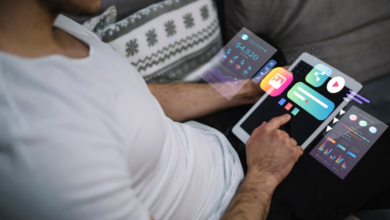
A smartwatch screen leaves little room for large buttons or clear instructions. Arthritis, reduced vision and hand tremors can turn a simple swipe into several failed attempts. Even users who handle the watch comfortably during setup may struggle after a fall or sudden dizzy spell.
Test any device under realistic conditions before relying on it. Ask the wearer to start an emergency call while seated on the floor, without reading glasses and with only one hand available. Check whether the screen wakes consistently and whether accidental taps open the wrong app.
Families seeking a purpose-built alternative can compare Life Assure medical alert devices, which are designed for seniors and families in Canada. A clearly defined alert function may be easier to remember during an urgent event than a series of touchscreen steps.
Battery Anxiety Versus Always-On Readiness
Many consumer smartwatches require charging every day or two, depending on settings and use. Health tracking, cellular service and bright displays can shorten that window. A watch resting on a charger offers no protection to someone walking to the bathroom at night. The different types of tracking technology offer examples of how these features vary across tracking devices.
Create a charging routine tied to a predictable activity, such as breakfast or an evening television program. Keep the charger in an accessible location and enable low-battery notices for both the wearer and a family contact when the device supports them.
The broader technical discussion around wearable sensor obstacles also includes power limits, data quality and user acceptance. When comparing products, ask how long the battery lasts with safety features active and what happens if the charge drops below a critical level.
Dedicated Response Teams vs Automated Apps
A smartwatch may send a text, call a chosen contact or display an emergency prompt. Those actions still depend on someone noticing the alert, understanding it and responding quickly. A family member could be driving, asleep or in an area with poor reception.
A dedicated response service adds a human step. Trained staff can speak with the user, assess what happened and contact local emergency services or listed caregivers as needed. Families should ask who receives an alert first, how quickly calls are answered and what happens when the wearer cannot speak.
Review cellular coverage and communication methods as well. Some systems work mainly at home through a base unit, while mobile options may support errands and walks. The best fit reflects where the senior spends time and who can realistically respond at different hours.
Simplicity Remains Crucial in Real Crises
Stress reduces the ability to recall menus, gestures and multi-step instructions. A device that feels intuitive during a calm demonstration may become confusing when someone is injured or frightened. Reliable crisis design uses clear action, obvious feedback and minimal decision-making.
Before choosing a device, run several short practice sessions. Confirm that the wearer can activate an alert, recognize that it has been sent and hear the responding voice. Repeat the test after a few weeks without offering hints. Also check comfort, since an uncomfortable watch or pendant may be left on a bedside table.
Fall detection can provide another layer of support, but no automated feature identifies every incident. Treat it as a backup and confirm how the system handles false alarms, cancelled alerts and events where the user remains conscious but cannot reach the device.
A smartwatch may suit an active senior who already uses apps, charges devices consistently and understands the emergency controls. For anyone who finds those tasks difficult, a simpler medical alert system may offer more dependable access to help. The deciding test is practical: the device should still work for its wearer on a difficult day, from an awkward position and without technical assistance nearby.