
Binary to text means changing binary code made of 0s and 1s into normal, readable text. A binary to text converter can do this automatically in a few seconds.
People use these tools to read binary messages, learn how computers store text, study programming, and check digital data. This guide explains what binary to text is, how it works, ASCII and UTF-8, manual conversion, common uses, problems, and safety.
What Is Binary Code?
Binary is a number system that uses only two digits: 0 and 1. It is called a base-2 number system. A single 0 or 1 is called a bit.
Computers use binary states to store and process digital information. Groups of bits can represent text, numbers, images, videos, audio, programs, and many other types of data.
When binary represents text, a character encoding tells the computer what each value means.
For example, the uppercase letter A has the value 65 in ASCII. Its 8-bit binary form is:
01000001
Here are a few more examples:
| Character | Decimal | 8-bit Binary |
|---|---|---|
| A | 65 | 01000001 |
| B | 66 | 01000010 |
| H | 72 | 01001000 |
| a | 97 | 01100001 |
| 0 | 48 | 00110000 |
| Space | 32 | 00100000 |
| ! | 33 | 00100001 |
Not every binary value represents a letter. Binary can store many types of data. Its meaning depends on how the data was created and how it should be read.
What Is Binary to Text Conversion?
Binary to text conversion means changing binary data into readable characters when that binary was created as text.
For simple ASCII text, the binary value is first read as a number. That number is then matched with its character.
For example:
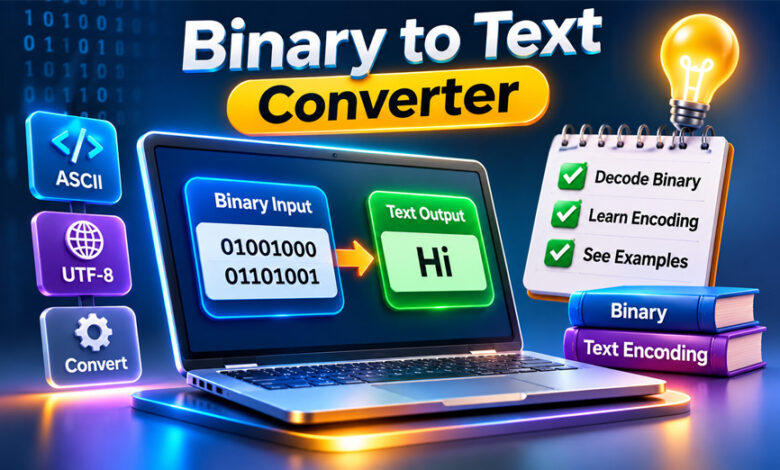
01001000 01101001
The first value, 01001000, equals 72. In ASCII, 72 represents H.
The second value, 01101001, equals 105, which represents i.
So the final result is:
Hi
Binary to text is a type of decoding. It is not always decryption. Decryption is used when information has been protected with encryption.
It is also important to remember that not all binary data contains text. Binary can also represent images, audio, software, numbers, compressed files, and other data.
What Is a Binary to Text Converter?
A binary to text converter is a tool that changes binary-encoded text into readable words and characters.
Instead of converting every value by hand, you can paste the binary code into the tool. It then shows the readable result.
For example:
01010111 01100101 01101100 01100011 01101111 01101101 01100101
becomes:
Welcome
Many converters also provide a Text to Binary option. This does the opposite. You enter normal text, and the tool changes it into binary.
Features can be different from one converter to another. Some tools offer instant conversion, file uploads, downloads, copy buttons, and different character encodings.
Some also support other formats such as decimal, hexadecimal, and octal.
A converter may accept binary with spaces:
01001000 01101001
Some can also read it without spaces:
0100100001101001
Both can mean Hi when the bits are grouped correctly.
Most online binary converters work in a web browser. This means you can normally use them on a computer, laptop, tablet, or smartphone.
How Does Binary to Text Conversion Work?
Binary to text conversion uses binary values and a character encoding.
Take this binary value:
01000001
It contains eight bits, which make one byte. Its decimal value is 65.
In ASCII, the value 65 represents the uppercase letter A.
The basic process is:
Binary → Number → Character → Readable Text
For another example:
01000011 01100001 01110100
These values become:
01000011 = 67 = C
01100001 = 97 = a
01110100 = 116 = t
The final word is:
Cat
UTF-8 can be more complex. Basic English letters usually use one byte, while many other characters can use two, three, or four bytes.
This is why the correct character encoding is important. Using the wrong encoding may give you the wrong text.
How to Convert Binary to Text Manually
You can also convert simple binary text by hand.
First, divide the binary into 8-bit groups when you know the data uses bytes.
For example:
01001000 01101001
Each group contains eight bits.
The values of the eight positions are:
| Position | Value |
|---|---|
| 1 | 128 |
| 2 | 64 |
| 3 | 32 |
| 4 | 16 |
| 5 | 8 |
| 6 | 4 |
| 7 | 2 |
| 8 | 1 |
Take the first group:
01001000
Add the values where you see 1:
64 + 8 = 72
ASCII value 72 is H.
Now take:
01101001
Its value is:
64 + 32 + 8 + 1 = 105
ASCII value 105 is i.
So:
01001000 01101001
means:
Hi
Manual conversion is useful when learning binary. However, it can take a long time when you have a large amount of data.
If some bits appear to be missing, do not simply add zeros. Adding a zero can change the value. It is better to check the original data first.
ASCII vs UTF-8
ASCII and UTF-8 are both used for text encoding, but they are different.
ASCII stands for American Standard Code for Information Interchange. Standard ASCII has 128 values, from 0 to 127.
It covers basic English letters, numbers, punctuation marks, symbols, and control characters.
For example:
A = 01000001
a = 01100001
0 = 00110000
ASCII is useful for basic English text, but it cannot represent all languages and symbols.
UTF-8 supports a much larger range of characters. It can represent text from many languages, along with special symbols and emoji.
UTF-8 uses between one and four bytes for a Unicode code point.
Basic ASCII characters keep the same values in UTF-8. For example, A is still:
01000001
Other characters can use more bytes.
The euro symbol € uses three UTF-8 bytes:
11100010 10000010 10101100
The Chinese character 中 also uses three bytes:
11100100 10111000 10101101
Many emoji use four bytes.
This is why UTF-8 support is important when converting modern text that includes different languages, symbols, or emoji.
Binary to Text Examples
Here are some simple binary to text examples.
Hi:
01001000 01101001
Result: Hi
Hello:
01001000 01100101 01101100 01101100 01101111
Result: Hello
Welcome:
01010111 01100101 01101100 01100011 01101111 01101101 01100101
Result: Welcome
The process can also work in reverse.
For example, ChatGPT in ASCII/UTF-8 binary is:
01000011 01101000 01100001 01110100 01000111 01010000 01010100
Spaces are often added between bytes to make binary easier to read.
Some converters can also read continuous binary like:
0100100001101001
The tool can split it into:
01001000 01101001
The result is Hi.
However, the data must be complete and correctly grouped. Missing bits can lead to the wrong result.
Common Uses of Binary to Text
Binary to text is often used for education. Students can see how letters, numbers, and symbols are stored as binary values.
For example, they can learn that A has the decimal value 65 and can be shown as 01000001 in an 8-bit binary form.
Programmers may also use binary values when checking software, embedded systems, communication protocols, or data transfers. Converting certain bytes into text can help them find readable information.
Binary decoding is also used in cybersecurity lessons and Capture the Flag (CTF) challenges. A challenge may hide a simple message in binary, which can then be converted back into text.
Teachers can use binary examples to explain how computers handle characters. People learning electronics, microcontrollers, or digital systems may also work with binary values.
Binary messages can also appear in puzzles, games, artwork, cards, and simple coded messages.
Benefits and Limitations of Binary to Text Converters
A binary to text converter can save a lot of time. Instead of calculating every binary value by hand, the tool can process a long string quickly.
Most online converters are also simple to use. You normally paste your binary code into a box and get the result.
Many tools are free and work directly in a browser. Some also provide file uploads, downloads, copy buttons, encoding options, and text-to-binary conversion.
However, these tools have limits.
A converter may give the wrong result if the input is damaged, incomplete, or uses a different encoding.
It also cannot turn every type of binary data into readable words. Binary may represent an image, program, compressed file, number, or another type of data.
Different websites may also offer different features. Some support UTF-8 and other encodings, while basic tools may mainly work with ASCII.
Common Binary to Text Mistakes
A common mistake is thinking that all binary data must contain readable text. This is not true because binary can represent many different types of information.
Missing or extra bits can also cause errors. One missing bit may change how the rest of the data is grouped.
Using the wrong character encoding is another common problem. Basic English may work with ASCII, while other languages, symbols, and emoji may need UTF-8.
Users can also confuse binary with other formats. For example, hexadecimal and binary are different number systems.
Another format is Binary-Coded Decimal (BCD). BCD stores decimal digits separately in binary. It should not automatically be read as normal binary text.
Why Does Binary to Text Produce Gibberish?
Sometimes a binary to text converter may return strange or unreadable characters. This does not always mean the tool is broken.
The wrong character encoding is one common reason. Text created with one encoding may look incorrect when opened with another encoding.
Missing or damaged bits can also change the result.
Another reason is that the binary may not contain text at all. It could be part of an image, software file, compressed file, or another type of data.
The input may also be in a different format, such as hexadecimal or BCD.
How to Fix Binary to Text Conversion Problems
First, check that you copied the full binary code. Make sure no 0 or 1 was accidentally removed or added.
Next, check how the bits are grouped. If the data should use 8-bit bytes, make sure the groups are correct.
You should also check the character encoding. UTF-8 is widely used for modern text, especially when it contains non-English characters, symbols, or emoji.
Older text may use another encoding such as Latin-1.
Do not randomly add zeros to incomplete binary data. This changes the value and can give you the wrong result.
If the text is still unreadable, check whether the binary actually contains text. Looking at the same values in decimal or hexadecimal can sometimes help.
If possible, find out where the binary data came from. Knowing the original format and encoding can make it much easier to decode correctly.
Binary vs Hexadecimal and BCD
Binary and hexadecimal are both used in computing, but they are different number systems.
Binary is base 2 and uses only 0 and 1.
Hexadecimal is base 16. It uses 0–9 and A–F.
One hexadecimal digit can represent four binary bits.
For example:
| Format | Value |
|---|---|
| Binary | 01000001 |
| Hexadecimal | 41 |
| Decimal | 65 |
| ASCII character | A |
In this example, these values are connected to the same number and character.
BCD, or Binary-Coded Decimal, works differently. It stores each decimal digit separately.
For example, decimal 27 in BCD can be written as:
0010 0111
0010 represents 2, while 0111 represents 7.
This is why it is important to know the format before trying to convert binary data into text.
Is an Online Binary to Text Converter Safe?
Binary to text conversion itself is a simple process. However, the safety of an online converter depends on the website you use.
Some converters process everything inside your browser. In this case, your input may not need to be sent to a server.
Other websites may process data differently. You should check the site’s privacy information when working with private data.
Do not paste sensitive information into an unknown converter. This includes passwords, API keys, private messages, personal details, and confidential business information.
For very sensitive data, using a trusted offline tool or local program is a safer option because the information can stay on your device.
A Short History of Binary Text Encoding
The idea of using two different states to represent information is much older than modern computers.
In the early 1600s, Francis Bacon described a cipher that used combinations of two symbols to represent letters. It was not modern binary computer code, but it used a similar idea of two different states.
In the 1800s, George Boole developed Boolean algebra. His work later became important to digital computing.
In 1937, Claude Shannon showed how Boolean logic could be used with electrical switching circuits. His work became an important part of the development of digital systems.
ASCII was standardized in the 1960s. It gave computers a common way to represent basic English letters, numbers, punctuation, and control characters.
However, ASCII could not cover all languages. Unicode was later developed to support a much larger range of characters.
UTF-8 was created by Ken Thompson and Rob Pike in 1992. It was developed to support Unicode while keeping compatibility with ASCII.
Today, UTF-8 is widely used for text on websites and many other digital systems.
Tips for Accurate Binary to Text Conversion
A few simple steps can help you get better results:
- Copy the complete binary code.
- Do not remove or add bits.
- Keep the correct byte groups when you know them.
- Check which character encoding was used.
- Use UTF-8 when it is the correct encoding for multilingual text.
- Check whether the converter accepts binary without spaces.
- Make sure your data is not actually hexadecimal or BCD.
- Check decimal or hexadecimal values if the result looks wrong.
- Use a trusted or offline tool for private information.
- Remember that not all binary data contains text.
Knowing where the binary came from can also help. If you know its original format and encoding, it is much easier to choose the correct conversion method.
Bottom Line
A binary to text converter changes binary-encoded text into readable characters. For example, 01000001 represents A when read as the ASCII value 65.
Online converters make this process fast and simple. Manual conversion is also useful when you want to learn how binary values, numbers, and characters are connected.
For accurate results, the binary data must be correct and you need to use the right character encoding. If the result looks wrong, check the bits, grouping, encoding, and original data format.
Frequently Asked Questions
What is a binary to text converter?
It is a tool that changes binary code made of 0s and 1s into readable text.
How do I convert binary to text?
You can use an online converter or convert each binary value manually using ASCII or another correct encoding.
What does 01001000 01101001 mean?
It means Hi when the binary is read as ASCII or UTF-8 text.
Can binary be converted to English without spaces?
Yes. Many tools can read binary without spaces by splitting it into correct 8-bit groups.
What is the difference between ASCII and UTF-8?
ASCII mainly supports basic English characters. UTF-8 supports many languages, symbols, and emoji.
Why is my binary to text result unreadable?
The binary may have missing bits, the wrong encoding, or data that is not text.
Is it safe to use an online binary to text converter?
Usually, but avoid entering passwords or private information into unknown websites.
Does every binary code translate into text?
No. Binary can also represent images, audio, software, numbers, and other types of data.
What Is Weird Wealth? A Complete Guide for Beginners
GlaadVoice.com Complete Guide: Business Content, Topics, and Safety