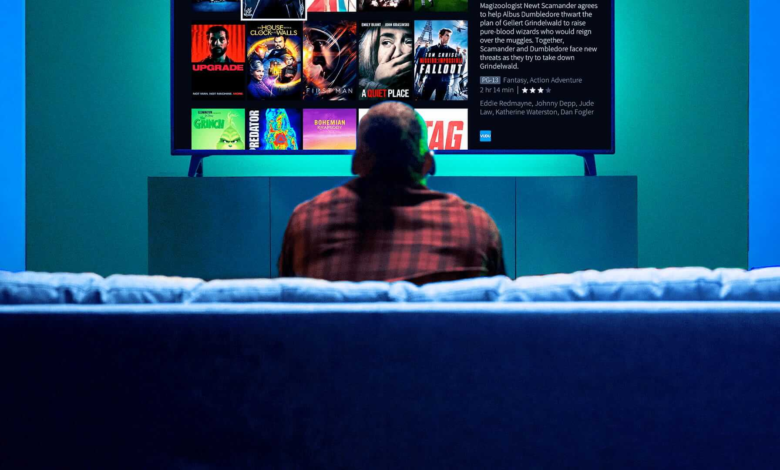

Tivio IPTV is designed to take new subscribers from checkout to watching without turning the process into a technical project. After choosing a plan, customers receive their account details and setup instructions by email, then use a compatible player on their preferred device to start streaming. For anyone considering Tivio IPTV Uk, the basic journey is simple: choose Standard or Premium, select the subscription length and connection count, complete payment, set up a supported device, and begin exploring live TV, films and series.
The first evening with a new television service should be spent finding something to watch, not wondering which password goes where.
That sounds obvious, but IPTV can look more complicated than it really is when terms such as EPG, connections, players and catch-up all appear at once.
Once those pieces make sense, the setup becomes far less mysterious.
Your First Decision Is Standard or Premium
Before thinking about apps or devices, you need to choose the level of service that matches the way you watch.
Tivio currently offers Standard and Premium plans.
Standard is aimed at everyday viewing and currently includes Full HD, live channels, films and series, sports coverage, PPV events, an Electronic Programme Guide, installation guidance and UK-based support.
Premium adds more.
It currently includes supported 4K Ultra HD viewing, a larger live and on-demand catalogue, additional premium sports coverage, up to four days of catch-up on supported programmes, premium player activation, priority streaming and priority 24/7 support.
The sensible choice is not automatically Premium.
Someone using a Full HD television who mainly watches ordinary entertainment may find Standard perfectly suitable.
A sports-heavy household with a large 4K screen and regular catch-up use may see much more value in Premium.
Start with what you actually watch.
That is easier than comparing every feature at once.
Then Choose How Long You Want the Subscription
Tivio currently offers four subscription lengths: 3 months, 6 months, 12 months and 24 months.
This gives new subscribers a useful choice.
A three-month plan can feel more comfortable when you are still learning how IPTV fits into your home.
You have enough time to test the player, broadband connection and normal viewing routine without jumping straight into a long commitment.
Longer terms become more attractive once the setup is proven.
Tivio currently lists Standard at £24.99 for three months, £34.99 for six months, £49.99 for 12 months and £79.99 for 24 months.
Premium currently costs £32.99, £47.99, £62.99 and £117.99 for the same periods.
Prices can change, so the live pricing page should always be checked before ordering.
Tivio Uses One-Time Payments
This is one detail new subscribers should understand from the beginning.
Tivio currently sells its plans as one-time payments rather than automatically renewing subscriptions.
You pay upfront for the period you select.
If you choose three months, you buy three months.
If you choose a year, you pay the annual amount upfront.
When that period ends, Tivio says another payment is not automatically taken. You decide whether you want to renew.
For anyone tired of discovering forgotten subscriptions on a bank statement, that is a refreshingly straightforward arrangement.
Decide How Many People Will Watch at Once
Subscription length is only one choice.
Connections are another.
Tivio currently lets customers select up to four connections at checkout.
A connection represents an active stream.
This is different from the number of devices on which you may configure the service.
Imagine Tivio is set up on your living-room television, a Fire TV Stick upstairs and your phone.
That does not necessarily mean all three can play simultaneously.
If you purchased one connection, one active stream is normally what matters.
This is easy to overlook when signing up.
The simplest approach is to picture your busiest normal evening.
One screen active? One connection may be enough.
Two people regularly watch different programmes? Consider two.
A larger household may need more.
What Happens Immediately After Payment?
Once payment is confirmed, Tivio tells customers to look out for their subscription details and setup instructions by email.
This email matters.
It contains the information needed to connect the subscription with a compatible IPTV player.
If it does not appear in the inbox, check the spam or junk folder before assuming something has gone wrong.
Tivio specifically advises new subscribers to contact support if the setup message has not arrived.
It is also a good idea to keep the account details private.
You will need them during setup, but there is no reason to post passwords publicly when asking for technical help.
The IPTV Player Is Separate From the Subscription
This is probably the part that confuses first-time users most.
Tivio is the subscription service.
The IPTV player is the application you use to display the service on your screen.
Think of the player as the doorway.
Your subscription details are the key.
Once the correct information is entered, the player can load the content available through your account.
Current UK setup guides describe much the same process: install a compatible player, enter the subscription credentials provided by the service, and let the player load the available channels and programme information.
Tivio recommends choosing a player based on your exact device and the features you want to use.
Your Device Determines Which Player Makes Sense
There is no single setup screen that looks identical everywhere.
A Fire TV Stick is different from an LG television.
An Android phone is different from an iPhone.
Tivio currently lists compatibility with supported Smart TVs, Fire TV Stick devices, Android phones, iPhones, iPads, laptops, Roku and MAG boxes.
All of them need a compatible player, but app availability can vary by model and operating system.
That is why checking your exact device before ordering is worthwhile.
Do not simply ask:
“Does Tivio work on Smart TVs?”
Ask:
“Does it work comfortably on my particular Smart TV?”
That question is far more useful.
Fire TV Stick Is a Common First Setup
For many households, a Fire TV Stick is an easy way to add streaming to an existing television.
Current 2026 UK IPTV setup guides frequently describe Fire TV devices as one of the most common platforms for IPTV because they are compact, inexpensive compared with replacing a television, and support a range of player options.
The exact installation method can depend on the player and Fire TV model.
Some players may be available through an app store, while others can involve additional setup steps.
This is one area where blindly following a random old tutorial is not a great idea.
Fire TV software changes.
Players change.
Device models change.
Use instructions that match the player and device you actually own.
Smart TVs Can Offer a Cleaner Setup
If your Smart TV already supports a compatible player, you may not need another streaming device at all.
That keeps things tidy.
One screen.
One remote.
Fewer cables.
Tivio currently supports compatible Smart TVs, but app availability varies by television model and operating system.
This matters because the words “Smart TV” cover a huge range of hardware.
A recent television can offer a very different app experience from a model released several years ago.
If you are unsure, give support the make and model before choosing a player.
It can save a lot of unnecessary experimenting.
Premium Subscribers Get Player Activation Included
Tivio Premium currently includes lifetime activation for Hot Player or IBO Player.
That can be useful because some IPTV players have their own activation costs separate from the IPTV subscription itself.
New customers sometimes assume that paying for an IPTV subscription automatically pays for every player app.
That is not always the case.
Premium’s included player activation removes that separate expense for the supported options listed by Tivio.
Standard customers should check any player activation costs before choosing an app.
Once Everything Loads, Start With the TV Guide
You do not need to explore tens of thousands of channels on your first night.
Please don’t.
You will be there until breakfast.
Start with the Electronic Programme Guide.
Tivio includes EPG functionality with its current plans where programme information is available.
The guide shows what is on now and what is coming next.
It makes the service feel familiar.
Instead of opening random channels to discover what is playing, you can browse the schedule much like a traditional television guide.
This is one of those features that sounds boring on a pricing page and becomes useful almost immediately in real life.
Save the Channels You Actually Watch
A large library is only useful when you can find the parts you care about.
Tivio allows users to save favourite channels so they are easier to reach later.
Use that feature early.
Most people naturally settle around a much smaller group of channels than the full catalogue.
Saving favourites keeps the service from feeling overwhelming.
You might create a little routine without even noticing.
News first thing in the morning.
Sport on Saturday.
A handful of entertainment channels during the week.
The rest remains available without getting in your way.
Live TV and On-Demand Feel Different
Tivio combines live channels with films and series on demand.
That means new subscribers do not have to approach the service as a traditional channel list.
Some nights you may know exactly what live programme you want.
Other nights you would rather browse a film or continue a series.
On-demand content removes the need to wait for a specific broadcast time.
This becomes particularly useful once the novelty of exploring the live catalogue wears off.
You stop thinking about “using IPTV.”
You just decide what you want to watch.
That is when the setup starts to feel normal.
Premium Catch-Up Can Save a Missed Programme
Premium currently includes up to four days of catch-up or replay on supported channels and programmes.
That gives some live content a second chance.
Missed the beginning?
Got home late?
Two programmes clashed?
Catch-up may let you return to supported content afterwards.
There is an important limitation.
Not every programme or channel automatically includes replay.
Tivio makes clear that catch-up depends on the channel, programme, plan and compatible player.
New Premium subscribers should therefore treat catch-up as an available feature on supported content rather than assuming everything can always be rewound.
Picture Quality Depends on More Than the Plan
Standard currently offers Full HD on supported content.
Premium adds 4K Ultra HD where available and compatible.
Buying Premium does not magically turn every programme into 4K.
The source needs to support the resolution.
Your television needs to display it.
Your player and streaming device must handle it.
Your internet connection needs enough capacity.
If all of those pieces line up, a large 4K television can make the upgrade worthwhile.
If your main screen is Full HD, Standard may already deliver all the picture quality you need.
Your Broadband Is Part of the Setup
IPTV is only as comfortable as the connection carrying it.
Tivio suggests a stable 10 Mbps per HD stream and around 25 Mbps or more per 4K stream as practical starting points.
These are guidelines, not guarantees.
A household with several people streaming at once needs additional capacity.
Other internet activity matters too.
Large downloads, gaming, video calls and other streaming services all share the same connection.
Current UK IPTV guides similarly emphasise stability rather than chasing only the biggest speed-test number.
A stable 30 Mbps connection can provide a better experience than a much faster connection that constantly drops.
Test the Connection on the Television, Not Beside the Router
This mistake catches plenty of people.
They run a speed test on a phone standing near the router.
The result looks brilliant.
Then IPTV buffers on the television upstairs.
The broadband entering your house may be fine.
The Wi-Fi reaching the television may not be.
Tivio recommends testing the connection on the device you actually watch on. It also suggests Ethernet or moving closer to the Wi-Fi router when playback is inconsistent.
That is a much better troubleshooting habit.
Test where the problem happens.
If IPTV Buffers, Do Not Change Everything at Once
When something buffers, start simple.
Restart the player.
Restart the router.
Pause any large downloads.
Check whether the problem affects one channel or everything.
Make sure the app is updated.
Try another connection method where practical.
Tivio’s own troubleshooting guidance follows this approach and recommends contacting support with the device, app, affected channel and time of the problem when the issue continues.
That last part is particularly useful.
“It’s buffering” does not give support much to work with.
“Samsung TV, IBO Player, one sports channel, started around 8:15pm” is far more useful.
One Problem Channel Does Not Always Mean Your Internet Is Bad
This is worth remembering during the first few days.
If everything buffers, investigate the home network.
If one particular channel has trouble while others work normally, the issue may be related to that stream instead.
Tivio makes the same distinction in its troubleshooting advice.
This saves you from endlessly restarting the router when the router was never the problem.
New users often blame the whole service or the whole broadband connection too quickly.
Testing another stream takes seconds and can immediately narrow things down.
Do Not Forget Your Connection Limit
Another common new-subscriber surprise happens when someone starts a second stream.
Tivio allows customers to configure compatible devices, but simultaneous viewing depends on the number of connections included with the plan.
Suppose you buy one connection.
You start watching on the TV.
Someone else opens Tivio on another configured device.
That second stream may conflict with the first because the plan only includes one simultaneous connection.
Nothing is necessarily broken.
You may simply have reached the limit you purchased.
Understanding this from day one prevents a lot of unnecessary troubleshooting.
Support Is There for Setup Questions Too
You do not have to wait until something goes wrong to contact support.
Tivio says its support team can help customers choose a compatible player, enter their subscription details and get started.
If you ask for help, include your device make and model.
That immediately makes the conversation more useful.
“Smart TV” is vague.
“LG OLED55C3” is specific.
The more precise you are, the easier it is for someone to point you toward the correct player or setup steps.
Standard and Premium Have Different Support Levels
Tivio currently lists UK-based support with Standard.
Premium includes priority 24/7 support.
Whether that difference matters depends on your viewing habits.
Someone who watches a few hours each week may not care much.
A viewer who follows live sport regularly may appreciate quicker access to help if something goes wrong shortly before a major event.
Support is one of those features people rarely think about during checkout.
Then one evening it suddenly becomes the most important feature on the page.
Tivio Includes a 14-Day Money-Back Guarantee
Tivio currently advertises a 14-day money-back guarantee.
According to its FAQ, customers who are not satisfied can contact support within 14 days of purchase with their order details to request a refund, subject to the full refund policy.
New subscribers should read those conditions before ordering.
Do not wait until you want a refund to discover how the policy works.
That advice applies to almost any digital subscription.
The headline guarantee is useful.
The terms are what actually govern it.
Give Yourself a Few Days to Learn the Setup
The first night is not necessarily representative of how you will use Tivio three weeks later.
At first, you may explore every menu.
Try several players.
Jump between categories.
Search through channels you will never open again.
That settles down.
Soon you have favourites.
You know where the EPG is.
You know which device everyone prefers.
You know whether the household really needs more connections.
The service becomes much simpler once those decisions have naturally been made.
This is why new subscribers should avoid changing everything after one minor inconvenience.
Learn the setup first.
Then improve anything that genuinely needs improving.
What New Tivio Subscribers Can Expect
Tivio’s current onboarding process can be reduced to three practical stages: choose the plan that matches your viewing habits, receive your account and setup details after payment, then use those details with a compatible player on your preferred device.
After that, the experience becomes personal.
Save the channels you use.
Learn the EPG.
Explore the on-demand library when nothing live appeals.
Use catch-up where your Premium plan and programme support it.
Check your connection allowance before opening several streams.
And if something looks wrong, test the simple things before assuming the entire setup has failed.
For a new Tivio IPTV Uk subscriber, the first few minutes are about installation.
The days after that are about making the service fit naturally into the way you already watch television.
That is when IPTV stops feeling like a new piece of technology and simply becomes the thing you turn on when you want to watch something.
Frequently Asked Questions
How Do I Set Up Tivio IPTV After Subscribing?
Once payment is confirmed, Tivio sends subscription details and setup instructions by email. Install a compatible IPTV player on your supported device, enter the supplied account details and allow the player to load the content available with your plan. If the email does not arrive, check your spam folder or contact Tivio support.
How Long Does Tivio IPTV Take to Activate?
Tivio currently advertises instant activation and quick email delivery after payment confirmation. Your setup time after that depends mainly on the device and player you use.
Can I Use Tivio IPTV on a Fire TV Stick or Smart TV?
Yes. Tivio currently supports compatible Fire TV Stick devices and Smart TVs, along with Android phones, iPhones, iPads, laptops, Roku and MAG boxes. A compatible IPTV player is required, and app availability can vary by model and operating system.
What Internet Speed Do I Need for Tivio IPTV?
Tivio suggests around 10 Mbps of stable available bandwidth for an HD stream and approximately 25 Mbps or more for 4K as practical starting points. Allow additional capacity if several people are streaming or using the internet at the same time.
Can I Watch Tivio IPTV on More Than One Device at the Same Time?
Yes, if your subscription includes enough simultaneous connections. Tivio currently allows customers to select up to four connections at checkout. You can configure compatible devices, but installing Tivio on several devices does not automatically mean all of them can stream simultaneously.