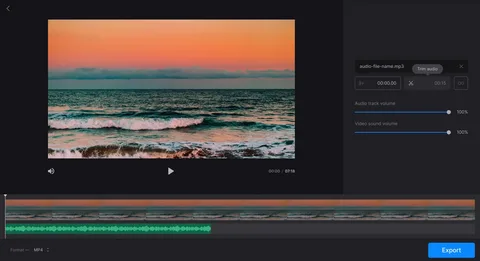

Your travel clips look good, but the soundtrack is mostly wind, handling noise and sudden changes in volume. A blanket music track can hide the problem while also making a quiet garden and a busy street sound much the same. Before booking another trip or discarding the footage, identify which sounds are usable and which moments need support.
One option is to add audio to video (https://aidubbing.io/add-audio-to-video) using generated background sounds or ambience. Treat the result as part of the edit: a way to support a scene, followed by your own listening and timing checks. For a personal travel montage, a few carefully chosen sounds can be more useful than filling every second.
Keep the location sound that still works
Listen to the original clips before replacing anything. A clean fragment of footsteps, a door opening or water moving may be enough to connect two shots. Keep a copy of the original soundtrack so you can return to it if an edit feels artificial.
Separate a technical problem from a creative choice. Wind covering a spoken explanation needs attention because viewers cannot follow the words. A quiet landscape may simply benefit from silence.
If a clip documents an interview, performance or noteworthy event, preserve what was actually recorded. Added sound should not suggest that something happened when it did not.
Give each scene a clear sound purpose
Choose the role of the audio before generating it. You might need a gentle background for a wide shot, a brief transition between locations or an effect marking a visible action. These are different jobs and should have different levels of prominence.
Write a small list against the edit:
- A quiet background under the opening landscape.
- A brief sound matching a visible movement.
- A pause before an important spoken line.
For an individual missing effect, an AI sound effect generator (https://voicechanger.video/ai-sound-effect-generator) can turn a written description into audio you can audition. Describe the sound itself, its surroundings and how close it should feel. “Soft footsteps on gravel outdoors, close, no music” is more useful than “make this exciting.”
Test one short sequence before spending more
Pick a passage with a clear visual action and generate a small sample. Listen for unwanted voices, music or details that do not belong in the scene. Reject or revise an unsuitable result before building the rest of the edit around it.
Check the service’s current duration limits, credit use, export options and commercial-use terms. Include any time spent trimming and mixing when comparing it with recording your own sound or using a suitable licensed library.
Match sound to the picture
Place a discrete effect at the visible action rather than simply at the beginning of the clip. A footstep that arrives before the foot lands can feel distracting even if the sound itself is convincing.
For a continuous background, use fades to avoid a hard jump between shots. Keep the level low enough that the scene remains comfortable to watch. If the mix needs to be loud to work, reconsider whether you have chosen the right sound.
Make the edit understandable with or without speech
A montage can travel across language boundaries when the pictures explain the sequence. Use clear location labels and concise captions where viewers need context. Translate those labels for the audience you want to reach; adding sound does not translate written text or spoken narration.
If the video includes narration, check that background audio never masks it. Review through phone speakers as well as headphones, since a balanced desktop mix may be harder to follow on a small device.
Share an honest version of the trip
Be clear when a polished montage uses recreated or generated sound, particularly if viewers might otherwise treat the soundtrack as a record of the location. Avoid adding crowd reactions, wildlife calls or dramatic noises that change the apparent event.
Save the clean footage, original location audio and added tracks separately. That gives you a reusable edit for future cuts without another recording trip. A restrained soundtrack can help existing footage feel coherent while keeping the attention on the place you wanted to show.