
It was 1 a.m., my chai had gone cold next to the laptop, and I was editing a podcast episode that just would not sound right.
My guest had sent me a short clip to drop into the intro. It was an MP3 she had lying around. On its own it sounded fine. But the second I put it on my timeline and added a little EQ and compression to match the rest of the episode, it turned to mush.
Every “s” had a fizzy, watery sparkle. The tiny gaps between her words had this weird shimmer, like a tap was running in the next room.
I blamed my plugins for a solid hour. I swapped compressors. I restarted the software. I questioned my whole career.
Then I asked if she had the original. She sent a WAV. I dropped it in, used the exact same settings, and it just worked. Same voice, same words, completely different result.
That night I stopped treating audio formats like boring technical trivia.
So what is WAV, really?
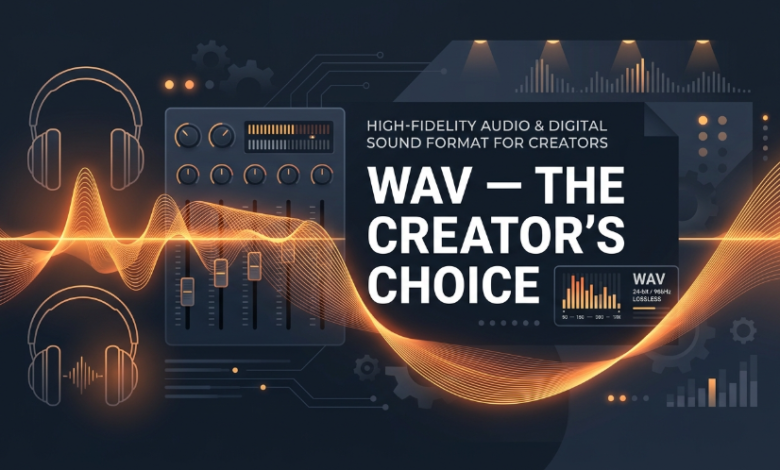
WAV is audio with nothing taken out. That’s the whole idea. No clever tricks, no shaving bits off to make the file smaller.
When a microphone records you, the computer grabs thousands of tiny snapshots of the sound every second. A WAV file keeps every one of those snapshots exactly as captured. That’s what people mean when they say “uncompressed” and “lossless,” and it’s why studios have trusted it for decades.
The catch is size. A three-minute song as a CD-quality WAV is around 30 MB, while an MP3 of the same song might be 3 to 7 MB depending on the bitrate.
Ten years ago that was a real problem. These days my phone holds more than my first three laptops combined, so I just don’t care anymore.
WAV vs MP3 vs FLAC, the honest version
MP3 is brilliant at one job, which is listening. It throws away the parts of the sound your ears are least likely to notice, and the file shrinks. For sending a song to your cousin, perfect.
The problem is you can’t un-throw-away. Once those bits are gone, they’re gone. And the moment you start editing (stretching, pitching, EQing, compressing), the hidden damage comes out to play.
Export an MP3 to MP3 a few times and it gets worse every round. It’s photocopying a photocopy.
FLAC is the one people argue about online. It’s lossless too, but packed into a smaller file, a bit like a zip. I actually like FLAC for archiving and for listening on a good pair of headphones.
My issue with it is practical. Some editors handle FLAC happily, some get fussy, and plenty of older plugins and hardware samplers just shrug at it. WAV opens in everything. Every DAW, every video editor, every strange drum machine I’ve ever owned.
Here’s my cheat sheet:
- MP3: small, great for listening, bad for editing
- FLAC: lossless and compact, great for storing, occasionally annoying
- WAV: big, lossless, works everywhere
Now for my hot take. If you’re still bouncing your masters and project files as MP3 in 2026, you’re doing it to yourself. Storage is cheap. Redoing your work is not.
Who actually needs WAV files
Not everyone, to be fair. If you’re making a playlist for a road trip, relax and use whatever.
But if you work with sound, it matters a lot.
Music producers are the obvious ones. Samples, stems, bounces, all of it should be WAV. The moment you pitch a sample down a few semitones, any compression artifacts get stretched out and suddenly you can hear them.
Podcasters, this is for you too. Record in WAV, edit in WAV, and only make the MP3 at the very end for your hosting platform. That one habit will make your show sound better than most.
Video editors get a quiet benefit. I’ve had compressed audio slowly drift out of sync on long timelines, and WAV simply doesn’t do that to me.
DJs notice it on big systems. A 128 kbps file that sounds okay in earbuds can sound thin and swishy through club speakers, and everybody on the dance floor can hear it even if they can’t explain why.
And sound designers? When you slow a sound down by 400 percent to make some monster growl, any compression junk becomes part of the sound. Not the good kind of part.
Grabbing WAV audio from YouTube
Here’s something that surprised me. A huge amount of audio I want as a creator lives on YouTube. Old interviews, field recordings, royalty-free sound effects, a friend’s rough demo, even my own uploads when I’ve lost the originals. We’ve all done that one.
I used to think getting that into my editor meant screen recording or installing some sketchy software with a toolbar attached. Now it’s honestly easy. With a YouTube to WAV converter you paste the link, pick WAV, and download the file. That’s about it.
One honest thing, though. YouTube audio quality is already compressed at source, so converting it to WAV won’t magically bring back what’s missing. What WAV does is stop any further damage, since you’re not compressing it a second time, and hand you a file that every program accepts.
Also, only grab stuff you have the right to use. Your own videos, Creative Commons, royalty-free libraries, or things you plan to clear properly before release.
A real workflow: the beatmaker and the vocal sample
A friend of mine makes lo-fi beats, and his process is a good example.
He finds an old interview on YouTube where someone says one gorgeous line, maybe eight seconds long. The kind of voice that makes you stop scrolling. He wants it as the emotional centre of a track.
So he’ll use a YouTube to WAV converter in a few seconds, with nothing to install, and drag the file straight into his DAW. Then comes the fun part. He chops the line into pieces, pitches one phrase down, rolls off the highs, and drops some vinyl crackle on top.
WAV matters here for a boring reason. MP3s have a tiny bit of silence padded at the start, which wrecks tight loops and clean chops. WAV doesn’t, so his cuts land exactly where he puts them.
And then, before anything gets released, he either clears the sample, asks the owner, or re-records the line with a voice actor friend. The YouTube clip is the sketch, not the finished painting.
What I actually do
My personal rule is simple. Everything I record or collect goes into a folder called “WAV originals,” and I never touch it. I work on copies.
I make the MP3 only at the very end, and only from the WAV, never from another MP3. And I name files with dates, because future me is always confused.
If drive space ever starts to hurt, I buy a cheap external drive instead of going lossy. It costs less than the stress of losing quality I can’t get back.
So that’s my take. Keep the WAV, make the MP3 last, and go refill your chai.