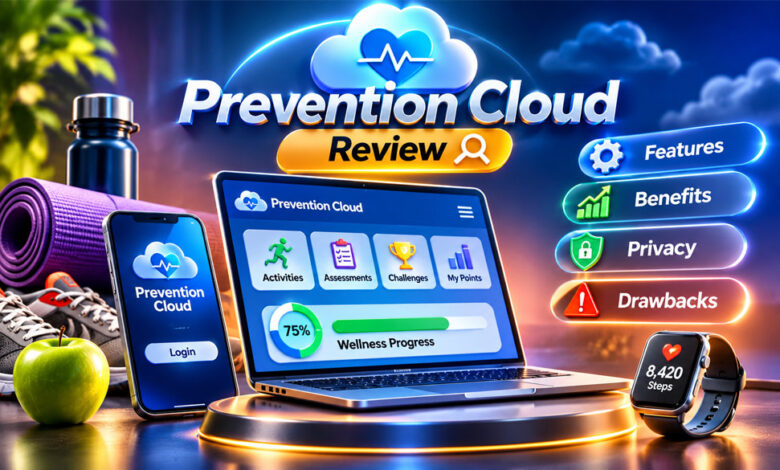

Prevention Cloud, also called PreventionCloud, is a digital wellness platform linked with Zomo Health. Companies and other organizations can use it to manage employee wellness programs.
Employees may use Prevention Cloud to complete health activities, fill out assessments, submit forms, join challenges, track exercise, and check their progress.
However, every employer can set up its program differently. Features, points, rewards, and deadlines may not be the same for every user.
This guide explains how Prevention Cloud works, its main features, points and rewards, pricing, privacy, benefits, drawbacks, and common problems.
What Is Prevention Cloud?
Prevention Cloud is an online platform for workplace wellness programs. It gives organizations a central place to manage health and wellness activities.
The platform is associated with Zomo Health. Mobile app information also identifies Zomo Health as the developer.
Prevention Cloud is mainly made for people who take part in an employer or organization-sponsored wellness program.
Depending on the program, employees may use it for health assessments, exercise tracking, preventive-care forms, wellness challenges, quizzes, events, and rewards.
It is different from a normal fitness app. A personal fitness app mainly helps you track your own exercise and health goals. Prevention Cloud is connected to an organization’s wellness program and its rules.
Downloading the app does not always mean you can join a program. You may need to work for or belong to an organization that uses Prevention Cloud.
Features can also be different for each organization. One employer may offer fitness challenges and points, while another may offer different activities and rewards.
Prevention Cloud vs. Cloud Cybersecurity
The name Prevention Cloud can be confusing because it is also used in another way.
PreventionCloud from Zomo Health is a workplace wellness platform. It deals with health activities, assessments, fitness tracking, forms, challenges, and rewards.
The words “prevention cloud” may also appear in cybersecurity articles. In that case, they can describe ways to prevent attacks on cloud systems. These may include encryption, firewalls, zero-trust security, and automatic threat protection.
These are two different topics.
If you are looking for the Zomo Health platform, information about cloud cybersecurity is not about the same service.
How Does Prevention Cloud Work?
Prevention Cloud connects an organization’s wellness program with an online platform.
The employer or program manager decides how the program works. They can decide which activities are allowed, how points are earned, when activities must be completed, and what rewards are available.
Employees normally receive registration or login instructions from their organization.
After signing in, users may see their available activities, forms, challenges, points, and progress.
Activities can include health assessments, exercise challenges, preventive health tasks, quizzes, events, and submitted forms.
Some employers also use points. Approved activities can add points toward a wellness goal or reward.
There is no single set of Prevention Cloud rules for everyone. Always follow the rules given by your own employer.
Prevention Cloud Login and Account Access
Users should follow the latest login instructions provided by their employer or program manager.
The PreventionCloud login described in the information we reviewed accepts a username or email address and password. Options are also available for recovering a password or username.
New users may need to register before they can sign in. Registration can be different for each organization.
Do not use login instructions found in another employer’s wellness guide. They may be old or only work for that organization.
If you cannot sign in, first check that your account has been registered correctly. Make sure you are using the right email address or username.
If you request a password reset, check your spam or junk email folder too.
If the problem continues, contact Prevention Cloud support or your employer’s benefits team.
When asking for technical help, you can include your device type, app version, error message, and when the problem happened. Never send your password or unnecessary private health information.
Main Features of Prevention Cloud
The features you receive depend on your employer’s program. Not every Prevention Cloud account will have all the same tools.
Health Assessments and Forms
Prevention Cloud can include health assessments and forms.
The iPhone listing reviewed in our research mentions health assessments, visit forms, biometric tracking, quizzes, events, and participation tracking.
An employer may require a preventive-care form before giving wellness points. Users should check which form is needed, who must complete it, and when it must be submitted.
Going to a medical appointment does not always mean you will automatically receive wellness points. The activity may still need to be submitted or approved.
Health assessments in Prevention Cloud are wellness tools. They are not a medical diagnosis and should not replace a proper medical examination.
Fitness and Activity Tracking
Prevention Cloud can track certain types of physical activity.
Depending on the program, users may track steps, exercise, walking, or fitness challenges.
The information we reviewed reports Apple Health integration for the iPhone app. Google Play also describes optional Health Connect access for step information.
However, this does not mean every fitness watch or wearable will work.
Support can depend on your device, operating system, permissions, and employer’s program.
If you need activity tracking to earn points, test it early. Compare the steps shown on your phone or wearable with the steps shown in Prevention Cloud.
This can help you find a syncing problem before the deadline.
Challenges, Quizzes, and Events
Prevention Cloud may include wellness challenges, quizzes, events, and educational activities.
For example, an employer could offer a walking challenge or a health-related quiz.
Check what you need to do before an activity counts as complete. Joining a challenge or registering for an event may not be enough.
You may need to finish a quiz, record an activity, attend an event, or submit a form.
Personalized Wellness and Fitness Resources
The Google Play information reviewed in our research also mentions personalized plans and fitness videos.
These tools may help employees follow different wellness activities.
However, available resources depend on the employer’s setup. A feature shown in the app description may not be available in every account.
Nutrition and Healthy Habits
Some Prevention Cloud programs may provide information about nutrition and healthy habits.
These resources can help users think about their eating habits and general wellness goals.
They are general wellness tools. They should not be treated as professional medical or dietary treatment.
Mental and Emotional Wellbeing
Prevention Cloud may also include emotional wellbeing resources.
These can include activities related to relaxation, mindfulness, and stress management.
Such tools can support general wellbeing, but they do not replace professional mental healthcare when it is needed.
In-App Support and Communication
The Google Play information also describes an in-app chat feature.
It may help users with some platform or program questions.
However, questions about benefits, eligibility, rewards, or employer deadlines may need to be handled by your employer’s benefits team.
Prevention Cloud Points and Rewards
Some employers use Prevention Cloud points to encourage employees to complete wellness activities.
There is no standard point target for every user.
Each organization can decide which activities earn points, how many points are given, and what rewards are offered.
Users should check activity requirements, point limits, important dates, submission deadlines, and approval rules.
One example comes from Marathon County’s 2026 wellness program.
According to the information we reviewed, eligible employees in its health plan could earn a 5% discount on their 2027 health insurance premium contribution by reaching 450 wellness points.
Employees who reached 1,000 points could also become eligible for prize drawings. An annual preventive health exam was listed as worth 300 points.
These numbers only applied to that specific employer program. They are not standard Prevention Cloud rewards.
Always check your own employer’s current wellness guide.
Why Prevention Cloud Points May Be Missing
There are several reasons why your points may not appear.
Activity Did Not Sync
If your steps or exercise are missing, first check the original app or device.
Make sure your phone, wearable, Apple Health, Health Connect, or another connected service recorded the activity.
Then check whether Prevention Cloud has permission to read the required information.
If your device recorded the activity but Prevention Cloud did not, there may be a syncing or permission problem.
Form or Activity Is Waiting for Approval
Submitting a form does not always mean points will appear immediately.
Some forms and activities may need to be checked and approved first.
Check the activity status. You may also need to correct a form or provide missing information.
Activity Does Not Meet Program Rules
You can complete an activity but still not receive points if it does not meet your employer’s rules.
For example, the activity may have been completed too late, fall outside the allowed dates, or go over a category point limit.
Always check your program requirements.
Reward Has Not Appeared Yet
Approved points do not always mean a reward will appear immediately.
Employers may have separate dates for insurance discounts, prizes, or other rewards.
If your points are correct but your reward is missing, check your employer’s reward schedule or contact the benefits team.
Prevention Cloud Pricing: Is It Free?
The Prevention Cloud app is listed as a free download on the US iPhone listing reviewed in our research.
However, this does not mean the full PreventionCloud service is completely free.
The platform is mainly provided through employers and other organizations. These organizations may have their own contracts with the provider.
We did not find a standard public pricing list for businesses in the collected information.
Employees should check with their employer to find out if Prevention Cloud is included in their wellness or benefits program.
Prevention Cloud Privacy and Personal Data
Privacy is important because Prevention Cloud may handle personal health and activity information.
The PreventionCloud privacy policy reviewed in our research was dated October 17, 2024.
It describes possible collection of information such as contact details, employment information, demographic information, browsing data, location information, health information, biometric information, and activity data.
The policy says information may be used to provide services, for analytics, and for marketing.
It also discusses sharing with service providers, anonymized research-related sharing, and international data transfers.
The policy describes ways users can request access to or deletion of personal information. Some limits or legal exceptions may apply.
According to the policy reviewed in our sources, personal information is not sold, traded, or rented.
A privacy policy explains the company’s stated practices. It does not prove that every online security risk is impossible.
Users should read the latest privacy policy before sharing sensitive information.
Can Your Employer See Your Health Information?
There is no one answer for every Prevention Cloud program.
What an employer can see may depend on the program settings, permissions, agreements, and type of information.
There is also a difference between personal health information and general program reports.
For example, an employer might receive information showing that employees completed certain activities. This does not automatically mean the employer receives every health answer or measurement.
Participants should ask exactly what their employer can access.
This may include completion information, uploaded forms, individual health results, measurements, or combined reports about groups of employees.
Do not assume your employer can see everything. Also, do not assume that everything is hidden.
Check your program’s current privacy information for a clear answer.
What Happens to Your Data When You Leave?
The privacy policy described in our sources says information may be kept based on service needs and other applicable requirements.
It also discusses requests to delete personal information. However, some exceptions may apply.
If you leave your employer or wellness program, it can be useful to ask when your account will close, what information will remain stored, and how you can request deletion.
Your employer’s agreement with the platform may also affect how some records are handled.
Benefits of Prevention Cloud
Prevention Cloud can provide several useful features when an employer’s wellness program is clear and easy to use.
One Place for Wellness Activities
Users may be able to manage assessments, forms, challenges, activities, and progress from one account.
This can be easier than using several separate systems.
Easier Progress Tracking
Employees can check their participation and see which activities have been recorded.
This is useful when several activities must be completed before a deadline.
Users should still check whether an activity has been approved for points.
Motivation Through Challenges and Rewards
Challenges, goals, progress tracking, and rewards may encourage employees to take part in wellness activities.
However, not everyone will be motivated in the same way.
Easier Program Management for Employers
Prevention Cloud can also help employers manage wellness activities across different employees and locations.
The collected information describes customizable challenges, plans, events, incentives, and reporting.
This can reduce the need to manage every wellness activity separately.
Access to Wellness Resources
Depending on the program, employees may have access to fitness activities, health education, nutrition information, and emotional wellbeing resources.
However, more participation does not automatically mean better health or lower healthcare costs. Those results need separate evidence.
Drawbacks and Limitations
Prevention Cloud also has some limitations.
The biggest one is that features can be different for each employer. A feature available to one user may not be available to another.
Points and reward rules may also be confusing. Employers can set different deadlines, point limits, required activities, and incentives.
Wearable support can vary as well. Users should not assume every fitness watch or health service will connect correctly.
Some user reviews mentioned problems with activity syncing, challenges, and account access.
Privacy is another important issue because Prevention Cloud may handle health, biometric, activity, employment, and other personal information.
There is also no standard public business pricing in the information we reviewed.
Finally, Prevention Cloud is not a medical service. Its wellness tools should not replace professional medical care.
Prevention Cloud User Reviews
User reviews can give some idea of how people have experienced the Prevention Cloud app.
At the time of the research we reviewed, the US App Store listing showed 2.6 out of 5 from 19 ratings. Google Play showed 1.8 stars from 47 reviews.
These ratings can change, so they should not be treated as permanent scores.
Some users gave positive feedback about tracking participation and submitting forms. Other reviews mentioned problems with syncing, challenges, and account access.
It is also important to check the date of a review. An older review may describe an older version of the app.
App reviews also do not fully measure the quality of an employer’s wellness program. Problems with rewards or benefits may come from the employer’s rules rather than the app itself.
Prevention Cloud vs. a Personal Fitness App
Prevention Cloud and normal fitness apps can both track activities, but they have different purposes.
| Area | Prevention Cloud | Personal Fitness App |
|---|---|---|
| Main purpose | Workplace wellness programs | Personal fitness goals |
| Account access | May require employer eligibility | Usually individual registration |
| Activity tracking | Can count toward workplace activities | Mainly for personal tracking |
| Rules | Set by the organization | Based on the app and personal goals |
| Rewards | May include employer incentives | Depends on the app |
| Deadlines | Employer may set deadlines | Usually based on personal goals |
For example, your fitness app may record a walk. But this does not automatically mean the walk will earn Prevention Cloud points.
It must also meet your employer’s wellness program rules.
A personal fitness app is useful for your own fitness goals. Prevention Cloud is more useful when you need to take part in an employer’s wellness program.
Is Prevention Cloud Safe and Legitimate?
The information we reviewed supports PreventionCloud being a real workplace wellness platform associated with Zomo Health.
Official mobile listings and employer documents also identify the platform.
Users should still make sure they are visiting the correct login page. It is better to follow the link provided by your employer or benefits team instead of using an unknown website.
Health information is private and sensitive. Read the current privacy information before entering personal health details.
No online platform should automatically be considered completely secure. Users should understand what information is being collected, why it is needed, and who may receive it.
Prevention Cloud is also not a medical service. Its tools do not replace medical advice, diagnosis, or treatment.
Availability and Employer-Specific Programs
The information we reviewed includes examples from employers in the United States.
This does not prove that Prevention Cloud offers the same services in every country.
Availability can depend on the employer or organization.
Companies with employees in different countries should check supported locations, languages, integrations, support hours, enrollment options, and data rules.
Employees should always follow their own employer’s current instructions.
Why Old Prevention Cloud Instructions Can Be Wrong
Employer wellness programs can change.
An employer may change its points system, rewards, requirements, or even its wellness platform.
The University of Alaska provides an example.
An older FY23 notice mentioned PreventionCloud and a seven-point requirement for a $600 rebate.
However, its wellness information updated on July 1, 2026 named Personify Health and described a different eight-point system.
The available information does not tell us why the provider changed.
The important point is that old search results may no longer be correct.
Always check the current program year and your employer’s latest benefits information.
Tips for Using Prevention Cloud
A few simple steps can help you avoid common problems:
- Read your employer’s latest wellness guide.
- Make sure you are eligible before registering.
- Use the official login instructions.
- Check required activities and deadlines.
- Check point limits.
- Test activity syncing early.
- Make sure submitted forms have been approved.
- Keep important submission confirmations safely.
- Check your points before the deadline.
- Read the privacy information before sharing health details.
- Contact official support or your benefits team if you have a problem.
- Do not use old instructions from another employer.
These checks are especially useful when your points are connected to an employer reward or benefit.
Bottom Line
Prevention Cloud is a workplace wellness platform associated with Zomo Health. Employers can use it to manage health assessments, forms, fitness activities, challenges, points, and wellness rewards.
For employees, it can provide one place to complete activities and check progress.
However, every employer can set up Prevention Cloud differently. Features, deadlines, points, and rewards may vary. Users may also face issues with syncing or account access.
Privacy is important because the platform can handle personal and health information.
Before using Prevention Cloud, check your employer’s latest program instructions, point rules, deadlines, and privacy information. Do not rely on old instructions or rules from another organization.
Frequently Asked Questions
What is Prevention Cloud used for?
Prevention Cloud helps organizations manage employee wellness programs. It can include assessments, forms, fitness tracking, challenges, events, progress tracking, and rewards.
Who owns or develops Prevention Cloud?
PreventionCloud is associated with Zomo Health. The mobile app listings reviewed in our research also identify Zomo Health as the developer.
Is Prevention Cloud free?
The US iPhone app listing reviewed in our research shows it as a free download. However, this does not mean the full service is free for employers.
Can Prevention Cloud track steps and exercise?
Yes. It includes activity-tracking features. Apple Health integration and optional Health Connect access for steps are described in the information we reviewed. Compatibility can vary.
Why are my Prevention Cloud points missing?
Your activity may not have synced, may still need approval, may have missed a deadline, or may not meet your employer’s program rules.
Can my employer see my Prevention Cloud health information?
It depends on your employer’s program and permissions. Check what individual information and general reports your employer can access.
Is Prevention Cloud a medical service?
No. Prevention Cloud is a wellness platform. It does not replace professional medical advice, diagnosis, or treatment.
Is Prevention Cloud related to cybersecurity?
No. PreventionCloud from Zomo Health is a workplace wellness platform. The words “prevention cloud” can also be used separately in cybersecurity discussions, but that is a different topic.
InSnoop Review: Is It Free, Safe, Anonymous, and Legal?
954 Area Code Complete Guide: Location, Cities, Dialing, and Scams