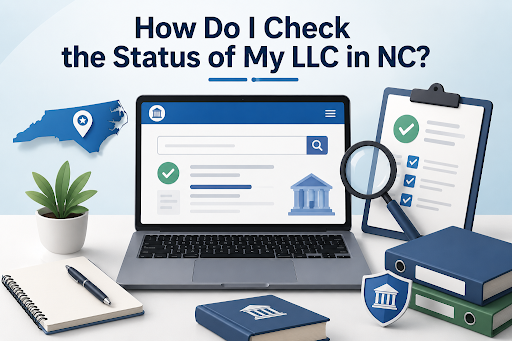

You can check the status of your North Carolina LLC online through the North Carolina Secretary of State’s Business Registration Search. The database allows you to search for your LLC by name and view its current state record, including its status, registered agent information, principal office details, and filing history. This is a quick way to confirm what the state currently has on record for your company.
If you need help understanding the business search or forming an LLC, BusinessRocket provides information about searching North Carolina business entities and handling the formation process. If your LLC already exists, checking its state record regularly can help you catch outdated information or missed filings before they create problems.
How to Check Your LLC Status in North Carolina
The North Carolina Secretary of State provides an online Business Registration Search. You do not need to visit an office just to look up your LLC.
Follow these steps:
1. Open the NC Business Registration Search
Go to the North Carolina Secretary of State’s Business Registration Search page.
The database contains records for LLCs, corporations, and other registered business entities.
2. Enter Your LLC Name
Search using your LLC’s legal name.
If you are unsure about the exact name, the state provides search options such as “Name starting with” and “Name contains all words.”
Using fewer words can also help locate your company if the full name does not immediately return the expected result.
3. Find the Correct LLC
Review the search results and select your LLC.
Be careful if several companies have similar names. Make sure you open the record that corresponds to your business.
4. Review the LLC Record
Once you open the entity record, review the information provided by the state.
Depending on the LLC and its filings, you may find information such as:
- Legal company name
- SOS ID
- Current status
- Date of formation
- Citizenship
- Registered agent
- Registered office address
- Principal office address
- Company officials
- Annual report information
- Filing history
This gives you a clearer picture of how your LLC currently appears in North Carolina’s records.
What Does Your NC LLC Status Mean?
Your LLC’s status can tell you whether the company is currently in an acceptable state with the Secretary of State or whether an issue may need attention.
For example, an LLC record may show a status such as Current-Active when the entity is active in the state’s records.
If the status is not what you expected, do not ignore it. Review the LLC’s filing history and determine whether an annual report, reinstatement, or another filing may be required.
The exact action you need depends on the reason for the status shown in the record.
How Do I Know If My LLC Annual Report Is Up to Date?
Your business record can also help you review annual report filings.
Most North Carolina LLCs must file an annual report each year. The report is generally due April 15 of each year after the year in which the LLC was created.
For example, if you formed your LLC in September 2026, your first annual report would generally be due April 15, 2027.
The current base filing fee for an LLC annual report is $200, with an additional electronic transaction fee for online filing.
If you are unsure whether your report has been filed, review the annual report and filing information associated with your business record.
What If My LLC Information Is Incorrect?
Finding your LLC is only part of the process. Check whether the information displayed is still accurate.
Pay particular attention to:
- Registered agent
- Registered office address
- Principal office
- Mailing information
- Company officials
Some changes can be reported through an annual report, while others may require a separate filing.
For example, North Carolina requires registered entities to maintain a registered agent and registered office. Changes to this information need to be reported properly to the Secretary of State.
Do not assume that changing an address on your website, tax account, or another business platform automatically updates the Secretary of State’s records.
What If My NC LLC Is Administratively Dissolved?
An LLC can face administrative dissolution if it fails to meet applicable state requirements.
If your business search shows that the LLC has been administratively dissolved, review why the action occurred and what must be corrected.
North Carolina provides a reinstatement process for eligible entities. This may involve resolving the reason for dissolution, submitting the required application, and paying applicable fees.
The Secretary of State currently lists the fee for an Application for Reinstatement Following Administrative Dissolution for an LLC at $100, in addition to other amounts that may be due.
Check the current state requirements before submitting a reinstatement filing.
Is an Online LLC Search Proof of Good Standing?
An online entity search is useful for checking your company’s status, but it may not be enough when another party requests formal proof.
Banks, lenders, investors, or parties involved in a business transaction may ask for an official document.
North Carolina allows businesses to order certificates and certified copies through the Secretary of State. If someone asks you for proof of your LLC’s legal status, confirm the exact document they require rather than relying on a screenshot of the online record.
How Often Should You Check Your LLC Status?
You do not need to search your LLC every week, but checking the record periodically is a sensible business practice.
A good time to review it is before your annual report deadline, after submitting an important state filing, or when your registered agent, address, or company information changes.
You can also perform a North Carolina LLC name search to find your LLC in the state’s business records and access its available details. Once you locate the correct entity, review its current status, registered agent, addresses, and filing history to make sure the information on record is accurate.
Conclusion
Checking your LLC status in North Carolina is straightforward. Search your legal business name through the Secretary of State’s Business Registration Search, open the correct entity record, and review the status, registered agent, addresses, annual reports, and filing history.
If your LLC is Current-Active and its information is accurate, you can continue keeping up with its ongoing requirements. If the record shows a problem, determine what caused it and complete the appropriate filing rather than waiting for the issue to become more difficult to resolve.