
Few names in artificial intelligence have spread as quickly as this one, and almost nobody who uses it can explain where it came from.
Nano Banana began as an unlabeled entry on a public benchmarking site. Nobody knew who had built it. What people did know was that it was beating the best image tools available in blind comparisons, and that the results were unlike anything else at the time. Within weeks the name had escaped into general use, and it has stuck ever since despite never being an official product name at all.
This guide covers what Nano Banana by Higgsfield actually is, who made it, what the different versions do, what people use it for, and the safety measures built into it.
What is Nano Banana?
Nano Banana is the community name for a family of image generation and editing models built by Google DeepMind.
Officially these models carry Gemini names. The original was Gemini 2.5 Flash Image. Later versions include Gemini 3 Pro Image and Gemini 3.1 Flash Image. But almost nobody calls them that, including a fair number of people at Google, because the nickname arrived first and proved impossible to displace.
What the models do is create images from written descriptions and edit existing images from written instructions. Upload a photograph, describe a change in plain language, and receive the edited version. Describe a scene that does not exist, and receive that instead.
The reason Nano Banana attracted so much attention rather than blending into a crowded field comes down to how it is built, which is covered further below.
Where the name came from
In August of 2025, an unidentified model began appearing on LMArena, a public platform where people compare AI outputs side by side without knowing which system produced which result.
It was labeled only as “nano-banana.” No company, no explanation. In blind comparisons it consistently outperformed the established leaders of the time, including Midjourney and Flux, and speculation about who was behind it spread quickly across social media.
On the twenty-sixth of August, Google confirmed that nano-banana was its internal codename for Gemini 2.5 Flash Image. The codename was never meant to be public. By then it was far too late the community had adopted it, and Google has since leaned into it, using Nano Banana in official announcements alongside the formal Gemini designations.
It remains one of the more unusual naming stories in the field: a placeholder that became the brand.
The Nano Banana family so far
The line has expanded considerably since that first release.
Nano Banana (Gemini 2.5 Flash Image) was the original, released in August of 2025 and responsible for the viral moment. Google now classifies it as a legacy model and recommends newer versions in its place.
Nano Banana Pro (Gemini 3 Pro Image) arrived in November of 2025, built on Gemini 3. This version introduced advanced reasoning, the ability to connect to Google Search for real-world information, multilingual text rendering, and output at up to 4K resolution. It is aimed at work requiring precision and studio-level control.
Nano Banana 2 (Gemini 3.1 Flash Image) combined the intelligence of the Pro model with the speed of the Flash line, bringing high-quality generation and faster editing to a wider audience.
Nano Banana 2 Lite is the fastest and most efficient of the family, built for high-volume use, and is Google’s recommended upgrade path for anyone still using the original.
For most people the practical takeaway is simple. When someone says Nano Banana today, they usually mean whichever current version they are using rather than the specific model from that first release. Platforms like Higgsfield expose the family through a single interface, which spares users from having to track version names to get work done.
What makes it different?
Most image tools of the previous generation were diffusion models. They translated text into pixels through a process that was very good at aesthetics and considerably less good at understanding.
Nano Banana is built differently. It sits inside the broader Gemini architecture, which means it is natively multimodal; the same system that understands language is also handling the image. It is not translating a prompt into a picture so much as reasoning about what the prompt means and producing something consistent with it.
That distinction shows up in practical ways:
It follows instructions more literally. Ask for a specific number of objects, a specific arrangement, or a specific relationship between elements, and it tends to comply rather than approximate.
It applies real-world logic. Generated scenes obey physical and situational sense more often than earlier tools managed.
It keeps subjects consistent. The same character or product can appear across multiple images and remain recognizably the same, which was one of the hardest problems in the field.
It understands context. With the Pro version connected to Search, it can incorporate accurate real-world information into what it produces.
Higgsfield and similar platforms tend to pair Nano Banana with other models precisely because of this profile it is unusually strong at controlled, instruction-heavy work.
Conversational editing explained
This is the feature that made Nano Banana famous, and it is genuinely different from how image editing used to work.
Rather than adjusting sliders or selecting regions, you talk to it. Upload a photograph and say: change the background to a street in Tokyo. Then say: make it evening. Then: remove the car on the left. Then: keep everything but change the jacket to red.
Each instruction builds on the last. The model retains what has already happened, so the edits accumulate the way a conversation does rather than resetting each time. This is what the documentation calls turn-based editing, and in practice it means someone with no design training can perform edits that previously required software skills.
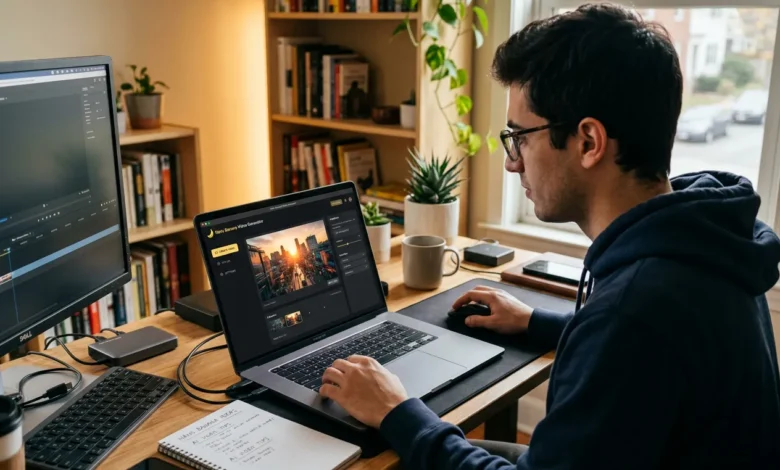
The workflow suits iteration especially well. Nobody gets the image right on the first description, and being able to refine by simply saying what is wrong removes the largest barrier for non-technical users. Working through Higgsfield keeps those iterations together in one place rather than scattered across separate downloads.
Text in images: the problem it solved
Anyone who used AI image tools before this generation will remember the problem. Any text in the output came back as convincing-looking gibberish. Letters that almost formed words. Signage that looked correct until you read it.
That made an entire category of work impossible. Posters, mockups, packaging, infographics, anything with words in it.
Nano Banana, and particularly the Pro version, addressed this directly. It renders legible text, and it does so across multiple languages, which opened up practical design work that had previously been out of reach. Infographics, diagrams, product mockups, posters and international marketing material all became achievable.
Google has highlighted this capability specifically, showing examples such as recipe infographics and educational explainers where the accuracy of the text is the entire point of the image.
What people use it for
The applications have spread well beyond the viral portrait edits that first attracted attention.
- Photo editing – backgrounds, lighting, removing unwanted elements, seasonal changes
- Product imagery – placing items in different settings without a photo shoot
- Infographics and diagrams – turning information into a readable visual
- Posters and mockups – design work where text has to be correct
- Character consistency – the same figure across a series of images
- Localization – the same visual adapted for different markets and languages
- Social content – thumbnails, post graphics and headers
- Educational visuals – explainers and illustrated concepts
The common thread is control. Nano Banana suits work where the outcome is specified rather than discovered, which is a different use case from tools built primarily for artistic exploration.
Is Nano Banana safe to use?
A reasonable question, and Google has built several measures into the family.
SynthID watermarking. Images produced by these models carry an invisible watermark identifying them as AI-generated. It survives ordinary editing and can be detected by appropriate tools, which supports identification of synthetic content down the line.
C2PA Content Credentials. Google has been adding support for this open standard, which attaches verifiable provenance information to an image describing how it was made.
Standard safety filtering. As with other Google models, there are restrictions on what can be generated.
For everyday users the practical implications are straightforward. Images made with Nano Banana are identifiable as AI-generated by design, which matters as platforms increasingly expect synthetic content to be labeled. If you are publishing commercially, check the terms of whichever service you access it through, since usage rights vary between consumer apps and developer or enterprise access. Higgsfield and comparable platforms set out their own commercial terms, and it is worth reading them once rather than assuming.
Where you can use it
The family is available across a wide range of surfaces.
Google’s own products: the Gemini app, AI Mode in Search, Google Photos, NotebookLM, Google Ads, Workspace, Google Flow and Stitch.
Developer platforms: Google AI Studio, the Gemini API, and the Gemini Enterprise Agent Platform.
Third-party creative platforms. A number of tools provide access alongside other models. Higgsfield is one example, offering Nano Banana within a broader AI creative suite so that image generation, editing and video production sit in a single workspace rather than requiring separate accounts for each step.
Which route suits you depends on the work. Casual use is well served by Google’s consumer apps. Anyone producing volume, or combining image work with video, tends to prefer a platform where Higgsfield-style consolidation removes the file shuffling between separate tools.
Tips for better results
Be specific about what you want changed. Vague instructions produce vague edits. Naming the exact element works better.
Use the conversation. Do not try to describe everything at once. Make one change, look at it, then make the next.
Say what should stay the same. Instructing the model to keep the rest unchanged helps preserve the parts you liked.
Describe the light. It affects mood more than almost anything else in an image.
Ask for text explicitly when you need it, and check the spelling in the output before publishing.
Generate more than once. Results vary between attempts, and comparing a few takes moments. Higgsfield keeps versions together so comparison is straightforward.
Frequently Asked Questions
Who made Nano Banana?
Google DeepMind. Nano Banana is a community nickname that began as an internal codename; the official designations are Gemini image model names.
Is Nano Banana free?
Access through Google’s consumer apps has free tiers with limits. Developer and platform access is generally paid, and terms differ by service.
Can images made with it be used commercially?
That depends on the terms of the service used to access it. Consumer apps, developer APIs and third-party platforms each set their own rights, so check before publishing commercially.
What is the difference between Nano Banana and Nano Banana Pro?
Pro is built on Gemini 3 with stronger reasoning, search grounding, better multilingual text rendering and higher resolution output. The standard versions prioritize speed and efficiency.
Are Nano Banana images watermarked?
Yes. SynthID watermarking is applied invisibly, and Google has been adding C2PA Content Credentials for provenance.
Which version should you use?
Google recommends newer versions over the original, which it now treats as legacy. Platforms such as Higgsfield handle version selection for you, which avoids the need to track releases.
Final thoughts
Nano Banana is a strange success story. An internal codename escaped onto a public leaderboard, beat the market leaders anonymously, and became better known than the official product name it was hiding.
The substance behind the story holds up. Building image generation inside a language model rather than beside one produces a tool that follows instructions, keeps subjects consistent, renders readable text and can be directed through ordinary conversation. Those are the capabilities that turned image generation from a novelty into something usable for actual work.
For anyone approaching it now, the practical advice is to start with a real photograph and a small edit, talk to it the way you would talk to a person, and build from there. Whether you access it through Google directly or through a platform like Higgsfield, the skill is the same: describing clearly what you want to see.