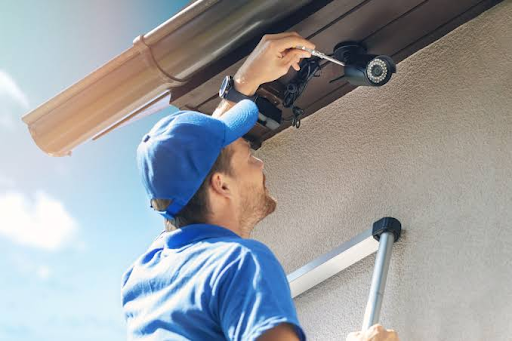

Construction sites are busy, temporary places: equipment moves, work areas expand, and people come and go on changing schedules. Cameras can help document activity, but recording alone may not alert anyone while a problem is unfolding. This article explains how remote video monitoring adds a live response, what to consider when planning coverage, and how to review whether the approach is helping protect a project.
Why recording alone can fall short
Cameras are useful for visibility, but their value depends on what happens when they capture something important. A system that only stores footage may leave a gap between an incident and the moment someone notices it. Understanding that gap helps clarify when a live response may be useful.
Footage shows what happened after the fact
Recorded video can help teams review an incident, establish a timeline, and understand where a security gap may exist. But footage is usually most useful after someone knows to look for it. If nobody is watching or receiving an alert, the camera may document a problem without interrupting it.
Delayed discovery can increase losses and downtime
When a theft, trespass, or act of vandalism is discovered hours later, the first response may be delayed too. That can make it harder to locate missing items, secure an affected area, or resume work. The difference between recording and intervention is often a matter of timing, as this simple comparison shows.
| Situation | Recording-only approach | Live-response approach |
| After-hours movement | Activity may be reviewed later | An operator may assess it as it occurs |
| Possible equipment theft | Loss may be noticed during a later check | A warning or escalation may happen sooner |
| Access to a restricted area | Footage can document the entry | Activity may be addressed while underway |
The table describes general possibilities, not guaranteed outcomes. A live response can help shorten the delay between noticing a concern and taking an appropriate next step, while recorded footage remains useful for later review.
Large, changing sites are difficult to monitor passively
A construction site rarely stays the same for long. Materials are delivered, temporary entrances shift, and crews work in different areas as a project advances. A passive camera setup can become less useful if the views and review routines are not updated as the worksite changes.
How remote video monitoring adds a live response
Remote video monitoring connects camera views with people who can assess activity in real time. That changes the role of the camera: instead of serving only as a record, it can support a response while an event is still unfolding. The details depend on the system and its procedures, so teams should understand exactly how observation, warnings, and escalation are handled.
Trained operators can assess activity as it happens
An operator reviewing live video can consider context that a basic alert may miss, such as whether activity appears connected to scheduled work. This assessment can help determine whether an event needs attention and what response is appropriate. Human verification matters because activity on a jobsite is not automatically suspicious simply because it occurs outside a usual pattern.
Live audio warnings can interrupt suspicious behavior
Some monitoring arrangements include the ability to issue a live audio warning. A timely announcement can signal that activity is being observed and may prompt someone to leave an area or stop what they are doing. Whether that option is available, and how it should be used, depends on the system and the site’s agreed procedures.
Escalation protocols help get the right response quickly
A warning is only one part of a response. Teams should agree in advance on who is contacted when an operator verifies a concern, what details are shared, and when local responders should be involved. Clear steps make it easier to avoid confusion during an incident and to direct information to the people able to act.
What construction sites need protection from
Construction sites bring together valuable property, open work areas, and changing access needs. Security planning works best when it reflects the particular project rather than assuming every site faces the same risks. Reviewing likely problems with site managers can help focus attention where it is most useful.
Theft of tools, materials, and heavy equipment
Portable tools, stored materials, and equipment can be attractive targets, especially when they are left unattended after work hours. A site assessment can identify where high-value items are kept and whether those areas are visible from camera positions. Video may support deterrence and incident review, but it should sit alongside sound inventory and access practices.
Trespassing, vandalism, and after-hours activity
Unapproved entry can expose people to hazards as well as create opportunities for damage or theft. Fences, signs, lighting, and controlled entry points remain important; cameras can add visibility around the areas those measures are intended to protect. Monitoring plans should account for legitimate exceptions, such as authorized late shifts or deliveries, so routine work is not mistaken for a threat.
Safety incidents and access to restricted areas
Security and safety overlap when people enter areas with active machinery, unfinished structures, or other hazards. A camera view may help teams notice activity near a restricted zone, but it does not replace site inductions, barriers, supervision, or safety procedures. Teams should decide which areas merit attention and who must be notified if access appears unsafe.
What to look for in a monitoring system
A monitoring system needs to work within the practical limits of a construction site. Camera placement, connectivity, power, lighting, and the way alerts are handled all affect whether a live view is useful. Evaluate these elements together rather than choosing equipment based on a single feature.
Cameras that cover changing site layouts
Start with views of priority locations, such as site entrances, equipment storage, and areas where access is restricted. As the project changes, a camera that once covered a useful boundary may now face a different work zone. Plan for regular reviews so the views continue to match current site conditions and working practices.
Reliable connectivity, power, and nighttime visibility
A camera cannot support live observation if its connection or power is unavailable when needed. Before deployment, consider the site’s network access, power options, and what happens during interruptions. Nighttime visibility also deserves a practical check: confirm that intended areas can be assessed in the lighting conditions the site actually experiences.
Alerts that help operators distinguish real threats from routine activity
Alerts can draw attention to activity, but too many low-value notifications may make it harder to focus on genuine concerns. The monitoring process should give operators enough context to verify what they see and account for scheduled work or authorized access. A useful alert is one that prompts assessment, not an automatic assumption that wrongdoing has occurred.
How to put remote video monitoring into practice
A workable plan begins with the site, not the camera specification. Managers, security staff, and the monitoring provider should align on what needs attention, how activity will be assessed, and who will respond. This preparation helps make coverage relevant to daily operations rather than a separate process that crews have to guess at.
Identify priority areas and site-specific risks
Walk the site and note where valuable property is stored, where people can enter, and which zones present particular safety concerns. Then rank those locations against the likely risks and the consequences of an incident. A short, shared priority list can guide camera placement and prevent attention from being spread too thinly.
- Mark entrances and other likely access points.
- Identify storage areas for tools, materials, and equipment.
- Note restricted zones and changing work areas.
- Record scheduled access, deliveries, and after-hours work.
Use that list to connect the site’s actual routines to the monitoring plan. Revisiting it after major project changes can help keep coverage aligned with current needs.
Set clear alert, verification, and escalation procedures
Before monitoring begins, decide how a potential issue is verified and what happens next. Specify who receives a notification, which events call for a live warning, and when the matter should be escalated to site management or local responders. These decisions should be documented and understood by everyone involved, rather than improvised in the middle of an incident.
Coordinate camera placement with site managers and security teams
Site managers know how work areas and access patterns are changing; security teams understand the response process. Bringing them together can reveal blind spots, avoid obstructing work, and establish who can approve adjustments. Coordination also helps ensure that camera views support operations without creating avoidable confusion for crews.
How to assess whether monitoring is working
Monitoring should be reviewed as an operational measure, not judged only by whether a serious event occurs. A quiet period does not necessarily prove that coverage is effective, and one incident does not by itself show that the system failed. Combine response records, changing site conditions, and cost information to form a more useful picture.
Track response times and verified incidents
Keep records of alerts, how quickly they were assessed, what was verified, and what action followed. Separating routine activity from confirmed concerns helps teams understand whether procedures are working and where they may need refinement. Response-time trends can also highlight delays in notification or handoffs between the operator and site contacts.
Review coverage as projects and site conditions change
Check camera views after major milestones, layout changes, or shifts in access routines. Ask whether priority areas remain visible, whether new blind spots have appeared, and whether planned work is creating unnecessary alerts. A consistent review schedule makes adjustments easier to manage than waiting until a gap becomes obvious during an incident.
Compare prevented losses and reduced disruption with system costs
Assess the system against the risks and operational goals identified at the outset. Consider documented incidents, response activity, disruptions avoided where they can be reasonably established, and the cost of monitoring. Be cautious about attributing every change in loss or downtime to cameras alone; comparing the evidence over time gives decision-makers a more balanced basis for renewal or adjustment.
Conclusion
Basic recording can help explain an incident after it happens, while remote video monitoring can add live assessment and a defined response when activity needs attention. On a construction site, the value of that approach depends on practical camera coverage, clear procedures, and regular updates as the project changes. A plan shaped around real site risks gives teams a stronger basis for protecting people, property, and work schedules.
Frequently Asked Questions
What is remote video monitoring?
Remote video monitoring is the observation of camera feeds by people away from the site, with procedures for assessing activity and responding when needed. The exact service and response options vary by arrangement.
How is remote monitoring different from basic video recording?
Basic recording stores footage for later review. Remote monitoring adds live observation and may include verification, warnings, or escalation according to the system’s capabilities and agreed procedures.
Can construction site security cameras help prevent theft?
Yes. It can help discourage theft by making it clear that activity on the property is being recorded or actively monitored. When cameras are paired with live monitoring, security teams may also be able to identify suspicious activity sooner and respond more quickly.
However, cameras cannot guarantee that theft will not occur. Construction site security cameras are most effective when used as part of a broader security plan that may include controlled site access, proper lighting, secure equipment storage, fencing, and other protective measures.
Where should cameras be placed on a construction site?
Common priorities include entrances, equipment storage areas, and locations where access is restricted. Placement should reflect the site’s layout, risks, lighting, and work routines, and should be reviewed as conditions change.
Does remote monitoring replace an on-site security guard?
Not necessarily. Monitoring and on-site personnel serve different purposes, and the appropriate arrangement depends on site risks, operating hours, and response needs. Some projects may use them together.
What should happen when an operator sees suspicious activity?
The operator should follow a clear, pre-agreed procedure for verification, notification, and escalation. The plan should identify responsible contacts and clarify when a warning or outside response is appropriate.
How can a team tell whether its monitoring plan is effective?
Review alert and response records, verified incidents, site coverage, and costs over time. Update the assessment whenever the project layout, access patterns, or risk profile changes.