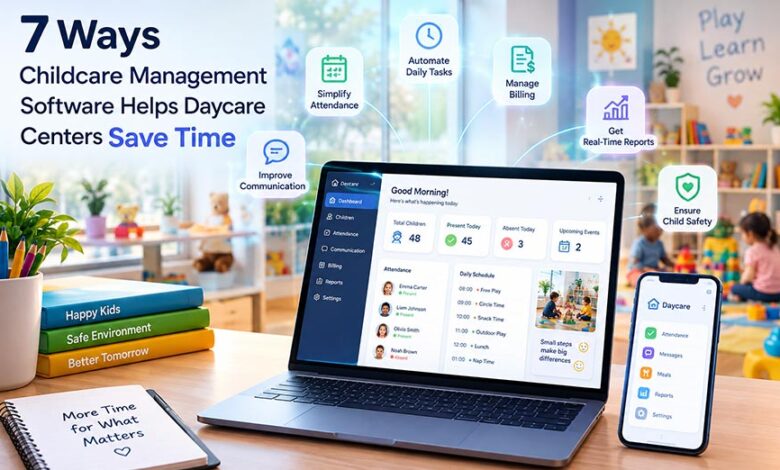

The process begins early in the morning when children arrive, there is a quick inquiry from parents upon arrival, and the staff have difficulties trying to recall who ate their breakfast and who requires taking medication in the middle of the day. At the same time, the staff have to take into account information about attendance, incident reporting, billing, staff-related problems, and daily reports to the parents.
Every caregiver wants to spend more time working with children rather than with documentation. Care management software allows organizing all attendance, meals, sleep, activities, and development of children in one place.
AI daily report generator for daycare can allow automating the process even further so that caregivers will be able to automatically generate daily reports using information they have in a matter of minutes.
At the same time, it is important that staff will review the reports generated by AI before passing them to the parents because caregivers need to communicate all information regarding children’s days to the parents.
1. Automates Attendance Tracking
The conventional system is inefficient and is characterized by such problems as time omission, page omission, and bad handwriting during audits. In the case of the digital system, the process entails having parents sign in and sign out their kids using either the iPad, QR code or their phones. The process is efficient in capturing time instantly, without the need for copying names and calculation of the hours in the signup sheet.
If there arises an issue whereby the director needs to know the total number of children in the center or those that came in on a particular day, such as last Tuesday, the process is instantaneous.
2. Simplifies Parent Communication
Parents want to know what’s going on, so they contact the staff via calls, texts, emails, and pickup time chats. It takes a lot of time for the staff to coordinate all this.
In a daycare app, everything is in one place. It allows sending announcements regarding closure, picture day, field trips, etc. all in one go to each and every parent. Individual announcements remain tied with each particular child’s profile.
If parents are getting updates on their own, they will make fewer calls and texts. There won’t be so much activity at the reception desk, and teachers wouldn’t be distracted from their classes to pick up the phone.
3. Speeds Up Daily Report Preparation
Writing daily reports for parents could take a lot of time if there were no software developed since all the staff has to manually write down all the activities that each child engages in.
An automated daily report generator for daycares can significantly help in making such reports because it will automatically generate a draft on the basis of all the recorded information so that staff does not have to write everything down.
Nevertheless, despite the fact that the process of writing the report becomes much easier because of the draft made by AI, the staff is still responsible for reviewing the report and ensuring its accuracy.
4. Reduces Paperwork and Administrative Tasks
Many centers use filing cabinets and spreadsheets. Forms about enrollment, allergy information, emergency contacts, and vaccination details can be found in folders and on shared drives.
Digital data puts all that in one place. Every child will have their own record including medical history, who can pick up the child, and signed documentation. Parents can complete and update the forms online, eliminating the need for manual inputting on the staff’s part. When the teacher needs to verify the allergy before snack, or the director requires a piece of documentation for the inspector, the information is at hand.
5. Makes Billing and Payment Tracking Easier
Billing is time consuming in ways that I wouldn’t expect. Billing calculations, generating invoices, and following up on overdue payments can eat up many hours each week. Automated billing allows for the generation of invoices according to a specified schedule and sending payment prompts without any need to be reminded. Parents will make their payments online, and all payments get tracked immediately.
It’s possible to view which parents have paid and those who owe money in one place. Less uncomfortable conversations during pickups, less manual prompting, and more time for tasks that actually require personal attention.
6. Improves Staff Scheduling and Classroom Coordination
Balancing planning and maintaining proper staffing to student ratios is always challenging, particularly when an employee calls in sick. The digital system will inform you who is on shift and in which room, and if the class satisfies ratio needs. The manager will notice any shortcomings beforehand and fix them.
As all the information is synchronized and updated, there will be no conflicts between caregivers and administrators because teachers will have their assignments, directors will be aware of coverage, and double shifts will not occur very frequently.
7. Simplifies Child Progress Tracking and Record Management
Developmental tracking is a crucial component of quality early education; however, observations scribbled onto bits of paper do not tend to gel into any cohesive form. Electronic documentation enables educators to document developmental milestones, observations, and pictures in real time. With enough time passing, this will create a cohesive record of children’s language, motor skills, and socialization development.
When parents meetings or assessments come around, the information will already be prepared. The educators are able to refer to concrete examples rather than having to recall the information from memory.
How to Choose the Right Childcare Management Software
Not all platforms fit all centers. When making your decision, take into consideration:
- Ease of use: The attendance and reporting tools need to be so easy to use that any employee can master them within a day; otherwise, what seems difficult in the demo will be even more difficult on a busy Monday.
- Parent communication and reporting: Make sure that the messaging works, and daily reports can be created easily, possibly using AI, and theease of doing so.
- Security and privacy: You are dealing with highly sensitive information about the children. Make sure that there is role based access, encrypted data, and proper privacy policy in accordance with local laws.
- The fit of your center: Your center may differ from the one used during the demonstration. Your choice should correspond to your budget and work process.
Conclusion
There is always going to be paperwork involved in running a daycare, but it does not need to become a distraction from your job. With automation of attendance, invoicing, scheduling, record keeping, and reports, you will be able to save several hours of repetitive administrative tasks each week. The saved time will go back to where it should to your kids.
For the most beneficial results, make sure that you opt for a childcare management software which simplifies these tasks for your staff and not complicates. If you need a customized program that suits the specifics of your business, then MXICoders can offer their software development services for you.