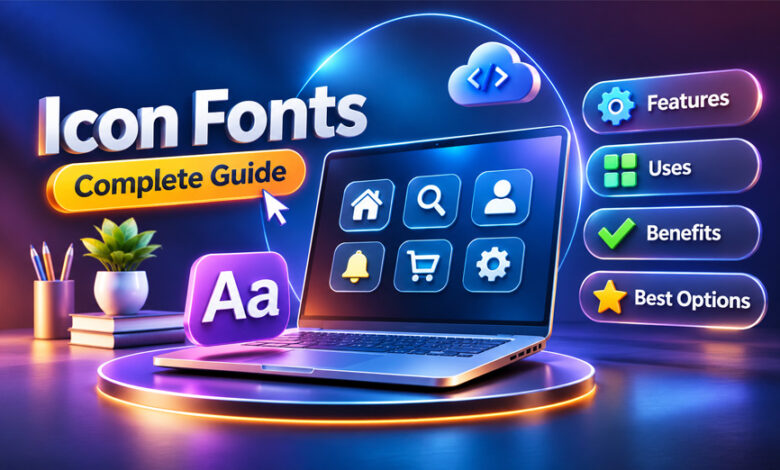

Icon fonts are special fonts that contain icons instead of normal letters and numbers. They are often used on websites and apps for menus, search buttons, social media links, shopping carts, and other controls.
Icon fonts are popular because they are easy to resize and change with CSS. This guide explains what icon fonts are, how they work, their uses, benefits, problems, popular options, and how they compare with SVG icons.
What Are Icon Fonts?
Icon fonts are font files that contain icons and symbols instead of normal letters. Each icon works like a character inside the font.
For example, an icon font may contain symbols for home, search, email, settings, users, shopping carts, arrows, notifications, and social media.
A normal font shows letters and numbers. An icon font shows visual symbols.
Icon fonts became useful because developers could use one font file for many icons. They did not need to create and manage a separate image for every small icon.
However, not every modern icon library is an icon font. Some libraries mainly use SVG, while others provide both SVG and web-font versions.
How Do Icon Fonts Work?
Each icon is saved as a glyph inside a font file. When the website loads that font, the browser can show its icons in a similar way to normal text.
Developers usually load icon fonts through CSS. They may use the @font-face rule, download the font files, or use a hosted service or CDN when available.
After loading the font, developers can add an icon to HTML. Elements such as i and span are commonly used. The exact method depends on the icon library.
CSS can then control things such as:
- Size
- Color
- Spacing
- Alignment
- Padding
- Margin
This makes it easy to change an icon without creating another image.
History of Icon Fonts
Before icon fonts became popular, websites mainly used small image files for icons. These images were often used for navigation, buttons, and links.
Managing many separate images could become difficult. Icon fonts offered a simpler option because many icons could be stored in one font file.
Icon fonts became popular around the early 2010s. Libraries such as Font Awesome helped make them common in web design.
Later, SVG icons became more popular. SVG also provides scalable graphics but gives developers more control over colors, shapes, and other details.
Icon fonts are still used today, especially on older websites and simple interfaces. Many modern icon libraries now also offer SVG versions.
Main Features of Icon Fonts
Icon fonts have several useful features for websites and apps.
Scalable Icons
Icon fonts are vector-based. This means they can be made bigger or smaller without becoming blurry like some image files.
The same icon can work on a phone, tablet, laptop, or large desktop screen.
CSS Styling
Developers can change icon fonts with CSS.
For example, they can change an icon’s size or color without creating a new image. They can also control its spacing and position.
Consistent Design
Icons from the same library usually follow a similar design style.
Using one icon set can help a website look more consistent and organized.
Responsive Use
Icon fonts can easily be resized for different screen sizes.
For example, an icon can appear smaller on a mobile phone and larger on a desktop computer.
Browser Support
Modern web browsers support web fonts, so icon fonts can work on most common devices and browsers.
However, correct setup is still important. Problems with CSS or font files can stop icons from appearing properly.
Different Loading Options
Some icon fonts can be downloaded and stored on your own website.
Other libraries may provide a CDN or hosted option. This can make setup easier because you can connect the required stylesheet directly.
Common Uses of Icon Fonts
Icon fonts are mainly used for small symbols that make websites and apps easier to use.
For example, a website may use a house symbol for the home page, a magnifying glass for search, or a menu icon on mobile devices.
They are also commonly used in buttons. A download button may have a download icon, while an email button may show an envelope.
Forms may use icons for email addresses, passwords, phone numbers, and other fields.
Dashboards often use icons for settings, reports, accounts, notifications, charts, and navigation.
Icon fonts can also be used for shopping carts, social media links, maps, weather information, WordPress interfaces, and developer tools.
Some icon libraries are made for special uses, such as weather, maps, programming languages, brands, or social media.
Benefits of Using Icon Fonts
One of the main benefits of icon fonts is that they can be resized easily. Developers do not need different image files for different icon sizes.
They are also easy to customize. CSS can change their size, color, spacing, and other simple properties.
A single font file can contain many icons. This can be easier to manage than keeping many separate image files.
Icon fonts also work well with responsive websites because their size can change for different screens.
Many icon font libraries are free or open source. This gives developers many choices without having to create every icon themselves.
However, loading a very large library just to use a few icons may not be the best option.
Drawbacks of Icon Fonts
Icon fonts also have some disadvantages.
They are not ideal for detailed or multi-color graphics. SVG usually gives developers more control for these types of icons.
Large icon libraries may contain hundreds or thousands of icons. If a website only uses a few of them, loading the whole library can waste resources.
Another problem happens when the font file fails to load. Icons may disappear or appear as empty boxes.
Positioning can also be difficult sometimes because browsers treat icon fonts like text. Developers may need to change spacing, line height, or alignment.
Accessibility can also be a problem if icons are not set up correctly. Screen readers may not understand what an icon means.
Custom icon fonts can also have character or Unicode problems if they are not created properly.
Icon Fonts and Accessibility
Icon fonts can be accessible, but developers need to set them up correctly.
A person can look at an envelope icon and understand that it means email. A screen reader may not understand the same icon unless useful information is added.
Important icons should have clear labels or other accessible information when needed.
Decorative icons are different. If an icon is only there to make the page look better, it may be better to hide it from screen readers.
Developers should also use text when an icon alone may be confusing. For example, showing “Download” beside a download icon can make the action clearer.
SVG can sometimes make accessibility easier because developers have more control over the graphic and its information.
Icon Fonts vs SVG
SVG stands for Scalable Vector Graphics. It is one of the main alternatives to icon fonts.
Both icon fonts and SVG can be resized without losing much visual quality. However, they work differently.
Icon fonts store icons as font characters. SVG stores graphics as vector shapes and code.
SVG usually gives developers more control. It is easier to use several colors, detailed shapes, strokes, and animations.
SVG icons can also be easier to position because they have their own size and shape. Icon fonts behave like text, so spacing and alignment may need more work.
SVG can also be easier to manage for accessibility.
However, icon fonts are still useful for simple symbols and websites that already use them.
Neither option is always better. The right choice depends on the project.
Icon Fonts and Website Performance
Icon fonts can work well for website performance when they are used correctly.
Once a font file loads, the browser may store it in its cache. This can help when the same icons are used on several pages.
Problems can happen when a website loads a large icon library but only uses a few icons. The visitor may still need to download files containing many unused icons.
Some libraries allow developers to load only the icons they need. This can help reduce file size.
SVG can also be lightweight. A few small SVG icons may use fewer resources than a large icon font.
The best option depends on the number of icons and how they are added to the website.
Best Icon Fonts and Icon Libraries
There are many icon fonts and icon libraries available. Some use web fonts, while others use SVG or offer both.
Font Awesome
Font Awesome is one of the best-known icon systems. It includes icons for websites, apps, brands, businesses, navigation, communication, and many other uses.
It supports web fonts and SVG. It also has free and paid options.
Font Awesome can be useful for projects that need many different icons. However, developers should avoid loading unnecessary icons when possible.
Line Awesome
Line Awesome provides simple line-style icons.
It covers many common needs, including arrows, forms, buildings, accessibility symbols, and brand icons.
It can be a good option for websites that need clean line icons.
Ionicons
Ionicons is an open-source icon collection connected with the Ionic Framework.
It includes outline, filled, and sharp icon styles. It is commonly used for web and mobile interfaces.
SVG and web-font options are available.
Material Design Icons
Material Design Icons provides a large collection of symbols for user interfaces.
It includes icons for actions, controls, objects, and many other common needs.
Web-font and SVG options are available.
Dashicons
Dashicons is closely linked with WordPress.
It has been used inside the WordPress admin area for publishing, settings, navigation, and other controls.
It is mainly useful for WordPress-related projects.
Remix Icon
Remix Icon is an open-source icon library with clean and simple designs.
It provides outline and filled icons and can be used for websites, dashboards, and applications.
SVG and web-font options are available.
Devicon
Devicon focuses on programming and technology.
Its collection includes icons for programming languages, frameworks, browsers, software, and development tools.
It can be useful for developer portfolios, technology websites, and documentation.
Genericons
Genericons is a simple collection of website and publishing icons.
It includes common symbols for navigation, feeds, and other basic website features.
It can work well for blogs and simple websites.
Other Useful Options
Other choices include Eva Icons, Themify Icons, Typicons, Foundation Icon Fonts, Dripicons, Weather Icons, and Map Icons.
Some libraries focus on specific needs. For example, Weather Icons provides weather symbols, while Map Icons focuses on places and locations.
Icon Fonts vs Icon Libraries: What Is the Difference?
An icon font and an icon library are not always the same thing.
An icon font stores its icons as characters inside a font file.
An icon library is a wider term. It may provide icons as web fonts, SVG files, PNG images, CSS, or several formats.
For example, Feather Icons mainly uses SVG instead of a traditional icon font. Octicons also focuses strongly on SVG.
Before choosing a library, check which formats it currently supports.
How to Use Icon Fonts on a Website
First, choose an icon font that has the symbols you need. Check its documentation and license before using it.
Next, add the required CSS and font files to your website. You may be able to download them or connect to an official hosted service or CDN.
Then add the required icon class or element to your HTML. Each library provides its own class names and instructions.
Use CSS to change the icon’s size, color, spacing, and position.
Add accessible information to important icons when needed.
Finally, test the icons on different browsers and screen sizes. Make sure all required files load correctly.
Free vs Paid Icon Fonts
Many icon fonts are available for free. Some are open-source and may allow both personal and commercial use under their licenses.
Other libraries offer free and paid versions.
A free version may include basic icons, while a paid plan may provide more icons, styles, or tools.
Font Awesome is one example that offers both free and paid options.
Prices can change, so check the official website before buying a plan.
Always read the license as well. A free icon does not always mean it can be used without any rules.
Licensing and Brand Icons
Always check the license before using an icon library, especially for business or commercial projects.
Some libraries are open source. Others may have rules about commercial use, changes, or redistribution.
Brand icons need extra attention.
For example, a library may include a social media logo, but the company that owns the logo may have its own rules.
These rules may cover:
- Colors
- Logo size
- Shape
- Spacing
- Backgrounds
- Changes to the logo
Check the company’s official brand guidelines before using important brand logos.
How to Choose the Right Icon Font
Choose an icon font based on what your project actually needs.
First, check whether it includes the right icons. Then look at its design style and make sure it matches your website or app.
Also check whether it provides web fonts, SVG, or both.
File size matters too. There is little reason to load thousands of icons when your website only needs a few.
Check the license, commercial-use rules, browser support, accessibility, installation options, and how often the library is updated.
For brand icons, make sure the designs follow the latest official brand rules.
Best Practices for Using Icon Fonts
Use icons when they make a website easier to understand.
Try to use icons from the same library so the design stays consistent.
Do not load more icons than you need. Smaller files can help website performance.
Add accessible labels when an icon has an important meaning. Decorative icons should not confuse screen readers.
Test your icons on different devices and browsers.
Keep your icon library updated when needed.
For detailed, multi-color, or animated graphics, SVG may be a better option.
Common Icon Font Problems
Icons Appear as Empty Boxes
This usually happens when the browser cannot find or display the correct icon.
Check that the font file loaded correctly. Also make sure you are using the right font family and icon class.
Icon Font Does Not Load
The font may not load if the file path is wrong or a required stylesheet is missing.
Check the file location and use your browser’s developer tools to look for errors.
Wrong Icon Appears
This may happen when you use an old class name or mix files from different versions of the same library.
Check the library’s current documentation and make sure all files belong to the same version.
Icons Are the Wrong Size
Check the CSS font-size applied to the icon.
Also check the parent element because its CSS may affect the icon.
Icons Are Not Aligned Correctly
Icon fonts behave like text, so CSS properties such as line-height, vertical-align, and margins can affect their position.
Adjust these settings until the icon fits correctly.
Icons Cause Accessibility Problems
A screen reader may read an unwanted character or may not understand the icon.
Use suitable accessible labels for important icons. Decorative icons can be hidden from screen readers when appropriate.
The Icon Library Is Too Large
A large library can add unnecessary files to your website.
Use a smaller icon set, load only the icons you need when possible, or consider individual SVG icons.
How to Fix Icon Font Problems
Start by checking that the CSS and font files are loading correctly.
Make sure the file paths and icon class names are correct. If the library was updated, check its latest documentation because some names or setup steps may have changed.
Browser developer tools can help you find missing files, blocked requests, and CSS problems.
If an icon looks wrong, check its size, line height, alignment, and surrounding CSS.
Old cached files can sometimes cause problems during testing. Clearing the website cache can help you check whether an old file is being used.
If one icon keeps causing problems, using its SVG version may be easier.
Are Icon Fonts Still Worth Using?
Yes, icon fonts can still be useful.
Many websites and apps already use them successfully. There is no need to replace a working icon font simply because SVG is available.
Icon fonts work well for simple, one-color interface symbols that need easy CSS styling.
However, SVG is now a common choice for modern projects. It gives developers more control over colors, shapes, details, and animations.
SVG can also make accessibility easier in many cases.
For a new project, compare both options before choosing. For an older website with a working icon font, keeping it may be the easier option.
Bottom Line
Icon fonts are font files that contain icons and symbols. They make it easy to add, resize, and style simple icons with CSS.
Popular choices include Font Awesome, Line Awesome, Ionicons, Material Design Icons, Dashicons, and other icon libraries.
Icon fonts are still useful, but they also have limits. Large libraries can add unnecessary files, font-loading problems can cause missing icons, and accessibility needs careful setup.
SVG is a strong alternative for modern projects, especially when you need detailed, multi-color, or animated icons.
The best choice depends on your website’s design, performance, accessibility, and project needs.
Frequently Asked Questions
What are icon fonts?
Icon fonts are fonts that contain icons and symbols instead of normal letters. They are commonly used on websites and apps.
How do icon fonts work?
Icons are stored as characters inside a font file. The website loads the font and uses HTML and CSS to show the required icon.
Are icon fonts free?
Many icon fonts are free or open source. Some libraries also offer paid plans with more icons and features.
What is the most popular icon font?
Font Awesome is one of the best-known icon systems. However, the best option depends on what your project needs.
Are icon fonts better than SVG?
Not always. Icon fonts are simple to use, while SVG gives more control over colors, shapes, animation, and accessibility.
Are icon fonts still used?
Yes. Many websites and apps still use icon fonts, especially older projects and simple interfaces.
Do icon fonts affect website performance?
They can. A large library may add unnecessary files, especially if the website only uses a few icons.
Are icon fonts accessible?
Yes, they can be accessible when set up correctly. Important icons should have clear labels so screen readers can understand them.
Viltnemnda Complete Guide: Meaning, Responsibilities, and Wildlife Management
Lucipara Islands: Diving, Sea Turtles, Fishing, and Conservation