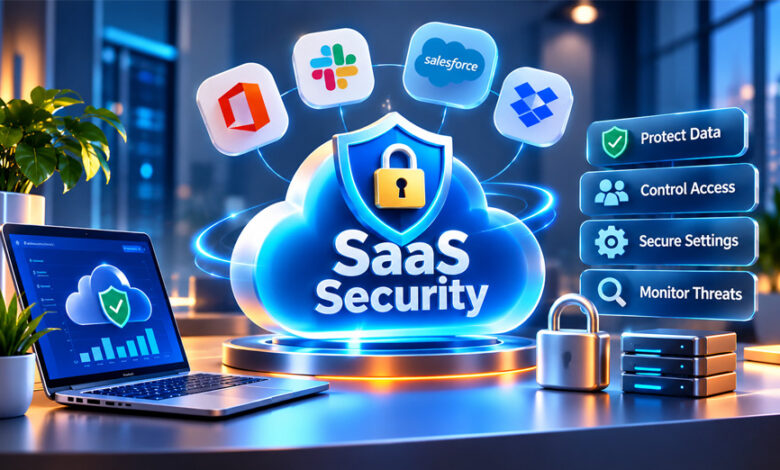

SaaS security means protecting online software, business data, and user accounts from security risks. It is important because many businesses now use cloud apps for their daily work.
Good SaaS security helps protect data, stop unwanted access, and keep user accounts safe. This guide explains how SaaS security works, its main risks, useful tools, benefits, and simple ways businesses can improve security.
What Is SaaS Security?
SaaS security is the use of tools, rules, and security methods to protect Software as a Service applications.
SaaS apps run in the cloud and are usually used through the internet. Businesses use these apps for email, file storage, communication, accounting, customer management, and many other tasks.
SaaS security protects these apps, their users, and the data stored inside them. It helps prevent unwanted access, data leaks, account attacks, and other security problems.
It also helps keep data private, correct, and available when approved users need it.
SaaS security is part of cloud security. Cloud security covers the wider cloud environment. SaaS security focuses mainly on SaaS apps, users, data, settings, and connected services.
Why Is SaaS Security Important for Businesses?
Businesses often store important information in SaaS apps. This may include customer details, employee records, emails, documents, payment information, and other private data.
If someone takes control of a SaaS account, they may be able to see or steal this information. Data can also become exposed because of weak permissions, poor sharing settings, or incorrect security settings.
The risk becomes harder to manage when a business uses many SaaS apps. Different teams may start using their own services without telling the IT team.
This can lead to SaaS sprawl, where many cloud apps are used across a company. Some may no longer be needed, while others may not follow company security rules.
Good SaaS security gives businesses more control over these apps. It also helps protect sensitive information and meet privacy and security requirements.
How Does SaaS Security Work?
SaaS security is usually a shared job between the SaaS provider and the customer. This is called the shared responsibility model.
The SaaS company normally protects the service and its main infrastructure. The business using the service still needs to protect its own users, accounts, permissions, settings, and data.
For example, a business may control who can sign in and what each user can access.
Multi-factor authentication, or MFA, adds another check when a user signs in. Access controls can also stop users from seeing information they do not need.
Encryption helps protect data while it is stored or sent between systems.
Security teams can also watch login attempts, account activity, file access, and changes to important settings. Strange activity can create an alert for the security team to check.
SaaS apps also connect with other services through APIs and integrations. These connections need protection because they may have access to important company data.
Main Parts of SaaS Security
Several areas work together to keep SaaS apps and data safe.
Identity and Access Management
Identity and Access Management, or IAM, controls who can use a SaaS app and what they are allowed to do.
Businesses can give users access based on their jobs. Employees should only receive the access they actually need. This is called the principle of least privilege.
Common IAM controls include single sign-on (SSO), MFA, role-based access, and account management.
User access should also be checked regularly. When someone leaves the company or changes roles, access they no longer need should be removed.
Admin accounts need extra protection because they can often change important settings and access more data.
Data Security
Data security protects information stored or used inside SaaS apps.
Encryption can protect information while it is stored and while it is being sent between systems.
Data Loss Prevention, or DLP, can help find sensitive information and control how users share or move it.
Backups are also useful. They can help restore information after accidental deletion, technical problems, or some security incidents.
Businesses should also have clear rules about how long data is kept, who can share it, and when it should be deleted.
Configuration Management
SaaS apps can have many security and privacy settings. Wrong settings may expose information or give users too much access.
Configuration management helps businesses keep these settings safe.
Companies can create secure settings and regularly check whether anything has changed.
Automated security tools can also find settings that do not follow company security rules.
Threat Detection and Monitoring
Security monitoring helps businesses see what is happening inside their SaaS apps.
Security tools can watch logins, file access, account activity, permission changes, and other actions.
For example, a strange login or unusual access to sensitive data may create an alert.
SIEM systems can collect security information from different apps and systems in one place.
Some tools also use AI and behavior analysis to find unusual activity. These tools can help security teams, but people still need to review important security alerts.
Secure SaaS Integrations
SaaS apps often connect with other apps and services.
These connections may use APIs or app-to-app integrations. A connected app may be able to read files, access account details, or send information to another service.
Businesses should check what each integration can access.
Old integrations should be removed when they are no longer needed. APIs should also use strong authentication, access controls, encryption, and monitoring.
Compliance
SaaS security can help businesses follow privacy and security requirements.
The exact rules depend on the business, industry, location, and type of data being handled.
For example, GDPR can apply to certain personal information involving people in Europe. HIPAA can apply to certain health information in the United States.
Businesses may also look at standards and assurance frameworks such as ISO/IEC 27001 and SOC 2 when checking their own security or reviewing SaaS providers.
Regular audits, access reviews, and clear data rules can help businesses manage compliance risks.
What Is SaaS Security Posture Management (SSPM)?
SaaS Security Posture Management, or SSPM, helps businesses check the security settings of SaaS apps.
Its main job is to find unsafe or incorrect settings.
SSPM tools can continuously check SaaS apps instead of depending only on manual reviews. They may find too many user permissions, weak settings, failed security controls, and other risks.
They can also compare settings with company security rules or compliance requirements.
When a problem is found, the tool may send an alert and explain how to fix it. Some tools can also fix certain problems automatically.
SSPM can be especially useful for businesses that use many SaaS apps because checking every app manually can take a lot of time.
Common SaaS Security Risks
Businesses can face different security risks when using SaaS apps. Problems may come from attackers, employees, wrong settings, or connected services.
Data Breaches and Data Leaks
A data breach happens when someone gets access to information without permission.
Data may also be exposed because of poor sharing settings, weak access controls, stolen accounts, or incorrect configurations.
Strong permissions, encryption, monitoring, and DLP tools can help reduce these risks.
Security Misconfigurations
A misconfiguration means a security setting has not been set up correctly.
Examples include public file sharing, weak permissions, unsafe default settings, or poorly configured integrations.
Regular security checks and SSPM tools can help find these problems.
Weak Authentication
Passwords can be stolen through phishing, malware, or data breaches.
If an account only uses a password, stolen login details may give an attacker access.
MFA adds another security check. Passkeys and hardware security keys can offer stronger protection against some password and phishing attacks when supported.
Shadow IT and Shadow SaaS
Shadow IT happens when employees use apps without approval from the company’s IT team.
For example, someone may upload company information to an online service without checking whether it is safe.
This makes security harder because IT teams cannot protect apps they do not know about.
App discovery tools and clear company rules can help control shadow SaaS.
Insider Threats
Security problems can also come from people who already have access.
An employee may accidentally share private information or change an important setting. Someone may also misuse their access on purpose.
Limiting user permissions and monitoring activity can help lower this risk.
API and Integration Risks
APIs allow SaaS apps to communicate with other services.
Poor API security can expose data or give attackers another way into a system.
Problems may include weak authentication, unsafe endpoints, incorrect settings, or too many permissions.
Businesses should regularly check APIs and connected apps. Connections that are no longer needed should be removed.
Supply Chain Risks
A security problem at a SaaS provider or connected service can also affect its customers.
For example, attackers may target a third-party service that has access to company systems or data.
Businesses should check the security practices of important SaaS providers before using them and continue reviewing them over time.
Multi-Tenancy Risks
Many SaaS services use a multi-tenant system. This means several customers use the same main application or infrastructure.
Each customer’s data should still remain separate.
The SaaS provider is responsible for keeping customer data properly separated and protected.
Businesses should review a provider’s security practices before trusting it with important information.
SaaS Security Tools
Different security tools can protect different parts of a SaaS environment.
SaaS Security Posture Management (SSPM)
SSPM tools check SaaS apps for unsafe settings, weak permissions, and other security problems.
They can also monitor security rules and compliance settings. SSPM is useful for companies that need to manage many SaaS apps from one place.
Cloud Access Security Broker (CASB)
A Cloud Access Security Broker, or CASB, helps control how people use cloud services.
It can show which cloud apps are being used, apply security rules, protect data, and find risky activity.
CASB tools can also help find unauthorized cloud apps.
Identity and Access Management (IAM)
IAM tools manage user identities and permissions.
They can support SSO, MFA, user roles, and access controls.
They also make it easier to add or remove access when employees join, change jobs, or leave the company.
Data Loss Prevention (DLP)
DLP tools help stop sensitive information from being shared in unsafe ways.
They can find certain types of private data and monitor how that information is used or transferred.
Security Information and Event Management (SIEM)
SIEM systems collect and study security information from different sources.
They can find unusual activity, create alerts, and help security teams investigate possible attacks.
API Security Tools
API security tools protect connections between apps and services.
They can monitor API activity, check authentication and permissions, and help find unsafe endpoints.
Other Useful Security Tools
Encryption tools protect stored and transferred information.
Vulnerability management tools can help find security weaknesses.
Zero Trust tools can check users and devices before giving them access. Automation tools can also help security teams handle alerts and other routine tasks.
Benefits of SaaS Security
Good SaaS security gives businesses more control over their cloud apps and data.
It can help security teams see which apps are being used and who has access to them.
Strong access controls can reduce unwanted access. Monitoring can also help teams find unusual activity sooner.
SaaS security can reduce the risk of data leaks, unsafe sharing, account attacks, and incorrect settings.
It can also help with compliance and make some security work easier through automation.
Backups, recovery plans, and security controls can help businesses continue working after certain security incidents.
Preventing security problems may also save money by reducing downtime, recovery costs, and other losses.
SaaS Security Challenges
SaaS security becomes harder when a company uses many cloud apps.
Different teams may use different services. The security team may not always know which apps are being used or what information they contain.
SaaS apps also change often. New features, settings, users, and integrations may create new risks.
Businesses also depend on SaaS providers for some parts of security. Customers do not control every part of the service.
Compliance can also be difficult because different industries and locations may have different rules.
Managing many users, accounts, permissions, and integrations also takes time. Old accounts and unnecessary permissions can create security risks if they are not removed.
SaaS Security and Microsoft 365
Microsoft 365 is widely used by businesses for email, documents, file sharing, communication, and other work.
Protecting Microsoft 365 accounts is important because these accounts may contain valuable company information.
Businesses can use MFA and access policies to make account attacks harder.
Sharing settings also need regular checks. Teams, SharePoint, and OneDrive can contain files that should only be available to approved users.
Phishing is another common concern. Attackers may try to steal passwords or trick users into approving a login.
Businesses should regularly check user permissions, sharing settings, connected apps, and security alerts.
Employee training is also useful because phishing and social engineering often target people directly.
SaaS Security Best Practices
Businesses should first know which SaaS apps are being used. This includes approved services and any apps employees use without permission.
Use MFA for important accounts. Passkeys or security keys can provide stronger protection where they are supported.
Give employees only the access they need for their jobs.
Check permissions regularly and remove old accounts or access that is no longer needed.
Protect sensitive data with encryption, DLP, secure sharing rules, and suitable access controls.
Review APIs and integrations regularly. Remove old connections and unnecessary permissions.
Monitor logins, configuration changes, and unusual data access.
Check the security practices of SaaS providers before trusting them with important information.
Regular security audits can also help find weak settings and other problems.
Train employees about phishing, unsafe links, password risks, data sharing, and unapproved apps.
Businesses should also have a clear plan for handling security incidents.
Zero Trust and SaaS Security
Zero Trust is a security approach where users and devices are not trusted automatically.
Even when someone enters the correct password, other checks may still be used before access is allowed.
These checks may look at the user’s identity, device, location, and activity.
Zero Trust also limits users to the apps and information they need.
This can reduce the damage if an account is stolen because the attacker may not automatically get access to everything.
AI and New SaaS Security Risks
AI features are becoming common in SaaS apps. These tools may use company information to provide summaries, search, automation, and other features.
Businesses should understand what information an AI tool can access and how that data is handled.
Shadow AI is another concern. It happens when employees use AI tools without approval from the IT or security team.
For example, an employee may enter private business information into an unapproved AI service.
Businesses should have clear rules about which AI tools employees can use and what information can be shared with them.
AI can also help with security. Some security tools use AI to find unusual activity or possible threats. Human review is still important for serious security decisions.
How to Build a SaaS Security Strategy
Start by making a list of all SaaS apps used by the business.
Find out which apps contain sensitive or important information. These apps may need stronger security controls.
Understand what the SaaS provider protects and what the business needs to protect itself.
Review user accounts and permissions. Use IAM, MFA, and least-privilege access where suitable.
Check security settings, APIs, and connected apps regularly.
Create clear rules for data sharing, storage, deletion, approved apps, integrations, and AI use.
Review the security practices of important SaaS providers before using their services.
Monitor SaaS apps for unusual activity and regularly check whether security controls are working correctly.
Train employees so they understand phishing, unsafe sharing, and other common risks.
Businesses should also prepare for problems. A clear incident-response plan, backups, and recovery steps can help reduce disruption.
Bottom Line
SaaS security helps businesses protect cloud apps, user accounts, and important data.
Strong security needs more than passwords. Businesses should also manage access, protect data, check settings, secure integrations, monitor activity, and train employees.
There is no single tool that can protect everything. A good SaaS security plan combines useful security tools, clear company rules, and regular monitoring.
Frequently Asked Questions
What is SaaS security?
SaaS security protects online apps, user accounts, and business data from hackers, leaks, and other security risks.
Why is SaaS security important?
It helps businesses keep their important data and online accounts safe from attacks and unwanted access.
What are the biggest SaaS security risks?
Common risks include data leaks, weak passwords, wrong security settings, unsafe apps, and account attacks.
What is SSPM in SaaS security?
SSPM checks SaaS apps for weak or unsafe settings. It helps businesses find and fix security problems.
Who is responsible for SaaS security?
Both the SaaS provider and the business using the service have security responsibilities.
What tools are used for SaaS security?
Common tools include SSPM, CASB, IAM, DLP, SIEM, encryption, and API security tools.
How can businesses improve SaaS security?
Businesses can use MFA, limit user access, check security settings, monitor activity, and train employees.
What is the difference between SaaS security and cloud security?
Cloud security protects the wider cloud system. SaaS security mainly protects SaaS apps, users, and their data.
SEO Instant Appear HighSoftware99.com: What It Is and How It Works
What Is Social Media Stuff EmbedTree? Features, Uses, and Key Facts