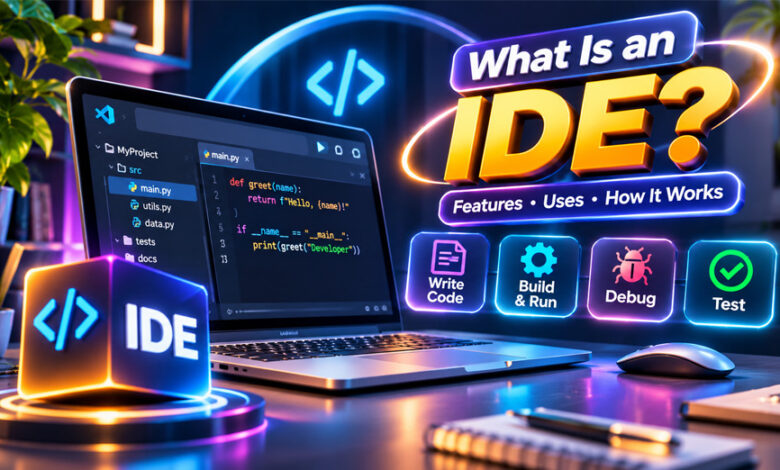

An IDE is a software tool that helps developers write and manage code. IDE stands for Integrated Development Environment.
It brings many useful coding tools into one place. Developers can use an IDE to write, run, test, and fix their code. This guide explains what an IDE is, how it works, its main features, uses, types, benefits, and popular examples.
What Is an IDE?
An IDE, or Integrated Development Environment, is software that gives developers different coding tools in one place.
Developers can use an IDE to write code, find errors, run programs, test software, and manage project files. Some IDEs also include tools for building, compiling, and releasing software.
Without an IDE, a developer may need several separate programs. They may write code in one program, compile it with another tool, and use another program to find errors.
An IDE makes this easier by bringing these tools together.
Some IDEs are made mainly for one programming language or platform. Others support many languages and different types of projects.
IDEs are commonly used to build websites, mobile apps, desktop programs, games, and other software.
How Does an IDE Work?
An IDE gives developers one main workspace for their coding project.
The developer usually starts by writing source code in the built-in editor. The IDE can highlight different parts of the code and suggest functions, variables, classes, and other items while the developer types.
The developer can then run or build the program. Depending on the programming language, the IDE may use a compiler, interpreter, or other build tools.
If there is a problem, debugging tools can help find it. A debugger can pause a program so the developer can check what is happening in the code.
An IDE can also make common tasks easier. Developers may be able to build, test, run, or debug a program by clicking a button instead of entering several commands.
The IDE does not write the whole program for the developer. It simply provides tools that make coding and managing a project easier.
Main Features of an IDE
Not every IDE has the same features. However, most full IDEs provide several common tools.
Code Editor
The code editor is where developers write and change their code.
It is more useful for programming than a basic text editor. It can show different parts of the code in different colors. This is known as syntax highlighting.
Many code editors also provide automatic indentation, search and replace, multiple open files, and easy file navigation.
These tools make code easier to read and manage.
Code Completion
Code completion gives suggestions while a developer is typing.
For example, an IDE may suggest a function, variable, class, or method. The developer can choose the suggestion instead of typing the whole name.
Some IDEs can also understand the project and give more useful suggestions based on the code.
Microsoft’s IntelliSense is one example of a code completion feature. It can help developers write code faster and avoid simple typing mistakes.
Debugger
A debugger helps developers find problems in their code.
One common debugging tool is a breakpoint. It allows the developer to pause a program at a certain line.
The developer can then go through the code step by step. They can check values and see what the program is doing.
This can make coding problems easier to find and fix.
Compiler and Build Tools
Many IDEs include or work with tools used to build software.
A compiler changes source code into another form that a computer can use. However, not every programming language uses the same process.
An IDE can also make building a project easier. In many cases, developers can start the build process with a button instead of typing several commands.
Testing Tools
Many IDEs include support for software testing.
Developers can run tests to check if different parts of a program are working correctly. Some IDEs have built-in testing tools, while others connect with outside testing tools.
The IDE may show which tests passed and which failed. This can help developers find problems before software is released.
Code Refactoring
Refactoring means changing the structure of code without changing what the program does.
For example, a developer may want to rename a variable or method across many files. Doing this by hand can take time and may cause mistakes.
IDE refactoring tools can make these changes across the project. This helps keep code clean and easier to manage.
Version Control
Version control helps developers keep track of changes made to their code.
Many IDEs work with Git and other version-control systems. Developers may be able to see changes, create commits, switch branches, and manage code without leaving the IDE.
This is especially useful when several people are working on the same project.
Some IDEs can also connect with code-hosting services such as GitHub.
Plugins and Extensions
Plugins and extensions add more features to an IDE.
For example, a plugin may add support for another programming language, framework, testing tool, or theme.
This allows developers to change the IDE based on their needs.
However, too many plugins can sometimes make an IDE slower or harder to manage.
What Is an IDE Used For?
An IDE can be used for many types of programming.
Web developers can use IDEs to work with HTML, CSS, JavaScript, PHP, Python, and other web technologies. Some also provide support for databases, frameworks, and web servers.
Mobile developers can use IDEs to build and test apps for phones and tablets.
Desktop developers can use them to create programs for operating systems such as Windows, macOS, and Linux.
IDEs are also used for games, APIs, back-end systems, databases, and large business software.
Beginners can use simple IDEs while learning to code. For example, Python’s IDLE provides a code editor, Python shell, autocomplete, and basic debugging tools.
Professional developers may need more advanced IDEs for larger projects. These can provide stronger testing, debugging, project management, version control, and deployment tools.
The right IDE depends on the programming language, operating system, project, and tools a developer needs.
IDE vs. Code Editor
An IDE and a code editor are similar, but they are not the same.
A code editor mainly helps developers write and edit code. It may include syntax highlighting, search, formatting, and code suggestions.
An IDE usually provides more tools. Along with a code editor, it may include debugging, testing, build tools, project management, refactoring, and version control.
However, the difference is not always clear today. Many code editors can use extensions to add features normally found in an IDE.
Visual Studio Code is a good example. It is mainly described as a source-code editor, but extensions can add debugging, testing, and many other development tools.
Sublime Text and Notepad++ are also mainly code or text editors rather than full IDEs.
A code editor may be enough for a small project. A full IDE can be more useful for a large project that needs many development tools.
Types of IDEs
There are different types of IDEs. They can be grouped by programming language, platform, or type of development.
Language-Specific IDEs
Some IDEs focus mainly on one programming language or technology.
For example, PyCharm focuses on Python development. IntelliJ IDEA is widely used for Java and related technologies.
These IDEs can provide better code suggestions, debugging, and project tools for the languages they support.
Multi-Language IDEs
Some IDEs support several programming languages.
This can be useful for developers who work with different technologies or use several languages in their projects.
Extra language support may also be added through plugins.
Web Development IDEs
Web development IDEs provide tools for creating websites and web applications.
They may support HTML, CSS, JavaScript, TypeScript, PHP, and other web technologies.
Some also include debugging, database tools, code completion, web-server support, and tools for popular web frameworks.
Mobile Development IDEs
Mobile development IDEs help developers create apps for phones, tablets, and other mobile devices.
They may include code editors, debugging tools, device simulators, interface tools, and build tools.
Xcode is one example used for developing software for Apple’s platforms.
Cloud-Based IDEs
A cloud-based IDE works mainly through a web browser or online environment.
Developers can access their projects without keeping the full development setup on one computer.
Some cloud IDEs provide terminals, testing tools, version control, team features, and development environments that run on remote servers.
Popular IDE Examples
Different IDEs are useful for different programming languages and projects.
Visual Studio
Visual Studio is a full IDE from Microsoft. It is commonly used for .NET development and other supported technologies.
It includes coding, debugging, testing, refactoring, and deployment tools. It also provides IntelliSense for code suggestions.
Visual Studio can work with Git and can be expanded with extensions.
Visual Studio is different from Visual Studio Code. Visual Studio is a full IDE, while Visual Studio Code is mainly a code editor with extensions that can add IDE-like features.
IntelliJ IDEA
IntelliJ IDEA is an IDE from JetBrains. It is well known for Java development.
It provides code completion, code analysis, debugging, refactoring, navigation, and project management tools.
It can also help developers move quickly between different files, classes, and methods in a large project.
PyCharm
PyCharm is a JetBrains IDE mainly made for Python development.
It provides code completion, debugging, testing, code analysis, navigation, and project management.
It also works with Git and other development tools. PyCharm can be useful for general Python programming as well as many Python web projects.
Xcode
Xcode is Apple’s development environment.
It is used to create software for Apple platforms such as macOS, iOS, iPadOS, watchOS, and tvOS.
Xcode includes tools for writing code, building apps, testing software, debugging problems, and working with app interfaces.
Apache NetBeans
Apache NetBeans is a free and open-source IDE.
It is commonly used for Java development and also supports other technologies.
NetBeans provides code editing, debugging, refactoring, project management, and other useful development tools.
Eclipse
Eclipse is an open-source development platform. It is well known for Java development.
Developers can use plugins to add support for more languages and tools.
Eclipse provides features for debugging, code navigation, testing, refactoring, and managing projects.
IDLE
IDLE stands for Integrated Development and Learning Environment. It comes with Python.
It provides a Python shell, code editor, syntax coloring, autocomplete, search, and basic debugging tools.
Its simple setup can make it useful for people learning Python and working on smaller projects.
Benefits of Using an IDE
An IDE puts many useful programming tools in one place. Developers do not need to keep switching between different programs.
Code completion can help developers write code faster. Syntax highlighting makes code easier to read, while code analysis can help find some mistakes.
Debugging tools also make it easier to understand why a program is not working correctly.
IDEs can be especially helpful for large projects. Search, navigation, refactoring, testing, version control, and build tools make many files easier to manage.
Automation can also save time. Developers can often run common tasks without entering every command by hand.
Limitations of IDEs
IDEs also have some disadvantages.
Large IDEs may use more memory, storage, and computer power than simple code editors. They may run slowly on older computers.
They can also take time to learn. Beginners may find the large number of menus, tools, and settings confusing at first.
Some IDEs work best with certain programming languages or platforms. This means one IDE may not be suitable for every project.
Cost can also be a factor. Some IDEs are free, while others offer paid versions or professional features.
Plugins can sometimes cause problems as well. Too many plugins may slow down the IDE, and older plugins may stop working after an update.
For a very small coding project, a simple code editor may be enough.
How to Choose the Right IDE
Start by looking at the programming language you want to use.
Choose an IDE that has good support for that language. This can give you better code suggestions, debugging, error checking, and project tools.
You should also think about the type of project. A web developer may need strong web development tools, while an Apple app developer may need tools made for Apple platforms.
Make sure the IDE works with your operating system. Also check for features you need, such as Git, debugging, testing, database support, plugins, and deployment tools.
Your computer also matters. A lightweight tool may work better if your computer has limited memory or processing power.
Beginners may prefer a simpler IDE. Professional developers working on large projects may need more advanced tools.
You can also use different IDEs for different projects. There is no need to use the same one for everything.
Do You Need an IDE to Code?
No, you do not need an IDE to write code.
You can use a text editor or code editor and then use separate tools to run, compile, test, and debug your program.
Some developers prefer this simpler setup because it gives them more control and may use fewer computer resources.
However, an IDE can become very useful for larger projects. It puts many important tools in one place and can make the project easier to manage.
An IDE can also help beginners. Features such as syntax highlighting, code suggestions, error checking, and debugging make it easier to understand and work with code.
Bottom Line
An IDE, or Integrated Development Environment, is a tool that helps developers write and manage software.
It brings useful tools such as a code editor, debugger, testing tools, build tools, and version control into one environment.
There is no single IDE that is best for everyone. The best choice depends on the programming language, project, operating system, computer, and features you need.
Frequently Asked Questions
What does IDE stand for in programming?
IDE stands for Integrated Development Environment. It is a tool that helps developers write and manage code.
What is the main purpose of an IDE?
An IDE makes coding easier. It helps developers write, run, test, and fix code in one place.
What are the main features of an IDE?
An IDE usually includes a code editor, debugger, testing tools, code suggestions, and build tools.
What is the difference between an IDE and a code editor?
A code editor mainly helps you write code. An IDE also provides tools for testing, debugging, and managing projects.
Is Visual Studio Code an IDE?
Visual Studio Code is mainly a code editor. Extensions can add many features that work like an IDE.
Which IDE is best for beginners?
It depends on the language you are learning. IDLE is a simple choice for beginners learning Python.
Can I program without an IDE?
Yes. You can write code in a text or code editor and use separate tools to run and test it.
Are IDEs free?
Many IDEs are free. Some also have paid versions with extra features.