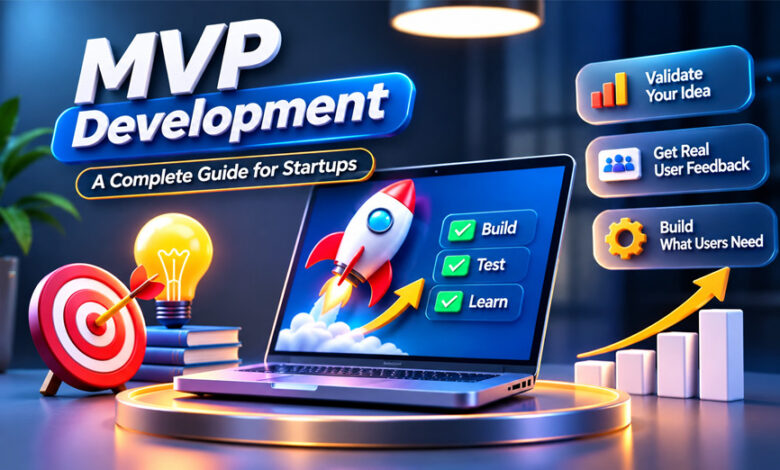

MVP development means building a simple working version of a product with only the most important features. MVP stands for Minimum Viable Product. It helps startups test an idea with real users before spending more time and money on a full product.
Companies use MVPs to understand what users want, test demand, and find problems early. This guide explains what MVP development is, how it works, how much it may cost, and how startups can build a useful MVP.
What Is MVP Development?
MVP development is the process of creating a working product with only the features needed to solve one main problem. The product is given to real users so the company can see how they use it and collect feedback.
An MVP is not a broken or unfinished product. It should work properly and give users real value. It simply has fewer features than the final product.
For example, a food delivery MVP may have user accounts, restaurant listings, ordering, payments, and basic order tracking. Features such as rewards, advanced recommendations, and more personal options can be added later.
MVP development often follows the Build → Measure → Learn method. The team builds the product, checks how people use it, and then decides what to improve.
Why Do Startups Build an MVP?
Startups often have limited time and money. Building a large product before knowing if people want it can be risky.
An MVP lets a startup test its idea first. Real users can show whether the product solves a useful problem and whether its main features are easy to use.
User feedback can also help the company decide what to add next. Sometimes a feature that seemed important may not matter much to users. Users may also point out problems that the team did not notice before.
Companies can also check sign-ups, payments, completed tasks, repeat users, and other results to understand market interest.
A working MVP may also help when talking to investors or business partners. However, an MVP does not guarantee funding, customers, or business success.
MVP vs. Prototype vs. Proof of Concept
An MVP, prototype, and Proof of Concept are different parts of product development.
| Aspect | MVP | Prototype | Proof of Concept (PoC) |
|---|---|---|---|
| Main purpose | Test the product with users | Test design and user flow | Test if the technology can work |
| Form | Working product | Visual or clickable model | Small technical test |
| Main users | Real or early users | Test users and teams | Technical teams |
| Main question | Is this useful? | Does this design work? | Can this idea work technically? |
A prototype shows how a product may look and how people may use it. It can be a clickable design without a fully working system behind it.
A Proof of Concept (PoC) tests whether a technical idea can work. It is often used when a team needs to test a difficult feature or technology.
An MVP is different because it is a working product that real users can try.
Some companies create a prototype or PoC before building an MVP, but this is not needed for every project.
How Does the MVP Development Process Work?
MVP development usually starts with research and planning. Coding comes later.
A clear process helps the team focus on the main idea and avoid adding features that are not needed.
1. Define the Problem and Target Users
First, decide what problem the product will solve and who has this problem.
Talk to possible customers. Ask how they currently deal with the problem, what difficulties they have, and what other products they use.
It is also useful to study competitors. Look at what they offer and where your product could provide something simpler, faster, cheaper, or more focused.
The main problem and target users should be clear before development begins.
2. Set a Clear Validation Goal
Decide what you want to learn from the MVP.
For example, a booking platform may want to know if people complete bookings. A paid service may want to see if users are willing to pay.
The goal could be based on completed tasks, payments, bookings, returning users, or conversions.
Setting a clear goal makes it easier to decide later if the MVP is working.
3. Choose the Essential Features
Next, decide which features are really needed.
A common method is called MoSCoW:
- Must Have: Features the product needs to work.
- Should Have: Important features that can wait.
- Could Have: Extra features for later.
- Won’t Have for Now: Features that will not be included in the first version.
The MVP should focus on the main task users need to complete.
For example, an online marketplace may need accounts, product listings, search, checkout, and payments. More advanced features can be added later.
Adding too many features can increase the cost and make development take longer.
4. Design the User Journey
Before coding starts, the team should plan how users will move through the product.
Wireframes can show the basic layout of important screens. They can show where menus, buttons, forms, and other parts will appear.
A clickable prototype can also be tested with possible users. This can help find confusing pages or unnecessary steps before development starts.
The design should be simple and make the main task easy to complete.
5. Choose the Right Technology
The technology depends on the type of product being built.
For web MVPs, developers may use React or Next.js for the frontend. Node.js or Django may be used for the backend.
For mobile apps, Flutter and React Native are common choices. They can help developers build apps for both Android and iOS.
Databases may include PostgreSQL or MongoDB. Cloud and hosting services can include AWS, Google Cloud, Firebase, or Vercel.
Companies can also use existing services for payments, login, maps, messages, emails, and analytics instead of building everything themselves.
Some simple MVPs can also be made with no-code or low-code tools.
6. Build the MVP
After planning and design, development can begin.
Many teams divide the work into short periods called sprints. Each sprint focuses on a certain part of the product.
The main feature should get the most attention. Other features such as accounts, payments, notifications, and admin tools should only be added when they are needed.
New ideas may appear during development. If they are not important for the first version, they can be saved for later.
Analytics should also be added so the team can see how users interact with the product after launch.
7. Test the MVP
An MVP still needs proper testing.
The team should make sure users can complete the main tasks without serious problems. Accounts, forms, payments, navigation, and integrations should work correctly.
The product may also need to be tested on different browsers, devices, operating systems, and screen sizes.
Security, performance, APIs, errors, and data handling should also be checked.
An MVP does not need every possible feature, but its main features should work well.
8. Launch the MVP
After testing, the MVP can be released to early users.
A web MVP may need hosting, a domain, SSL, analytics, and monitoring. A mobile app may need approval from an app store before users can download it.
There should also be an easy way for users to give feedback. This could be through email, surveys, chat, support forms, or an in-app feedback option.
The MVP does not need thousands of users at first. A smaller group of the right users can still provide useful information.
9. Measure, Learn, and Improve
After launch, the team should check how people use the product.
Analytics can show what users do. Feedback can help explain why they do it.
Users may like the main idea but have problems with one feature. They may also ask for the same new feature many times.
The company can use this information to decide what should be added or improved in the next version.
Sometimes the results may show that the idea needs a major change. They may even show that the company should stop development. This can still save money because the business learns before making a larger investment.
How Long Does MVP Development Take?
There is no fixed time for building an MVP.
A simple product can take less time than a large platform with many features, user types, integrations, or security needs.
A focused MVP may take around 60 to 90 days in some cases. However, this is only an estimate.
One possible 90-day plan is:
- Days 1–15: Research and idea testing.
- Days 16–25: Choose the main features.
- Days 26–40: Design the product.
- Days 41–45: Choose the technology and plan development.
- Days 46–80: Build and test the MVP.
- Days 81–90: Launch and check early results.
Some MVPs may take less time, while more complex products may take much longer.
The timeline depends on features, platform, integrations, team size, design, testing, security, and changes made during development.
How Much Does MVP Development Cost?
There is no fixed price for MVP development.
The cost depends on the number of features, product type, design, technology, integrations, testing, security, and the development team.
A simple web MVP may cost less to build than a complex mobile platform with payments, several types of users, and many integrations.
There may also be ongoing costs for hosting, APIs, maintenance, updates, and support.
Before hiring developers, businesses should clearly list the features they need. It is also useful to check payment terms, ongoing costs, and who will own the source code.
Building an MVP can reduce the amount of work needed at the start. However, a good MVP still needs proper planning, development, security, and testing.
Web MVP vs. Mobile MVP
A web MVP works through a web browser. Users usually do not need to install anything.
A mobile MVP is made for smartphones or tablets. It can be a better choice when the product needs GPS, camera access, push notifications, or regular mobile use.
The best option depends on how people will use the product.
Tools such as Flutter and React Native can help developers build apps for both Android and iOS using much of the same code.
A startup should choose the platform that best fits its users and the problem it wants to solve.
No-Code vs. Custom MVP Development
Some MVPs can be built with no-code or low-code tools.
No-code can work well for simple forms, directories, marketplaces, internal tools, landing pages, and other basic products. It can be a quick way to test an idea.
However, no-code tools have limits.
Products with complex features, special business rules, advanced integrations, high performance needs, or strong security needs may require custom development.
Custom development gives the team more control over the code and how the product works.
The best choice depends on what the MVP needs to do.
Benefits of MVP Development
MVP development allows startups to test an idea with real users before building a much larger product.
User feedback can show what works, what causes problems, and what needs to be improved.
Building only the important features can also help control early development costs.
An MVP can help a business test market demand by looking at user activity, repeat usage, payments, conversions, and feedback.
A working MVP can also help founders show their idea to investors or business partners. However, it does not guarantee investment or success.
Drawbacks and Limitations of MVP Development
MVP development also has some limits.
Choosing the wrong features can give poor results. If the first version does not solve the main problem properly, users may not like it.
Testing with the wrong users can also create misleading feedback.
An MVP still costs time and money. Design, development, testing, hosting, security, and maintenance all require resources.
Early positive feedback does not always mean the product will become successful in a larger market.
Some products also need more testing before they can be released. This is especially important for products related to health, finance, safety, or strict legal rules.
Security and Quality in an MVP
An MVP may have fewer features, but it should still be safe and reliable.
Security is important when the product collects personal information, payment details, company information, or other private data.
Security may include safe login systems, access controls, protected APIs, secure data storage, encryption, and monitoring.
The team should also test how the product handles errors and unusual situations.
Security needs depend on the type of product, the data it collects, the industry, and local rules.
How to Measure MVP Success
The team should measure the MVP using the goals set before development.
Activation rate shows how many new users complete an important first action.
Task completion rate shows whether users can finish the main task.
Retention shows whether users return to the product.
Conversion rate shows how many users complete an important business action, such as making a payment or starting a paid plan.
Customer feedback helps the team understand what users like and what needs improvement.
Customer acquisition cost can show how much the business spends to gain a new customer.
Sign-ups alone do not always show success. People may create accounts but never use the main feature.
The best results usually come from looking at both user data and direct feedback.
Common MVP Development Mistakes
One common mistake is adding too many features. This can increase costs and delay the launch.
Another mistake is starting development before understanding the problem and target users.
Changing the plan again and again during development can also cause delays.
An MVP should not be treated as a low-quality product. Its main features should work correctly and safely.
Teams should also set up analytics before launch. Without useful data, it can be difficult to understand how people use the product.
Testing with the right users is also important. Friends or employees may not behave like real customers.
Startups should also accept the results, even when they are negative. Adding more features will not always fix an idea that users do not need.
Best Practices for MVP Development
Start with one clear problem and one clear target audience.
Talk to possible users and understand how they currently solve the problem.
Keep the first version simple. Build only the features needed for the main user journey.
Set clear goals before launch so you know what results to measure.
Test the important features before releasing the MVP. Keep user data and security in mind from the beginning.
After launch, look at user activity and talk to real users. Use what you learn to decide what to build next.
The results may tell you to improve the product, add a feature, change direction, or stop development.
Bottom Line
MVP development helps startups test a product idea before spending more money on a full product.
A good MVP solves one clear problem and includes only the features needed to test the idea with real users.
The goal is not simply to make a cheap product. The goal is to learn what users need and use real information to make better decisions.
Frequently Asked Questions
What does MVP mean in software development?
MVP means Minimum Viable Product. It is a simple working product used to test an idea with real users.
How long does it take to develop an MVP?
An MVP may take around 60 to 90 days, but the time depends on the product and its features.
How much does MVP development cost?
There is no fixed cost. The price depends on the features, design, platform, and development work.
What is the difference between an MVP and a prototype?
A prototype shows how a product may look or work. An MVP is a working product that real users can use.
What is the difference between an MVP and a Proof of Concept?
A Proof of Concept tests if an idea can work technically. An MVP tests if real users find the product useful.
Can you build an MVP without coding?
Yes. Simple MVPs can be made with no-code tools, while complex products may need custom coding.
Should an MVP be a web app or mobile app?
It depends on the product and its users. Choose the option that makes the product easiest for your users to access.
Can an MVP become the final product?
Yes. An MVP can grow into a full product by adding useful features and improvements over time.
Bddiabetes.com Guide: Insulin Syringes, Pen Needles, and Embecta