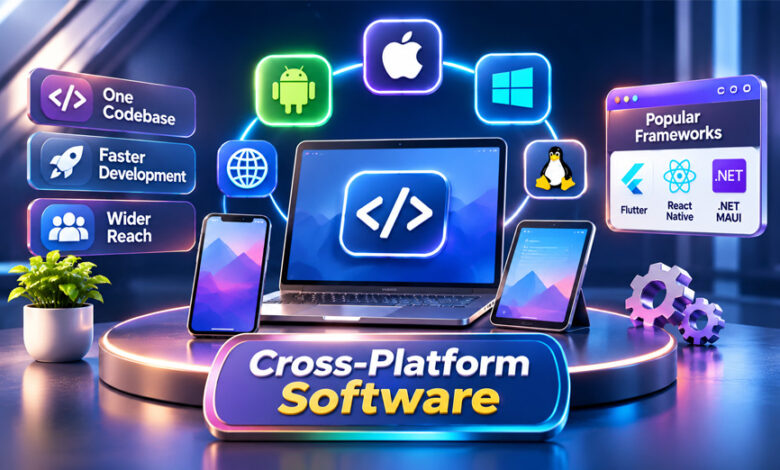

Cross-platform software is made to work on more than one operating system.
For example, the same app may work on Android, iOS, Windows, macOS, or other platforms.
Developers use cross-platform development to reuse some of the same code instead of building every app version from the start.
This guide explains what cross-platform software is, how it works, its main features, popular frameworks, benefits, limits, and best uses.
What Is Cross-Platform Software?
Cross-platform software is software that can work on more than one operating system or device.
For example, a business may want one app to work on both Android phones and iPhones.
Instead of building two completely different apps, developers can use cross-platform tools to share some of the same code.
Cross-platform software can also work on desktop systems such as Windows, macOS, and Linux. Some projects may also support web browsers.
The amount of shared code depends on the project and framework.
Some apps share most of their main code and interface. Others only share things such as data handling, account rules, and networking.
Some features may still need separate code for each platform. These may include camera access, notifications, storage, files, and other device features.
So, cross-platform development does not always mean that one piece of code works everywhere without changes.
The main goal is to reuse useful code while making sure the app works properly on every supported platform.
How Does Cross-Platform Software Work?
Cross-platform development usually uses a shared codebase.
Developers put common parts of the app into this shared code.
These parts may include business rules, data handling, account features, networking, and some interface elements.
For example, a shopping app may use the same rules for prices, orders, and user accounts on both Android and iOS.
Platform-specific features can then be handled separately.
Android and iOS may use different systems for permissions, notifications, storage, and hardware access.
Developers may use native code, plugins, or adapters to connect the shared app with these features.
A good cross-platform project keeps shared code and platform-specific code clearly separated.
This makes the app easier to update and fix.
Testing is still needed on every platform.
An app may work well on Android but have a problem on iOS because the two systems handle some features differently.
Developers should also test different screen sizes, OS versions, permissions, and devices.
Cross-platform development can reduce repeated work, but it does not remove the need for testing and platform-specific fixes.
Main Features of Cross-Platform Software
Cross-platform software includes several features that help developers build apps for different devices and operating systems.
Shared Codebase
A shared codebase allows developers to reuse the same code across different platforms.
For example, login rules or data processing may be shared between Android and iOS.
This reduces repeated work.
It can also make updates easier because developers may only need to change shared code once.
However, not every part of an app should always be shared.
Some platform features may still work better with separate code.
Platform-Specific Support
Cross-platform apps may still need special code for certain operating systems.
This is common when an app needs direct access to device features.
Examples include:
- Camera access
- File storage
- Notifications
- Location services
- Background tasks
- Device permissions
Frameworks may use plugins or other tools to connect shared code with these features.
If a plugin does not support a feature, developers may need to write native code.
Responsive User Interface
Cross-platform software must work on different screen sizes.
A phone screen is very different from a laptop or desktop screen.
Responsive design helps the app adjust to different screen sizes, resolutions, and screen directions.
The app does not always need to look exactly the same on every platform.
For example, Android and iOS may use different navigation styles.
A good app can keep the same main features while still feeling natural on each platform.
Device and API Access
Many apps need access to device features.
These may include cameras, microphones, storage, location, notifications, Bluetooth, and files.
Cross-platform frameworks often provide tools or plugins for these features.
Support may be different depending on the framework and operating system.
Developers should test important device features early instead of assuming they will work the same everywhere.
Offline Support
Some apps need to work without internet access.
For example, a worker may need to save information while working in an area without mobile data.
The app can save the information on the device and send it to the server later.
However, problems can happen if the same information changes in two places.
Developers need clear rules for handling these conflicts.
The app should also show whether information is saved only on the device, sent to the server, or fully accepted.
Testing and Release Support
Cross-platform apps need proper testing.
Shared code can be tested once, but platform-specific features still need separate tests.
Developers should test:
- Permissions
- Cameras
- File access
- Notifications
- Offline use
- Screen layouts
- Accessibility
- App speed
- Memory use
Real devices are important because simulators cannot copy every device feature perfectly.
App release dates may also be different across platforms.
One app store may approve an update faster than another.
A platform-specific bug may also delay one version.
Businesses should be ready to support different app versions during these periods.
Main Types of Cross-Platform Development
There are different ways to build cross-platform software.
The best method depends on how much code the team wants to share.
Shared Business Logic
Some projects share the main app rules but use separate user interfaces.
For example, Android and iOS versions may use the same account, payment, or data rules.
The screens can still be created separately for each platform.
This approach is useful when the app needs to feel more native on each operating system.
Kotlin Multiplatform is one example of this type of development.
Shared User Interface
Some frameworks allow developers to share both the main app logic and much of the user interface.
This can reduce repeated work.
The same screen may work on several platforms with small changes.
However, developers still need to check navigation, controls, text input, permissions, and accessibility.
The interface should still feel natural on each device.
Hybrid Development
Hybrid apps often use web technologies inside a native app container.
The interface may be created with HTML, CSS, and JavaScript.
The native container allows the software to work like an installed app.
Plugins may be used to access cameras, storage, notifications, and other device features.
Hybrid development can make code sharing easier.
However, developers still need to test performance, offline use, permissions, and device features.
Popular Cross-Platform Frameworks and Tools
There are several frameworks for building cross-platform software.
Each framework works in a different way.
The best choice depends on the platforms, app features, and development team.
React Native
React Native is used to build mobile apps with JavaScript and React.
It allows developers to share app code while still using native platform features.
It can be a good option for teams that already know JavaScript or React.
Some device features may still need native modules or extra code.
Important features such as cameras, notifications, and permissions should be tested on each platform.
Flutter
Flutter is a cross-platform framework that uses the Dart programming language.
It provides its own widgets and tools for building user interfaces.
Flutter can be used for mobile and desktop apps.
Developers can share much of the app’s code and interface.
Platform-specific code can still be added when needed.
Teams should test text input, background tasks, device features, and complex screens before using Flutter for a large project.
Kotlin Multiplatform
Kotlin Multiplatform allows developers to share Kotlin code between platforms.
It can be used to share business rules, networking, and data handling.
Teams can still create separate native interfaces when needed.
It can also support shared interfaces in some projects through Compose Multiplatform.
This gives developers more control over how much code they want to share.
.NET MAUI
.NET MAUI is a cross-platform framework from Microsoft.
It uses C# and XAML.
It supports Android, iOS, macOS, and Windows.
Developers can share app code and interface work while still adding platform-specific code when needed.
It may be useful for teams that already use Microsoft tools and C#.
Electron
Electron is mainly used for desktop apps.
It allows developers to build desktop software using web technologies such as JavaScript, HTML, and CSS.
Electron apps can work on Windows, macOS, and Linux.
It is different from mobile frameworks such as Flutter and React Native.
Developers should consider memory use, startup speed, file access, and desktop security.
Qt
Qt is a cross-platform development framework commonly used with C++ and QML.
It can be used for desktop, embedded, and other supported systems.
Qt provides tools for building interfaces and app features across different platforms.
Supported systems and features may depend on the Qt version and modules being used.
Developers should also check the licensing rules before using Qt in a project.
Cross-Platform Software vs. Native Software
Cross-platform and native software are built differently.
Native software is made for one operating system.
For example, an iOS app may use Apple tools, while an Android app may use Android tools.
Cross-platform software shares some code across two or more platforms.
| Cross-Platform Software | Native Software |
|---|---|
| Shares code between platforms | Built separately for each platform |
| Reduces repeated work | Needs more separate development |
| Can support several systems | Focuses on one system |
| May need plugins or native code | Direct access to platform features |
| Can make updates easier | Each app is updated separately |
| Performance depends on the project | Can be optimized for one platform |
Cross-platform development may be a good choice when most features are similar across platforms.
Native development may be better when an app needs deep access to device features or very high performance.
Neither method is always better.
The right choice depends on the project.
Benefits of Cross-Platform Software
Cross-platform development has several useful benefits.
Lower Development Work
Developers can reuse common code instead of building everything twice.
This can reduce repeated work.
Faster Development
Shared code can help teams build and update apps faster.
This may be useful for startups that want to launch an MVP quickly.
Platform-specific testing and fixes still take time.
Wider Audience
Cross-platform software can reach users on different operating systems.
A business may support Android, iOS, Windows, macOS, or other systems from one main project.
Easier Maintenance
Shared code can make updates simpler.
If the same business rule is used across several platforms, developers may only need to update it once.
More Consistent Features
Shared code can help keep important features working in the same way across platforms.
For example, login rules or pricing rules can stay the same on Android and iOS.
Drawbacks and Limitations
Cross-platform development also has some limits.
Platform-Specific Features
Some device features may need native code.
Examples include cameras, notifications, file access, Bluetooth, and background tasks.
Plugins may help, but they do not always support every platform.
Performance Differences
Some cross-platform apps may not perform exactly like native apps.
Performance depends on the framework, app design, device, and features being used.
Apps with heavy graphics or complex animations may need more work.
Shared Bugs
A problem in shared code can affect several platforms.
For example, a bug in shared login code may appear on both Android and iOS.
This is why proper testing is important.
Different Platform Rules
Each operating system and app store has its own rules.
Developers may need different steps for signing, packaging, permissions, and releases.
An update may also arrive on one platform before another.
Plugin and Framework Dependence
Cross-platform apps often depend on third-party plugins and frameworks.
If a plugin stops receiving updates, developers may need to replace it.
Framework updates may also require changes to the app.
Common Uses of Cross-Platform Software
Cross-platform software can be used for many types of apps.
Common examples include:
- Business apps
- Banking apps
- Productivity tools
- Customer portals
- Field-service apps
- Social apps
- Healthcare tools
- Desktop software
- Games
- Startup MVPs
It works best when users need similar features on different devices.
Who Should Use Cross-Platform Development?
Cross-platform development can be useful for startups, small businesses, and large companies.
Startups may use it to launch an MVP quickly.
Small businesses may choose it when they want Android and iOS apps without building two separate projects.
Large businesses may use it when the same business rules are needed across different platforms.
It can also be useful when a development team already knows React Native, Flutter, .NET MAUI, or Kotlin Multiplatform.
Cross-platform development may not be the best choice when an app depends heavily on special platform features.
Native development may offer more control in those cases.
Security and Privacy Considerations
Cross-platform apps need good security just like other software.
Apps should only ask for permissions they really need.
For example, an app should not ask for camera or location access unless those features are required.
Sensitive data stored on a device should also be protected.
Offline apps may save information locally, so developers should think about secure storage.
Authentication should be tested on every supported platform.
Third-party plugins should also be checked carefully.
Some plugins may have access to private information or device features.
Developers should also avoid collecting personal information that is not needed.
Security should be tested separately on each operating system.
Testing Cross-Platform Software
Testing is very important.
Shared code does not mean an app will work exactly the same everywhere.
Developers should test both shared features and platform-specific features.
Important areas include:
- Camera access
- File storage
- Notifications
- Permissions
- Offline use
- Interrupted uploads
- Screen sizes
- Accessibility
- Startup speed
- Memory use
- App performance
Older supported devices should also be tested.
Simulators are useful, but real devices are still important.
Best Practices for Cross-Platform Development
Good development practices can make cross-platform apps easier to build and maintain.
Keep shared code separate from platform-specific code.
Use a clear and simple app structure.
Test important device features early.
Use responsive layouts for different screen sizes.
Make sure the app can still work if one feature is not available on a platform.
Choose third-party plugins carefully.
Check whether they are updated and supported.
Test the app on real devices.
Use automated testing to find problems early.
Keep a clear list of supported operating systems.
Also plan how old and new app versions will work together during updates.
Common Cross-Platform Software Problems
Cross-platform apps can face several common problems.
Poor Performance
An app may feel slow on some devices.
This can happen because of heavy screens, animations, memory use, or platform connections.
Solution: Test important parts of the app early and check performance on real devices.
Plugin Compatibility Problems
A plugin may work on one platform but not another.
It may also stop supporting new OS versions.
Solution: Check plugin support and updates before using it.
Different UI Behavior
Buttons, navigation, and controls may work differently on different systems.
Solution: Follow the normal design rules of each platform when needed.
Offline Sync Problems
Offline apps may have different versions of the same data on the device and server.
Solution: Use clear sync rules and show users when data is saved, sent, or accepted.
Platform-Specific Bugs
A feature may work on Android but fail on iOS.
Solution: Test each supported platform separately.
Delayed Releases
One platform may receive an update later because of app-store reviews or platform-specific bugs.
Solution: Plan for different app versions to work at the same time.
How to Choose the Right Cross-Platform Framework
The best framework depends on the project.
First, check which operating systems you need to support.
A mobile app may need a different framework from a desktop app.
Next, check which device features are needed.
Cameras, Bluetooth, file access, background tasks, and notifications may affect your choice.
Also consider your development team’s skills.
A JavaScript team may prefer React Native or Electron for suitable projects.
A C# team may prefer .NET MAUI.
Check the framework’s support, documentation, updates, and plugins.
Also test performance on real devices.
Licensing may also matter for business projects.
Before starting a large project, build a small test app.
Test one important feature on your main platforms.
This can help you see whether the framework is suitable.
Bottom Line
Cross-platform software allows developers to share code across different operating systems.
It can reduce repeated work, make updates easier, and help businesses reach more users.
However, it does not remove all platform-specific work.
Some features still need native code, separate testing, and different release steps.
The best choice depends on the app, supported platforms, performance needs, budget, and development team.
Frequently Asked Questions
What is cross-platform software?
Cross-platform software works on more than one operating system, such as Android, iOS, Windows, or macOS.
How does cross-platform software work?
Developers share common code and add platform-specific code where special features are needed.
What are the main benefits of cross-platform software?
It can reduce repeated work, speed up development, make maintenance easier, and reach more users.
What are the main drawbacks?
Common issues include performance differences, plugin problems, platform-specific bugs, and extra native work.
What are the most common cross-platform frameworks?
Popular options include React Native, Flutter, Kotlin Multiplatform, .NET MAUI, Electron, and Qt.
Is cross-platform software the same as native software?
No. Cross-platform software shares code across systems, while native software is mainly built for one operating system.
Is cross-platform development cheaper?
It can reduce duplicate work, but testing, native fixes, and maintenance still cost time and money.
When should you choose cross-platform development?
It works well when most app features are similar across different platforms.
What Is Ciulioneros? Meaning, Origin, and Online Uses
FentoMagazine.com: What It Is, Features, Content, Safety, and Privacy