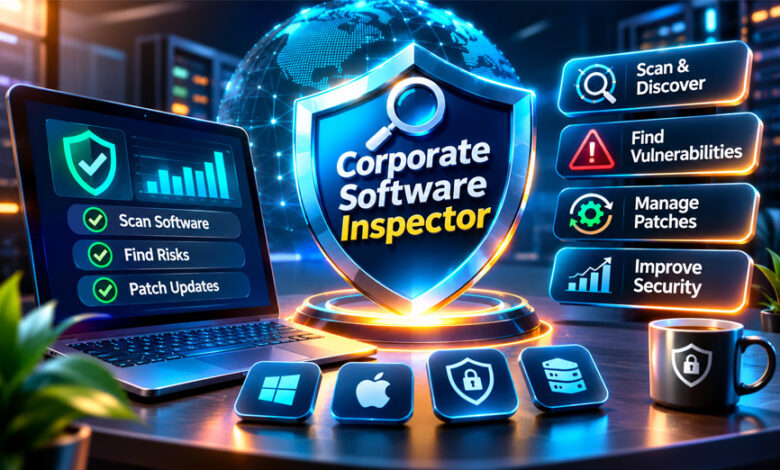

Corporate Software Inspector, also known as CSI, was a security tool for businesses. It helped companies find old, unsafe, and unpatched software on their computers.
Secunia first developed the product. Flexera later bought Secunia and continued the product.
This guide explains what Corporate Software Inspector was, how it worked, its main features, patching tools, benefits, security, and current status.
What Is Corporate Software Inspector?
Corporate Software Inspector was a business security and patch-management tool.
It helped companies find software installed on their computers and check whether that software had known security problems.
CSI was especially useful for third-party software. This means programs that are not part of the main operating system.
It could help IT teams find:
- Installed software
- Software versions
- Missing security updates
- Vulnerable programs
- Old software
- Unsupported software
- Devices that needed updates
CSI was more than a basic software list. It compared installed programs with security information to show which applications could be risky.
It was also different from antivirus software. Antivirus looks mainly for malware and viruses. CSI looked for old or vulnerable software that attackers could possibly use.
Some websites also use “corporate software inspector” as a general job name. However, Corporate Software Inspector (CSI) is best known as the former Secunia and Flexera security product.
Secunia, Flexera, and the History of CSI
Corporate Software Inspector was first created by Secunia.
Secunia was a Danish cybersecurity company founded in 2002. It became known for researching software security problems.
The first Corporate Software Inspector was launched in 2008.
Early versions mainly checked business computers for software that needed security updates.
Over time, CSI added more tools for vulnerability management, patching, reporting, and software management.
In 2015, Flexera bought Secunia.
CSI then became part of Flexera’s security products.
In 2018, Flexera changed the product name from Corporate Software Inspector to Software Vulnerability Manager.
The new name better explained what the product had become. It was no longer only checking software. It also helped companies find risks, manage patches, and confirm fixes.
Older CSI versions later reached the end of their support period.
Because of this, old guides and screenshots may not match the current Flexera product.
Why Corporate Software Inspector Was Needed
Business computers often use many programs besides Windows or another operating system.
These may include browsers, PDF readers, media tools, plugins, business apps, and development software.
Any of these programs can have security problems.
A company may keep Windows fully updated but still have an old third-party app with a known weakness.
CSI helped companies find these problems.
Instead of checking every program by hand, IT teams could use one system to see installed software and find applications that needed updates.
This was especially useful for companies with hundreds or thousands of devices.
It could also help find software installed without the IT team’s knowledge. This is sometimes called shadow IT.
How Corporate Software Inspector Works
Corporate Software Inspector followed a simple security process:
Discover → Organize → Check → Prioritize → Patch → Verify
First, CSI found software installed on managed devices.
Then it organized the software information and checked it against known security problems.
If it found a risk, IT teams could decide which problem needed attention first.
Patches could then be prepared or installed.
After patching, the systems could be scanned again to make sure the problem was fixed.
Software Discovery and Inventory
CSI could collect information about software installed across business computers.
This could include:
- Application name
- Software version
- Publisher
- Installation details
- Patch status
- Device information
This gave IT teams one place to see their software inventory.
A current inventory is important because companies cannot patch software they do not know is installed.
Inventory Normalization
Software names can sometimes appear differently on different computers.
The same program may have a full name on one device and a shorter name on another.
Inventory normalization helps organize these different names and versions.
This makes reports and vulnerability checks more accurate.
Vulnerability Detection
CSI compared installed software with known security information.
Secunia maintained research about software vulnerabilities and security updates.
The system could find:
- Old software
- Missing patches
- Known vulnerabilities
- Unsupported programs
- Applications needing attention
This saved IT teams from checking every software vendor manually.
Risk Prioritization
Not every security problem has the same level of risk.
Some vulnerabilities are more serious than others.
CSI could help teams decide which problems to fix first.
Important factors may include:
- How serious the vulnerability is
- How easy it is to exploit
- Number of affected computers
- Importance of the affected device
- Whether a patch is available
- Whether the software is still supported
This helps teams focus on the most important risks first.
Patch Deployment and Remediation
CSI could also help with patch management.
When it found unsafe software, IT teams could prepare or install security updates.
This was useful for third-party software that may not be updated through Windows Update.
CSI could work with tools such as WSUS and SCCM.
These tools could then help send approved patches to business computers.
Some companies tested and approved updates before installing them on all systems.
Patch Verification
Sending a patch does not always mean it worked.
A computer may be offline, the installation may fail, or the software may still be unsafe.
CSI could scan devices again after patching.
This helped IT teams confirm that the patch was installed and the security problem was fixed.
Main Features of Corporate Software Inspector
Corporate Software Inspector included several useful security and patch-management features.
Software Inventory
CSI could show which software was installed across managed devices.
It also showed software versions.
This helped IT teams find old, unsupported, or unnecessary applications.
Vulnerability Intelligence
CSI used vulnerability information to find known security problems in installed software.
Secunia’s security research was an important part of this feature.
When the tool found unsafe software, it could show which devices needed attention.
Third-Party Patch Management
Third-party patching was one of CSI’s main uses.
Windows Update handles many Microsoft updates, but other software may need separate patches.
CSI helped businesses manage these third-party updates from a central system.
Reporting and Dashboards
CSI could provide security reports.
Reports could show:
- Vulnerable software
- Missing patches
- Security status
- Patch progress
- Affected devices
- Fixed issues
These reports helped IT teams track work and could also support audits.
Multi-Platform Support
Windows was the main platform used with CSI.
Some historical versions also supported macOS and other systems.
Support changed between versions.
Current Flexera Software Vulnerability Manager has its own supported systems, so modern SVM details should not be treated as old CSI features.
WSUS and SCCM Integration
Corporate Software Inspector could work with Microsoft patch-management tools.
Two important tools were:
- Windows Server Update Services (WSUS)
- Microsoft System Center Configuration Manager (SCCM)
Many large companies already used these tools to manage computers.
CSI could identify vulnerable third-party software and help prepare patches.
WSUS or SCCM could then send approved updates to managed devices.
This allowed companies to improve third-party patching while still using their existing Microsoft systems.
Supported Platforms and Deployment Options
CSI support depended on the product version.
Windows was the main platform.
Some historical versions also supported macOS and other systems.
CSI could use software agents installed on company devices. These agents collected information about software and patches.
Some versions also supported other scanning methods.
Organizations could use CSI through on-premises or cloud-based setups depending on the version.
Current Software Vulnerability Manager has different requirements, so users should check modern Flexera documentation for current support.
Corporate Software Inspector vs Antivirus
Corporate Software Inspector was not antivirus software.
Antivirus software looks mainly for viruses, malware, and other harmful files.
CSI looked for outdated software, missing patches, and known vulnerabilities.
| Area | Corporate Software Inspector | Antivirus |
|---|---|---|
| Main purpose | Find vulnerable software | Find malware |
| Patch management | Yes | Usually not |
| Software inventory | Yes | Limited |
| Malware removal | Not the main purpose | Yes |
| Vulnerability reports | Yes | Depends on product |
| Enterprise patching | Major feature | Usually separate |
Businesses could use both because they solve different security problems.
Corporate Software Inspector vs Vulnerability Scanner
CSI also had some features similar to vulnerability scanners.
However, full vulnerability scanners may check more areas, such as:
- Networks
- Servers
- Open ports
- Services
- Operating systems
- Websites
- Wrong security settings
CSI focused more on installed programs, software versions, missing patches, and application vulnerabilities.
The tools could work together, but they were not exactly the same.
Benefits of Corporate Software Inspector
CSI offered several useful benefits for businesses.
It gave IT teams a central view of installed software.
It also helped find vulnerable programs faster without checking every application manually.
Other benefits included:
- Less manual software checking
- Better third-party patching
- Central security reports
- Better patch tracking
- WSUS and SCCM integration
- Finding unsupported software
- Checking whether patches worked
- Useful information for security audits
CSI was most useful for organizations managing many computers.
Drawbacks and Limitations
CSI also had some limits.
It was mainly made for businesses, so setup could be difficult for beginners.
Large companies needed planning, permissions, and technical knowledge to use it correctly.
Some features also depended on tools such as WSUS or SCCM.
Other limits included:
- Old CSI versions are no longer supported
- No current public CSI pricing
- Some setup tasks were technical
- Platform support changed over time
- Old guides may now be outdated
- Modern SVM features may be different
- Some third-party claims about results are not fully confirmed
Corporate Software Inspector Security and Privacy
CSI was made to improve business security.
It collected information about software and devices to find security risks.
This information could include:
- Installed programs
- Software versions
- Patch status
- Device details
- Vulnerability results
Because this information can be sensitive, companies needed to protect access to the platform.
Only approved administrators should be able to manage scans, reports, and patches.
Exact privacy rules depended on the version and setup.
Public information does not clearly explain every data storage or retention detail for old CSI versions.
Is Corporate Software Inspector Legal and Legitimate?
Yes. Corporate Software Inspector was a legitimate business security product.
Secunia created it, and Flexera later owned it.
The Corporate Software Inspector name was also used as a registered trademark.
However, security tools should only be used on systems that an organization owns or has permission to manage.
Scanning systems without permission can cause legal or policy problems.
Who Used Corporate Software Inspector?
CSI was mainly designed for companies and organizations with many computers.
Typical users included:
- IT departments
- Cybersecurity teams
- System administrators
- Patch-management teams
- Universities
- Government organizations
- Large businesses
It was not mainly designed for home users.
Corporate Software Inspector Pricing
Current pricing for Corporate Software Inspector is not available because CSI is no longer the current product name.
CSI was a paid business product.
Old prices should not be treated as current.
Businesses interested in the modern version should check Flexera’s current Software Vulnerability Manager pricing.
Pricing may depend on:
- Number of devices
- Deployment type
- Features
- Support
- Contract terms
Corporate Software Inspector vs Personal Software Inspector
Secunia also had a product called Personal Software Inspector, or PSI.
CSI and PSI were different.
CSI was made for companies and large computer networks.
PSI was made for individual home users who wanted to check software on their own computers.
Personal Software Inspector was also later discontinued.
How to Deploy a Software Inspection Platform Properly
Using a software inspection platform properly requires planning.
The exact steps depend on the product, but some basic practices can help.
Before Deployment
Start by understanding which computers and systems need to be managed.
Create a list of important devices.
Decide which software is allowed and which software is not approved.
Also decide who is responsible for fixing security problems.
Check which systems need to connect with the platform, such as:
- SCCM
- WSUS
- CMDB tools
- IT service tools
- Security monitoring systems
Start With a Pilot
Do not start with every computer at once.
Begin with a small group of systems.
A pilot can help test:
- Scanning
- Software detection
- Patch compatibility
- Agent setup
- Reports
- Integrations
Fix problems before expanding to more devices.
Expand in Stages
After the pilot works correctly, add more devices slowly.
Start with important or high-risk systems.
This can reduce the risk of one bad update affecting many computers at once.
Verify After Patching
Always check systems again after installing patches.
Make sure the software version changed and the vulnerability is gone.
Do not assume that a patch worked only because it was sent.
Common Deployment Mistakes
Patching Only the Operating System
Updating Windows alone is not enough.
Third-party apps can also contain security problems.
Businesses should keep both operating systems and other software updated.
Using Outdated Inventory
Software changes often.
Programs can be added, removed, or updated.
Companies should keep software inventory current.
No Clear Remediation Owner
Every important security issue should have someone responsible for fixing it.
Without clear ownership, problems may remain open for too long.
Skipping Patch Testing
A patch can sometimes cause software problems.
Important updates should be tested before being installed on many devices.
Skipping Verification
Sending a patch does not prove that it installed correctly.
Always check again after patching.
Using Old CSI Documentation
Corporate Software Inspector was renamed years ago.
Old guides may not match current Flexera tools.
Use current Software Vulnerability Manager documentation for modern systems.
Is Corporate Software Inspector Still Available?
Corporate Software Inspector is no longer the current product name.
Flexera renamed CSI to Software Vulnerability Manager in 2018.
Older CSI versions have also reached the end of their support period.
This means CSI should be treated as an older product name.
People looking for the current Flexera product should research Software Vulnerability Manager.
Corporate Software Inspector and Software Vulnerability Manager
Software Vulnerability Manager is the direct successor to Corporate Software Inspector.
The name changed because the product had grown beyond simple software checking.
Its main goals still included:
- Finding installed software
- Finding vulnerabilities
- Prioritizing risks
- Managing patches
- Checking fixes
However, current SVM features and system requirements can be different from old CSI versions.
Modern Alternatives to Corporate Software Inspector
Several modern products offer similar security or patch-management features.
Flexera Software Vulnerability Manager
Software Vulnerability Manager is the direct successor to CSI.
It continues to focus on software vulnerabilities and patch management.
It is the closest modern Flexera option for people looking for the old CSI product.
Microsoft Intune and Configuration Manager
Microsoft Intune and Configuration Manager help companies manage devices, software, updates, and policies.
They are useful for organizations that mainly use Microsoft systems.
They are broader management tools and are not exactly the same as CSI.
ManageEngine Patch Manager Plus
ManageEngine Patch Manager Plus focuses on patch management.
It can manage updates for operating systems and many third-party applications.
It may suit companies that mainly need central patching.
Qualys Vulnerability Management
Qualys provides wider vulnerability-management tools.
It can scan systems and find security problems across different environments.
Its focus is broader than old CSI.
Tenable
Tenable is used for vulnerability scanning and risk management.
It can find security problems across networks, systems, devices, and software.
It is not a direct replacement for CSI’s patch-management features.
Rapid7
Rapid7 also provides vulnerability-management and security tools.
Its products can help find security problems and prioritize risks.
Its focus is broader than the original CSI product.
Is “Corporate Software Inspector” Also a Job Role?
Some websites use “corporate software inspector” as a job title.
They may describe a person who checks software quality, finds bugs, reviews security, or prepares reports.
This is different from Corporate Software Inspector (CSI).
CSI was a Secunia and Flexera security product.
It should not be confused with software testing or QA jobs.
Tips and Best Practices
Businesses using vulnerability-management tools should:
- Keep software inventory updated.
- Scan computers regularly.
- Fix high-risk vulnerabilities first.
- Patch important software quickly.
- Test important patches.
- Check systems after patching.
- Remove unsupported software.
- Review old applications.
- Keep agents updated.
- Limit administrator access.
- Review reports regularly.
- Use current vendor guides.
Bottom Line
Corporate Software Inspector was a business vulnerability and patch-management tool developed by Secunia.
It helped companies find installed software, discover security problems, manage third-party updates, and check whether patches worked.
Flexera bought Secunia in 2015.
In 2018, Corporate Software Inspector was renamed Software Vulnerability Manager.
Today, CSI should be treated as an older product name.
People looking for the modern Flexera product should check Software Vulnerability Manager instead.
Frequently Asked Questions
What is Corporate Software Inspector?
Corporate Software Inspector was a business security tool that found old and unsafe software.
Who developed Corporate Software Inspector?
Secunia created CSI. Flexera bought Secunia in 2015.
What did Corporate Software Inspector do?
CSI checked installed software, found security problems, and helped teams manage patches.
Is Corporate Software Inspector an antivirus?
No. CSI found software weaknesses and missing updates. Antivirus mainly finds viruses and malware.
Is Corporate Software Inspector still available?
The old CSI name is no longer used, and older versions are no longer supported.
What replaced Corporate Software Inspector?
Flexera renamed CSI to Software Vulnerability Manager in 2018.
Did Corporate Software Inspector support WSUS and SCCM?
Yes. CSI could work with WSUS and SCCM to help manage business software updates.
What are the best alternatives to Corporate Software Inspector?
The direct successor is Flexera Software Vulnerability Manager. Other options include Microsoft tools, ManageEngine, Qualys, Tenable, and Rapid7.
GlaadVoice.com Complete Guide: Business Content, Topics, and Safety
Droven.io Complete Review: AI Topics, Tech Guides, and Key Facts