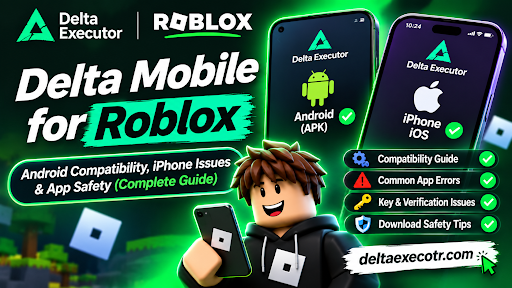

Mobile gaming has changed how people experience Roblox. Players can now explore thousands of experiences using an Android phone, iPhone, or tablet without needing a desktop computer.
However, searches for Delta Mobile, Roblox Executor Mobile, and Delta Mobile Executor often lead to questions about application compatibility, Android APK files, iPhone availability, and security.
Not every application advertised as a Roblox mobile tool is official, and not every download works across different devices. Understanding the differences between Android and iOS, recognizing common app errors, and checking download sources can help players make better decisions.
This guide explains what mobile users should know before trusting a third-party Roblox application, including common compatibility problems and important account security considerations.
What Does Delta Mobile Mean in Roblox Searches?
The phrase Delta Mobile is commonly used in searches related to Delta Executor and its association with Roblox.
Delta Executor is a third-party application discussed in Roblox scripting communities. It is separate from the official Roblox mobile application and is not developed or endorsed by Roblox Corporation.
People searching for Roblox Executor Mobile may be looking for information about Android compatibility, iPhone support, application versions, or the differences between mobile and desktop software.
For readers researching the broader Delta Roblox topic, it is important to distinguish between the official Roblox gaming application and third-party tools that claim to interact with it.
This distinction matters because application availability, technical compatibility, and account policies are different issues.
Android Compatibility: What Mobile Users Should Check
Android supports applications distributed through APK files, but an APK is not automatically compatible with every phone.
Compatibility depends on several factors, including the operating-system version, device architecture, available storage, application requirements, and whether the downloaded package is complete and correctly signed.
According to Roblox’s published mobile requirements, the official Roblox application requires Android 8.0 or higher and support for OpenGL ES 3.0.
These requirements apply to the official Roblox application. They should not be treated as proof that a separate third-party application will work on the same device.
Before trusting an Android compatibility claim, consider the following:
- Operating-system version: Check which Android release your phone supports
- Device compatibility: Compare the device specifications with the application’s stated requirements
- Available storage: Make sure the device has sufficient free space
- Package identity: Check whether the APK comes from a source that can be verified
- Application permissions: Review what access the application requests
- Release information: Check whether the version and publication date are clearly identified
An application advertised as compatible with every Android phone should be treated cautiously. Different devices can behave differently even when their operating systems meet the same minimum requirements.
Why Does an Android Application Say App Not Installed?
The Android message “App not installed” can appear for several reasons.
It does not necessarily mean that the phone is damaged or that the application itself is unavailable.
Some possible causes include an incomplete download, an incompatible application package, a signature conflict, insufficient storage, or a conflicting installation.
When the issue involves the official Roblox application, users should first check the Google Play Store for an available update and follow Roblox’s official troubleshooting guidance.
For an unfamiliar third-party APK, avoid repeatedly installing replacement packages from unrelated websites. A different download is not necessarily a more reliable download.
Also, never disable Android security features simply because an installation website instructs you to do so.
Delta Mobile on iPhone and iPad: What Is Different?
Android and Apple devices use different application formats and distribution systems.
An APK is designed for Android. It cannot be installed directly on an iPhone or iPad.
Apple devices require applications distributed in an iOS-compatible format and through an appropriate signing or distribution process.
Roblox’s official mobile requirements specify iOS 14 or iPadOS 14 and later for the supported iPhone and iPad environment.
Some common iOS installation messages include:
Unable to Verify App: The device cannot verify the application’s developer or signing status.
Untrusted Developer: iOS is asking you to review the developer identity associated with an application.
Unable to Install Application: The application may be incompatible, unavailable, or affected by a signing or distribution issue.
Application No Longer Available: The distribution method may no longer be available.
These messages should not automatically be treated as evidence that an application needs a new download.
Be particularly careful when an unfamiliar website requests an unknown configuration profile, certificate, or account credential.
Why Do Roblox Mobile Applications Stop Working?
Mobile application problems can occur after software updates, but updates are not the only possible explanation.
A problem may involve the official Roblox app, a device limitation, an internet connection, an application package, or an external service.
Here are some situations worth distinguishing.
Application crashes during startup
An application that closes immediately may be experiencing a software defect, compatibility limitation, or device-resource problem.
For the official Roblox app, Roblox recommends trying general troubleshooting measures such as closing and reopening the application and restarting the device.
Roblox shows an outdated-version message
An outdated-version message can indicate that the installed Roblox client needs an update.
Roblox provides official guidance for Error Code 280, including platform-specific troubleshooting information.
Do not assume that every version-related error is caused by a particular third-party application.
The application works on one phone but not another
Two Android phones can have different hardware, software versions, storage conditions, and manufacturer-specific restrictions.
The same is true for different iPhone and iPad models.
A report from one user does not establish universal compatibility.
The key or verification page does not load
Some third-party applications and services use external verification systems.
A failed verification page may involve an unavailable service, an incomplete session, a browser problem, or an unreliable website.
Avoid entering passwords or installing unrelated applications just to complete an unfamiliar verification process.
How Can You Tell Whether Roblox Is Down or Your Device Has a Problem?
Before assuming that a mobile application is broken, check whether Delta for Roblox itself is experiencing an interruption.
The official Roblox Status page provides information about service availability, including the mobile application and other Roblox systems.
A useful distinction is:
| What you observe | What to investigate |
| Roblox does not open on several devices | Possible service or widespread application issue |
| Roblox works on another device | Local device or installation issue |
| Only one game fails to load | Experience-specific or game-server issue |
| Mobile internet works poorly but Wi-Fi works | Possible network issue |
| An unfamiliar APK fails to install | Package identity or compatibility issue |
| An iOS application cannot be verified | Signing or distribution issue |
No third-party website should claim to provide guaranteed real-time Delta availability unless it can demonstrate reliable, timestamped information.
How to Recognize Untrustworthy Roblox Mobile Downloads
Third-party downloads deserve particular attention because a convincing download page does not establish that its file is genuine.
Some websites advertise APKs, modified applications, or special versions using phrases such as latest release, unlimited access, keyless, and 100% safe.
These labels are marketing claims unless supported by verifiable information.
Before trusting an unfamiliar download, check:
The publisher: Does the website identify who develops and distributes the application?
The file format: Does the package actually match the device? An Android APK should not be advertised as a native Windows installer or iPhone application.
The file identity: Are the version, package information, and publication date provided?
The permissions: Does the application request access that seems unrelated to its stated purpose?
The download source: Does the file come from a recognizable distribution source rather than an unrelated shortened link?
The security claims: Does the website promise that a third-party application is completely safe or impossible to detect?
Avoid websites that request Roblox passwords, authentication cookies, recovery codes, or payment details in exchange for an application download.
Roblox warns that exploiting violates its Terms of Use and that exploit downloads can contain malicious software or phishing programs.
Does Roblox Allow Third-Party Mobile Executors?
Players should understand that a third-party executor is not the same as an official Roblox development tool.
Roblox prohibits cheating and exploiting under its Terms of Use. Its anti-cheat guidance also warns about modified Roblox applications and software that changes how the platform operates.
Depending on the violation, Roblox may take action against an account, including suspension or permanent deletion.
This means that a claim of keyless access, mobile compatibility, or a successful application update does not establish that third-party use is allowed.
Players who want to create their own Roblox experiences can use Roblox Studio and its official Luau scripting environment.
Android vs iPhone: Which Mobile Environment Is Better for Roblox?
For ordinary Roblox gameplay, both Android and Apple devices offer mobile experiences, but their compatibility requirements differ.
| Comparison | Android | iPhone / iPad |
| Operating system | Android 8.0 or higher for the official Roblox app | iOS 14 / iPadOS 14 or higher |
| Official application source | Google Play | Apple App Store |
| Common package format | APK for Android applications | iOS-compatible application distribution |
| Compatibility considerations | Device architecture, graphics support and storage | Device model, OS version and application signing |
| Common installation concern | App not installed or incompatible package | Unable to verify or install application |
The better choice depends on the specific device and the application being used. Neither platform guarantees compatibility with every third-party tool.
Frequently Asked Questions
What is Delta Mobile for Roblox?
Delta Mobile is a phrase used in searches related to Delta Executor and third-party Roblox tools. It is not the name of an official Roblox mobile application.
What does Roblox Executor Mobile mean?
Roblox Executor Mobile generally refers to third-party applications associated with Roblox scripting on mobile devices. These are separate from Roblox’s official application and may involve security and account-policy risks.
Can I install an Android APK on an iPhone?
No. Android APK files are not directly compatible with iOS. An iPhone or iPad requires an application built for Apple’s operating system and an appropriate distribution method.
Why does my Android phone say App Not Installed?
This can happen because of an incompatible package, incomplete download, signature conflict, insufficient storage, or another installation issue. Verify the application’s source and compatibility before trying another file.
Why does Roblox show Error Code 280?
Roblox Error Code 280 is associated with a version-related message. Roblox provides official troubleshooting steps for Android and iOS users. Check that the official application is updated and consult Roblox Support if the error continues.
Is Delta Executor an official Roblox application?
No. Delta Executor is a third-party application and is not developed or officially endorsed by Roblox Corporation.
Is using a mobile executor against Roblox rules?
Roblox prohibits cheating and exploiting. Its official guidance warns that using modified applications or unauthorized software can result in account penalties.
How can I check whether Roblox is experiencing an outage?
Use the official Roblox Status page to review reported incidents and service availability. This is more reliable than an unverified third-party status badge.
Final Thoughts
Mobile Roblox compatibility involves more than downloading an application and checking its version number. Android and iOS have different requirements, distribution methods, and security restrictions.
Users researching Delta Mobile or Roblox Executor Mobile should understand the difference between official Roblox applications and third-party software before trusting compatibility or download claims.
Verify the application source, pay attention to device requirements, and avoid websites that request sensitive account information or promise unrealistic results. Check: https://deltaexecotr.com/is-delta-executor-safe/
For a better mobile gaming experience, accurate information and account security should always come before an unfamiliar download.