
Checkout can feel like a small part of the repair process, but it can shape the customer’s final impression of the shop. Checkout can get held up when staff are still trying to find repair details, sort out a mistake on the invoice, or finish entering payment information at the counter. Customers notice that wait. Rushing through the last few steps is not much better, though, because it can make the whole pickup feel abrupt. POS software for repair shops can make this part easier by giving staff quicker access to the job, the amount due, and the payment details they need. The aim is to make checkout move faster without making the customer feel like the shop is trying to rush them out the door.
6 Ways Repair Shops Can Make Checkout Faster
A faster checkout usually comes down to what happens before the customer reaches the counter. When the invoice is ready, repair details are easy to find, and staff are not stopping to fix small issues at the last minute, the handoff can move along without feeling rushed. It also gives employees more room to answer questions, explain charges, or go over warranty details instead of spending that time searching for information.
Checkout does not always need a major overhaul to move faster. Even small changes can save staff time at the counter without cutting short the attention customers expect. Here are six places to start:
-
Prepare the Invoice Before the Customer Arrives
The checkout process moves much faster when the invoice is already in good shape before the customer shows up. Staff should have the labor charges, parts, taxes, discounts, and any extra fees entered ahead of time instead of sorting them out at the counter. Before pickup, staff should give the final amount another look in case something was entered incorrectly. Catching it earlier means the customer is not left standing at the counter while someone fixes the bill. With the invoice already sorted, employees have more room to go over the repair, answer anything the customer wants to ask, and finish the pickup without making the whole thing feel hurried.
-
Keep Repair and Payment Details Easy to Access
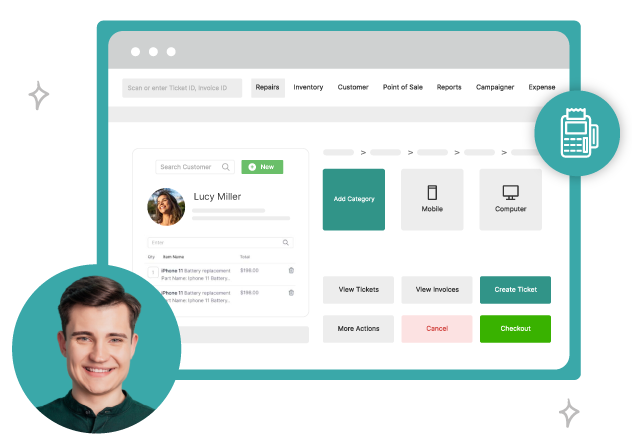
When checkout gets held up, it is often because someone behind the counter is still hunting for a repair ticket, checking a charge, or trying to find payment details. That kind of searching adds time fast. Keeping those details together makes the handoff much simpler. POS software for repair shops gives staff one place to check the job, the customer record, the balance, and the payment information. While the customer is waiting, staff can check the repair, see what is still due, and take payment without having to stop again and search around for missing information.
-
Give Customers A Clear Breakdown of the Changes
Customers are more likely to move through checkout smoothly when they can see exactly what they are paying for. A clear invoice should separate labor, parts, taxes, discounts, and any other charges instead of presenting one total with little explanation. That makes it easier for customers to review the bill and ask questions if something does not look right. Staff will not have to explain every single charge at the counter either. If the invoice already makes sense, they can spend that time talking about the repair, going over warranty information, or answering anything the customer asks before heading out.
-
Cut Down on Manual Steps During Checkout
Small manual tasks can add more time to checkout than staff may realize. Entering the same customer details twice, retyping repair notes, adding totals manually, or searching for the right ticket can hold checkout up again. The more of that work that is handled earlier in the repair process, the easier the final handoff becomes. Staff can then focus on checking the bill, taking payment, and answering any last questions. The more steps staff have to go through, the more room there is for an error. Catching one at checkout means stopping to fix it while everyone waits.
-
Make Payment Options Simple
Payment can become another hold-up if a customer gets to the counter and cannot use the method they had planned on. Having the usual choices available, including cash, debit cards, and credit cards, keeps that part of checkout simpler. Federal Reserve data from 2026 showed that 38% of consumers chose credit cards for in-person purchases, compared with 40% choosing debit cards. Card payments clearly remain common for everyday purchases. When customers have familiar ways to pay, staff are less likely to deal with last-minute questions or delays, and checkout can keep moving without feeling rushed for the customer.
Conclusion
Checkout should be the easy part, but loose ends can turn it into a wait. Maybe the invoice needs a change, or someone has to search for a repair note before taking payment. POS software for repair shops keeps the basic checkout details close, so staff are not stopping to look for them. That gives them more room to take payment, answer whatever comes up, and finish the pickup at a normal pace instead of making the customer feel rushed.