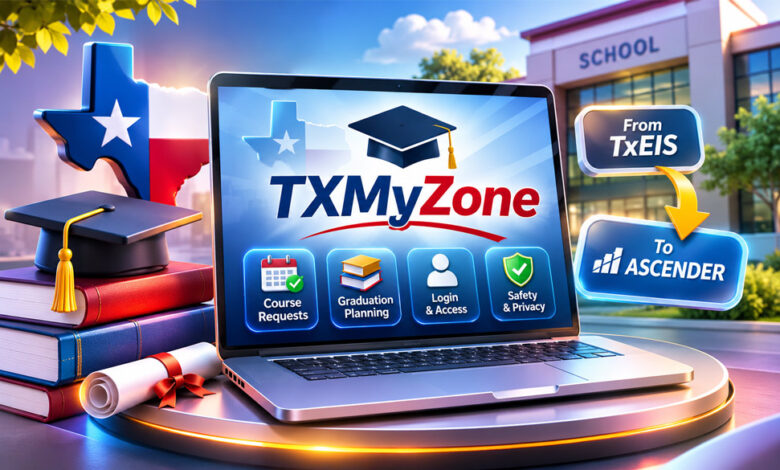

TXMyZone can be confusing because the name is used in different ways online. In the past, TXMyZone was linked with course requests and graduation planning in some Texas schools. Today, a website using the same name works as a general information blog.
This article explains what TXMyZone was, how students used it, how its login worked, and what happened when schools moved to newer systems like ASCENDER. It also explains the current TXMyZone website and important safety tips.
What Is TXMyZone?
TXMyZone has more than one meaning.
In the past, TXMyZone was used as a course-request portal in some Texas schools. Students could use it to see available classes and choose courses for the next school year.
The older portal worked with TxEIS, a student information system used by Texas school districts. Its main purpose was course planning and scheduling.
It was not a complete online learning platform. Students did not mainly use it for daily lessons, homework, or video classes.
Today, the public TXMyZone website is different. It describes itself as a resource blog. It publishes articles about education, technology, business, health, travel, food, fashion, and other topics.
There is not enough clear information to prove that the current website is directly connected with the older school portal.
Some websites also describe TXMyZone as a social network, modern student platform, or productivity tool. These claims are not clearly supported by official information.
TXMyZone Student Portal History
The older TXMyZone was connected with TxEIS. Texas school districts used TxEIS to manage student information.
TXMyZone gave students an online way to choose courses. Instead of using only paper forms, students could see available classes and send their choices online.
Schools controlled how the portal worked. Staff could decide which courses were available, which grade levels could use the system, and when course requests would open and close.
The portal mainly focused on course requests and graduation planning. It was not made to handle every part of online learning.
The exact launch date of TXMyZone is not clear from the available information. There is also not enough reliable information to name a separate company behind TXMyZone as its own product.
Later, the older TxEIS system was followed by ASCENDER. Course-request features then moved toward ASCENDER StudentPortal.
How TXMyZone Course Requests Worked
Schools first prepared a list of courses that students could choose. The available classes could depend on the student’s grade and school rules.
After logging in, students could see available courses and choose classes for the next school year. Some required classes could already appear in their plans.
TXMyZone could also show how many course units a student still needed to choose. This helped students see if they had selected enough classes.
Students could also choose alternate courses.
An alternate course was a backup choice. The school could use it if the student’s first choice was full or did not fit into the final schedule.
Students needed to check their choices before submitting them. Making changes after final submission could be more difficult.
Choosing a course also did not guarantee a place in that class. Schools still had to consider class size, available teachers, rooms, student demand, and schedule conflicts.
The online system also made work easier for school staff. Student choices could go directly into the wider scheduling process instead of being entered again from paper forms.
Graduation Planning With TXMyZone
TXMyZone could also help with graduation planning.
Students need the correct number and type of credits to graduate. The portal could help them understand which requirements they had already completed and what was still needed.
Depending on the school setup, students could see completed courses, current classes, planned subjects, and remaining credits.
This could help students plan future school years. For example, they could see if they still needed a science, math, or another required course.
However, TXMyZone did not replace a school counselor.
Some situations needed extra help. These could include transferred credits, college requirements, sports eligibility, dual-credit courses, career programs, or early graduation.
Students still needed to speak with school staff when making important academic decisions.
How Schools and Counselors Used TXMyZone
TXMyZone was also useful for counselors and school staff.
Counselors could check student course requests and make sure the choices matched the student’s grade and graduation plan.
They could also find missing courses, too few course units, or choices that did not meet school requirements.
The system also helped schools understand which courses students wanted.
For example, if many students selected the same elective, the school could see the demand and decide if another class might be needed.
Schools also controlled access to TXMyZone.
When course requests were open, students could add or change classes. Schools could also make the portal view-only so students could see information without changing it.
After the deadline, access could be closed while staff worked on the final schedule.
TXMyZone Login and Access
There was no single TXMyZone login page for every Texas student.
School districts could have their own portal address. They could also place the correct login link on their official school website.
Login details could be different from one district to another.
For example, an older notice from Alba-Golden ISD reportedly asked students to use information such as their student ID, date of birth, and the last four digits of their Social Security number.
This is only an old example. Students should not use these details on a website today unless their school clearly tells them to do so.
Never enter a student ID, Social Security number, school password, or other private information on a random website found through Google or another search engine.
Always start with the official school or district website. If you cannot find the correct login, ask your counselor, registrar, or school technology office.
Why a TXMyZone Login May Not Work
There are several reasons why an old TXMyZone login may not work.
The course-request period may already be closed. The student may also have incorrect login details or may be using an old link.
The school may have also moved to a newer student portal.
Old TXMyZone pages can still appear online even when the school no longer uses the system.
If a TXMyZone link does not work, visit your school’s current website. Look for sections called Student Portal, Course Requests, Scheduling, or ASCENDER.
If you still cannot find the correct portal, contact your school.
TXMyZone and the Move to ASCENDER
The older TxEIS system was later followed by ASCENDER.
Information from Education Service Center Region 20 showed that districts could finish course requests through the older portal or start using ASCENDER StudentPortal. The older scheduling tool was not expected to remain available for the next scheduling year.
ASCENDER StudentPortal kept several useful course-planning features.
Students could add or remove course requests, choose alternate classes, and see how many course units were still needed.
ASCENDER also brought more student information into one place, including grades and attendance.
This change explains why old TXMyZone links may still appear online even though the original system may no longer work.
Students should use the current portal listed on their school or district website.
What Is the Current TXMyZone Website?
The current TXMyZone website describes itself as a resource blog.
It publishes informational articles instead of clearly working as the older student course-request portal.
The website covers many subjects, including education, technology, business, health, travel, food, fashion, and lifestyle.
Education is still one of its topics. Readers may find articles about course planning, graduation, school schedules, students, and parents.
However, these articles should be treated as general information. Students should follow their own school’s instructions for actual courses, schedules, credits, and graduation rules.
The current website also has common blog features such as articles, categories, search tools, author information, contact details, and website policies.
There is no clear evidence showing that today’s TXMyZone blog is directly connected with the older TxEIS course-request portal.
Why Is TXMyZone Confusing Today?
The main problem is that different websites use the TXMyZone name in different ways.
Older school information connects TXMyZone with course requests and graduation planning.
The current website describes TXMyZone as a resource blog.
Other websites make different claims. Some call TXMyZone a modern student platform with grades, assignments, quizzes, digital books, dashboards, and teacher communication.
Other articles describe it as a social network, productivity tool, or transaction platform.
There is not enough clear evidence to confirm that all these features belong to one TXMyZone service.
Readers should therefore check the date, website, and source of the information they find.
Is TXMyZone a Social Network?
Some third-party websites describe TXMyZone as a social or community platform.
They mention features such as profiles, local groups, messages, events, location tools, and connections with nearby people.
However, these claims are not clearly confirmed.
The available research did not find strong first-party information showing a working TXMyZone social network with these features.
Some articles also mention AI personalization and future growth. These claims should also be treated as unconfirmed unless official information supports them.
This does not mean that no other service has ever used the TXMyZone name. It simply means there is not enough reliable information to call TXMyZone a confirmed social network.
TXMyZone Safety and Privacy
Students should be careful when using old school portal links.
Always check where a login link came from. A link from an official school or district website is safer than an unknown search result.
Check the full website address before entering any information. A website can use a familiar name or logo without being connected to the real school system.
HTTPS and the padlock symbol are useful because they help protect information while it is being sent. However, they do not prove that a website is official.
Never give an unknown website your school password, student ID, academic records, financial details, or other private information.
If you use a shared computer, sign out when you finish. Do not save your password in a public browser.
The current TXMyZone website reportedly has a general privacy policy. It covers information such as names, email addresses, IP addresses, browser information, cookies, analytics, and advertising.
This is more like a normal website privacy policy. It should not be confused with a privacy policy for the older student-record system.
How to Verify the Correct TXMyZone
Start with the organization that asked you to use the portal.
Students should first visit their official school or district website. Look for sections such as Student Portal, Students, Course Requests, Scheduling, or ASCENDER.
Check the full website address before entering login information.
A real student portal should also have a clear connection with the school, district, or software provider using it.
If a website asks for private information, check whether it has clear support information, password recovery, privacy details, and account instructions.
Do not trust a website only because it uses the TXMyZone name.
If you are not sure, ask your school before signing in.
Benefits of the Older TXMyZone System
The older TXMyZone system made course planning easier for students and schools.
Students could choose courses online instead of using only paper forms. They could review their choices and see how many course units they still needed.
They could also select alternate courses in case their first choice was full or did not fit their schedule.
Graduation planning information could help students see which requirements were already completed and which were still needed.
Counselors could review course choices and find missing or unsuitable selections.
Schools could also see which classes were popular. This information could help them plan class sections and schedules.
These benefits apply to the older school system. They should not be confused with features of the current TXMyZone blog.
Limitations of TXMyZone
TXMyZone also had some limits.
Choosing a course did not guarantee a place in that class. The final schedule depended on teachers, rooms, class sizes, student demand, and timetable conflicts.
Course requests could also be available for only a limited time. Students who missed the deadline might need help from a counselor.
Some academic situations also needed personal review. These included transferred credits, dual-credit courses, early graduation, career programs, and other special plans.
Another problem today is that old TXMyZone pages can still appear online even when a school has stopped using the system.
The name is also used for several different things online. This can make it difficult to know which information is correct.
There is also limited reliable information about the original TXMyZone launch date and its history as a separate product.
Claims about social networking, AI tools, productivity features, and other modern functions are also not clearly confirmed.
What Should Students Use Now?
Students should start with their current school or district website.
Look for Student Portal, ASCENDER, Course Requests, or Scheduling. The system used today can be different from one district to another.
Students should also use the latest course guide from their school because course names, requirements, deadlines, and available classes can change.
Before sending course requests, check required classes, credits, electives, alternate choices, and the deadline.
If possible, save a copy or confirmation after submitting your choices.
Students with special plans should speak with a counselor. This includes students planning early graduation, dual-credit classes, career programs, credit recovery, or transferred courses.
ASCENDER appears in the information about the move away from the older system. However, this does not mean every Texas school district uses ASCENDER today.
Always follow the instructions from your own school.
Bottom Line
TXMyZone was used in some Texas school settings to help students choose courses and review graduation planning information. It worked with the older TxEIS school system.
As school software changed, these course-planning functions moved toward newer systems such as ASCENDER StudentPortal.
Today, the public TXMyZone website is different. It describes itself as a resource blog covering education, technology, business, health, travel, food, fashion, lifestyle, and other topics.
There is not enough clear information to confirm that today’s website is the same service as the older school portal.
If you find an old TXMyZone login, check your school or district website before entering any private information. For course planning and graduation requirements, follow current school instructions and speak with a counselor when needed.
Frequently Asked Questions
What is TXMyZone?
TXMyZone was used for student course requests and graduation planning in some Texas schools. Today, a website using the name works as a general information blog.
Was TXMyZone a student portal?
Yes. Older information describes it as a course-request portal connected with TxEIS. Some newer claims about its features are not clearly confirmed.
What was TXMyZone used for?
Students could choose courses, add alternate classes, send course requests, and review parts of their graduation plan.
How do I find the TXMyZone login?
Check your school or district’s official website. Avoid entering student information on unknown TXMyZone pages found through search results.
Why is my TXMyZone login not working?
The link may be old, course requests may be closed, or your school may now use ASCENDER or another student portal.
What replaced TXMyZone?
The older TxEIS course-request system moved toward ASCENDER StudentPortal. However, the system used today can differ by school district.
Is the current TXMyZone website the old student portal?
This is not clearly confirmed. The current website describes itself as a resource blog, not an active school course-request portal.
Is TXMyZone safe?
Use only a portal link confirmed by your school. Do not enter passwords, student IDs, or other private information on an unknown website.