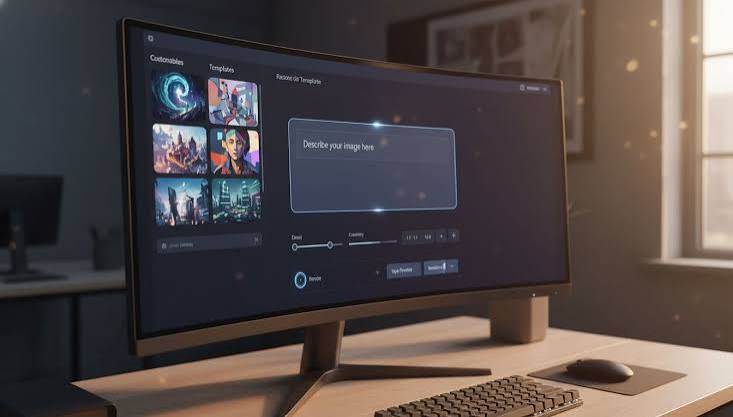

Reading spec sheets and feature lists only tells half the story with AI video tools. The real test is spending actual time with one, pushing it past the demo prompts, and seeing what happens once you’re trying to finish a real project instead of just poking around. So instead of another feature-by-feature breakdown, here’s what a full week with Magic Hour AI actually looks like once you start putting it to work.
Why You’d Even Consider Magic Hour AI
Before diving in, it’s worth admitting why this tool ends up on so many shortlists in the first place. It’s cheap to start, doesn’t ask for any editing skill, and bundles several tools — text-to-video, image-to-video, face swap, lip sync — into one dashboard. For anyone comparing options before spending money, it’s usually sitting next to names like Seedance AI on the same shortlist, since both promise a fast way to go from idea to finished clip without touching a traditional editor.
Day One: Testing the Basics
The first session is mostly about getting a feel for the tool, not producing anything usable. You sign up, get a small batch of free credits, and start typing prompts to see what comes back.
First Prompt, First Surprise
A simple prompt like “a cup of coffee steaming on a wooden table, morning light” comes back looking genuinely good. Static or near-static scenes with soft, ambient motion are clearly where the model is most comfortable. It’s the kind of result that makes you want to immediately try something more ambitious — which is exactly where things start to get interesting.
Putting It to Real Work
By day two or three, the free credits are gone and you’re working with a paid plan, trying to build something with an actual purpose instead of random test prompts.
Making a Product Teaser
Turning a product photo into a short teaser clip — the image-to-video mode — is where the tool earns its keep. Feeding it a clean product shot and asking for a slow zoom or a gentle rotation produces something usable on the first or second try most of the time. It’s not going to fool anyone into thinking it was shot on a proper set, but for a quick social post, it does the job.
Trying the Avatar Feature
The AI avatar and lip sync tools are a different story. Getting a natural-looking result takes several attempts, and mouth movements can drift slightly out of sync with the audio on longer clips. It’s usable for short announcements or quick intros, but it’s not something you’d want to lean on for anything longer than fifteen or twenty seconds without careful review.
The Moment It Started to Show Cracks
Somewhere around day four, the limitations start piling up instead of feeling like one-off glitches. Multi-step scenes — a character walking, then turning, then picking something up — consistently lose coherence partway through. Faces shift slightly between generations, and camera movement that’s supposed to be smooth often comes out jittery instead.
This is the point where it makes sense to open a second tab and run the same prompt through something else, just to see if it’s the prompt or the tool. Testing a few of the same scenes on Seedance 2.5 makes the gap pretty clear — motion holds together better across longer clips, and there’s noticeably less warping on faces and hands during movement. It doesn’t mean Magic Hour AI is bad, just that it’s better suited to shorter, simpler shots than complex sequences.
What Nobody Tells You About Credit Costs
One thing that doesn’t show up in most reviews is how fast credits disappear once regeneration enters the picture. A “perfect” first result is rare. Realistically, expect to generate a clip two or three times before landing on something worth keeping, which means the real cost per usable clip is higher than the sticker price on the plan suggests. Budgeting for that upfront saves the frustration of running out of credits halfway through a project.
Final Verdict: Should You Spend Your Credits Here?
After a full week, the picture is pretty clear. Magic Hour AI is genuinely good at short, simple, low-motion clips — product shots, ambient b-roll, quick avatar intros. It struggles once a project asks for longer sequences, complex movement, or tight visual consistency across multiple shots.
If the plan is quick social content and casual experimentation, it holds up well and won’t break the bank. If the goal is something closer to polished, longer-form video, it’s worth setting aside a few free credits on a couple of alternatives first and comparing results side by side before committing to a paid plan. A week of real testing tells you far more than any spec sheet ever will — and it’s the only way to know for sure which tool actually fits what’s being built.