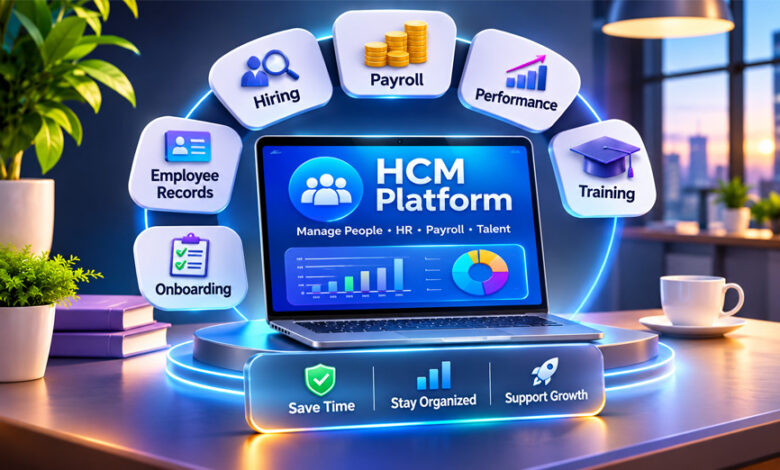

An HCM platform is software that helps businesses manage employees and HR work in one place. HCM stands for Human Capital Management.
Businesses use HCM software for employee records, hiring, onboarding, payroll, performance, training, and workforce planning. This guide explains what an HCM platform is, how it works, its main features, costs, benefits, challenges, and security.
What Is an HCM Platform?
An HCM platform is a software system that helps a business manage its employees and HR tasks.
It keeps important employee information in one place. This can include job details, department, payroll information, attendance, performance, and training records.
Without an HCM system, a company may use different spreadsheets and software for different HR tasks. An HCM platform can connect many of these tasks in one system.
HCM is not only software. Human Capital Management also means managing employees, their skills, performance, and development.
Not every HCM platform has the same features. Some offer basic HR, payroll, and time tracking. Others include recruiting, training, analytics, workforce planning, and AI tools.
HR teams are the main users, but managers and employees can also use these systems. Employees may check their information, request leave, view pay details, or complete training.
How Does an HCM Platform Work?
An HCM platform usually keeps employee information in one central database.
For example, when a company hires someone, information from the hiring process can move to onboarding. After onboarding, the same information can become part of the employee’s main HR record.
The employee record can then connect with payroll, benefits, attendance, performance, and training. This means HR teams do not have to enter the same information many times.
HCM software can also automate simple HR tasks. It may send reminders, approval requests, onboarding tasks, or other notices automatically.
Many platforms also offer self-service tools. Employees may update some personal details, request time off, check pay information, or access training. Managers may approve requests and view information about their teams.
HCM systems can also create reports and dashboards. These can help businesses understand hiring, employee turnover, skills, performance, and other workforce information.
Main Features of an HCM Platform
HCM features can be different from one provider to another. However, many platforms offer the following tools.
Core HR and Employee Records
Core HR keeps important employee information in one place.
This can include names, contact details, job titles, departments, managers, and employment information.
Employees may also be able to update some of their own details. Managers can access the employee information they are allowed to see.
Recruitment and Talent Acquisition
Recruitment tools help businesses find and hire employees.
HR teams can manage job openings, applications, candidates, interviews, and hiring steps.
Some platforms also use AI to help with candidate matching or writing job descriptions. These features are not available on every platform.
Employee Onboarding
Onboarding tools help new employees when they join a company.
The system may collect their information, provide documents, assign tasks, and track the steps they need to complete.
It can also send reminders when an onboarding task is not finished.
Payroll and Compensation
Some HCM platforms include payroll tools. Others connect with separate payroll services.
These tools can help manage salaries, compensation, deductions, and other pay information.
Global companies may need payroll support for several countries. Businesses should check which countries a platform supports before choosing it.
Time and Workforce Management
These tools help businesses manage employee working time.
They may include attendance, time tracking, work schedules, leave, and shift planning.
Time information can also connect with payroll when the platform supports it.
Performance Management
Performance tools help managers review employee work and progress.
Managers can set goals, give feedback, complete performance reviews, and keep records of employee development.
Some platforms also allow regular feedback instead of only one yearly review.
Learning and Development
Learning tools help employees improve their skills.
An HCM platform may offer courses, training plans, progress tracking, and records of completed training.
Some advanced systems can also suggest training based on an employee’s skills and job needs.
HR Analytics and Reporting
HCM software can turn employee information into useful reports.
HR teams may use reports to understand hiring, attendance, employee turnover, performance, skills, and workforce needs.
Good reports depend on good data. Wrong or missing employee information can make reports less useful.
Employee Engagement
Some HCM systems include employee surveys and feedback tools.
These tools can help HR teams understand how employees feel about their workplace and find common problems.
Not every HCM platform includes these features. Some connect with separate employee engagement software.
AI and Automation
AI is becoming more common in HCM software.
Depending on the platform, AI may help find employee skills, identify skill gaps, search for candidates, suggest training, write job descriptions, or answer common HR questions.
Automation can also manage simple tasks such as reminders, approvals, onboarding steps, and employee requests.
AI should not make important employment decisions on its own. Hiring, promotion, performance, and other important decisions still need human review.
Cloud HCM Platforms and Deployment Options
Many HCM platforms now work through the cloud. This means businesses do not need to run the full software on their own computers or servers.
Cloud HCM is often offered as Software as a Service (SaaS). The business pays to use the software, while the provider manages much of the technology, maintenance, and updates.
Cloud systems can also make it easier to add new users as a company grows. Many can be used through a web browser, and some also offer mobile apps.
There are three common deployment options.
Public cloud uses shared cloud infrastructure while keeping customer accounts and data separate.
Private cloud gives an organization a more dedicated environment.
Hybrid HCM combines cloud software with private or existing systems. For example, a company might use cloud software for recruitment while keeping its older payroll system.
A hybrid setup can be useful when a business cannot move all its HR systems to the cloud at the same time.
HCM Platform vs. Traditional HR
Traditional HR may depend on paperwork, spreadsheets, emails, and separate software. This can make employee information harder to manage.
An HCM platform brings many HR tasks into one connected system. This can reduce repeated work and make information easier to find.
HCM systems can also provide reports and dashboards. These help businesses understand their workforce and plan future needs.
Employees may also use self-service tools instead of contacting HR for every small request.
However, HCM software does not replace HR professionals. People are still needed to manage employees, review important decisions, solve workplace problems, and apply company policies.
Benefits of Using an HCM Platform
One main benefit of an HCM platform is keeping employee information organized in one system.
Automation can reduce simple and repeated HR work. For example, the system may handle reminders, approvals, and some onboarding tasks.
Recruitment and onboarding can also become easier because information can move between different parts of the system.
Employee self-service can save time. Workers may complete basic HR tasks without contacting the HR team.
Reporting tools can help businesses understand hiring, employee turnover, performance, skills, and workforce needs.
Learning tools can also help companies find skill gaps and provide useful training to employees.
Cloud HCM systems can be helpful for businesses with employees working in different offices, countries, or remote locations.
However, these benefits depend on how the system is set up and used. Businesses still need correct data, good processes, and proper employee training.
HCM Platform Costs and Pricing
There is no fixed price for an HCM platform.
The cost can depend on the provider, number of employees, features, company size, and services needed.
Some providers charge a monthly price for each employee. Others offer packages or custom pricing.
Businesses may also have to pay for setup, data migration, integrations, training, support, customization, and extra features.
A small company that only needs basic HR tools may pay less than a large global company that needs payroll, recruiting, analytics, and workforce planning.
Some providers may offer demos, trials, or limited plans. There is no standard free HCM plan across the whole market.
Businesses should look at the full cost of the system, not only the monthly price.
HCM Platform Challenges and Drawbacks
Setting up an HCM platform can take time.
Moving old employee information into a new system can be difficult. Companies may have information stored in spreadsheets, old software, and different databases.
Connecting an HCM platform with older payroll, finance, or ERP software can also be difficult.
Cost can be another problem. Setup, training, integrations, support, and customization can increase the total price.
Employees and managers may also need training before they can use the system properly.
Changing providers later can take time because a company may have a large amount of employee information stored in one platform.
Global businesses also need to deal with different payroll, employment, privacy, and data rules.
Data quality is another important issue. Wrong or missing information can affect reports, analytics, and AI results.
HCM Platform Security and Privacy
HCM platforms can store private employee information. This may include names, addresses, salaries, tax information, benefits, performance records, and banking details.
Businesses should therefore take security seriously.
Important security features can include encryption, strong login methods, user permissions, backups, security monitoring, and recovery tools.
Employees should only be able to see information they are allowed to access.
Privacy laws can also be different between countries. Global companies may need to check where employee information is stored and how it is shared between countries.
Businesses should check the provider’s privacy policy, security practices, data storage rules, and compliance information before choosing a platform.
HCM Integrations and Compatibility
An HCM platform may need to connect with other business software.
Common integrations include payroll, benefits, finance, ERP, recruiting, learning, attendance, and identity management systems.
Some HCM platforms offer ready-made connections. Others use APIs or third-party tools.
Older software may be harder to connect with a modern HCM system. Businesses should check compatibility before buying a platform.
Who Should Use an HCM Platform?
HCM software can be useful for small, medium, and large businesses.
Small businesses may only need employee records, payroll, leave management, attendance, and simple reports.
Medium-sized businesses may use HCM software when their workforce grows and spreadsheets become difficult to manage.
Large companies may need advanced analytics, global payroll, talent management, workforce planning, and stronger access controls.
HCM platforms are used in industries such as technology, finance, healthcare, manufacturing, retail, government, education, hospitality, and travel.
They can also be useful for remote and hybrid teams because employees can access HR services from different locations.
How to Choose the Right HCM Platform
Start by understanding what your business needs.
Think about the HR problems you want to solve. These may include payroll, hiring, onboarding, employee records, time tracking, or reporting.
Check whether the platform can support your current number of employees and continue working as your company grows.
You should also check integrations. Make sure the HCM system can work with important software your company already uses.
Review the platform’s security, privacy, reporting, mobile access, customization, and support.
Look at the full cost, including setup, training, migration, integrations, and extra modules.
It is also useful to request a demo. This gives HR teams and managers a chance to see how the software works before making a decision.
Compare several providers before choosing one.
HCM Platform Market and Popular Providers
HCM is a type of business software. It is not one company or one product.
There are many HCM providers for different business sizes and needs. Well-known names include Workday, SAP, Oracle, ADP, and UKG.
Other providers focus more on small and medium-sized businesses or specific HR services.
Market research from Mordor Intelligence estimates the global cloud HCM platform market at $11.82 billion in 2026. It forecasts the market could reach $17.50 billion by 2031.
These numbers are estimates and do not guarantee future market growth.
The same research identifies North America as the largest market and Asia-Pacific as a fast-growing region.
Cloud software, AI, HR analytics, employee self-service, and global payroll needs are some of the areas supporting growth in HCM technology.
Future Trends in HCM Technology
AI is becoming a bigger part of HCM software.
Some platforms use AI for recruitment, employee skills, training, performance, and workforce planning.
AI assistants may also answer simple employee questions, help write job descriptions, summarize information, and support everyday HR tasks.
Skills-based planning is another growing area. Businesses can look at employee skills instead of only their job titles. This can help them find skill gaps and training needs.
HR analytics is also improving. Businesses can use workforce information to understand hiring, employee turnover, staffing, and other trends.
Cloud systems, mobile access, employee self-service, and support for remote work are also expected to remain important.
AI brings some concerns as well. Businesses need to think about privacy, accuracy, fairness, and how AI is used in employment decisions.
Human review is still important when decisions affect hiring, promotion, performance, or employment.
Bottom Line
An HCM platform helps businesses manage employees and HR work in one connected system.
It can include employee records, hiring, onboarding, payroll, time tracking, performance, training, analytics, and employee self-service.
HCM software can reduce manual work and make employee information easier to manage. However, businesses should also think about cost, setup, integrations, security, privacy, and training.
The right HCM platform depends on the size of the business, its employees, budget, existing software, and the features it needs.
Frequently Asked Questions
What does HCM stand for?
HCM stands for Human Capital Management. It means managing employees and their work needs.
What is an HCM platform used for?
It helps businesses manage hiring, payroll, employee records, training, performance, and other HR tasks.
What is the difference between HCM and HR software?
Both are similar, but HCM usually covers more areas, such as employee skills, development, and workforce planning.
How much does an HCM platform cost?
There is no fixed price. The cost depends on the provider, features, and number of employees.
Is an HCM platform suitable for small businesses?
Yes. Small businesses can use HCM platforms for payroll, employee records, leave, and other basic HR tasks.
Are HCM platforms secure?
They can be secure, but it depends on the provider. Businesses should check privacy and security features before choosing one.
What are the main benefits of an HCM platform?
It keeps employee information organized, saves HR time, reduces manual work, and makes reporting easier.
How do I choose the right HCM platform?
Compare the features, price, security, integrations, and ease of use. Choose one that fits your business needs.
Bddiabetes.com Guide: Insulin Syringes, Pen Needles, and Embecta
Crypto30x.com Complete Guide: Uses, Features, Safety, and Trading Claims